EasyManua.ls Logo

iHome iK50 - User Manual

iHome iK50
16 pages
Print Icon
To Next Page IconTo Next Page
Loading...
Model: iK50
Instruction manual - US English
Size: 102 x 150 mm
Date: April 30, 2012
Mat’l: 128gsm matte finish paper
Color: Black text on white background
Cover
Warranty
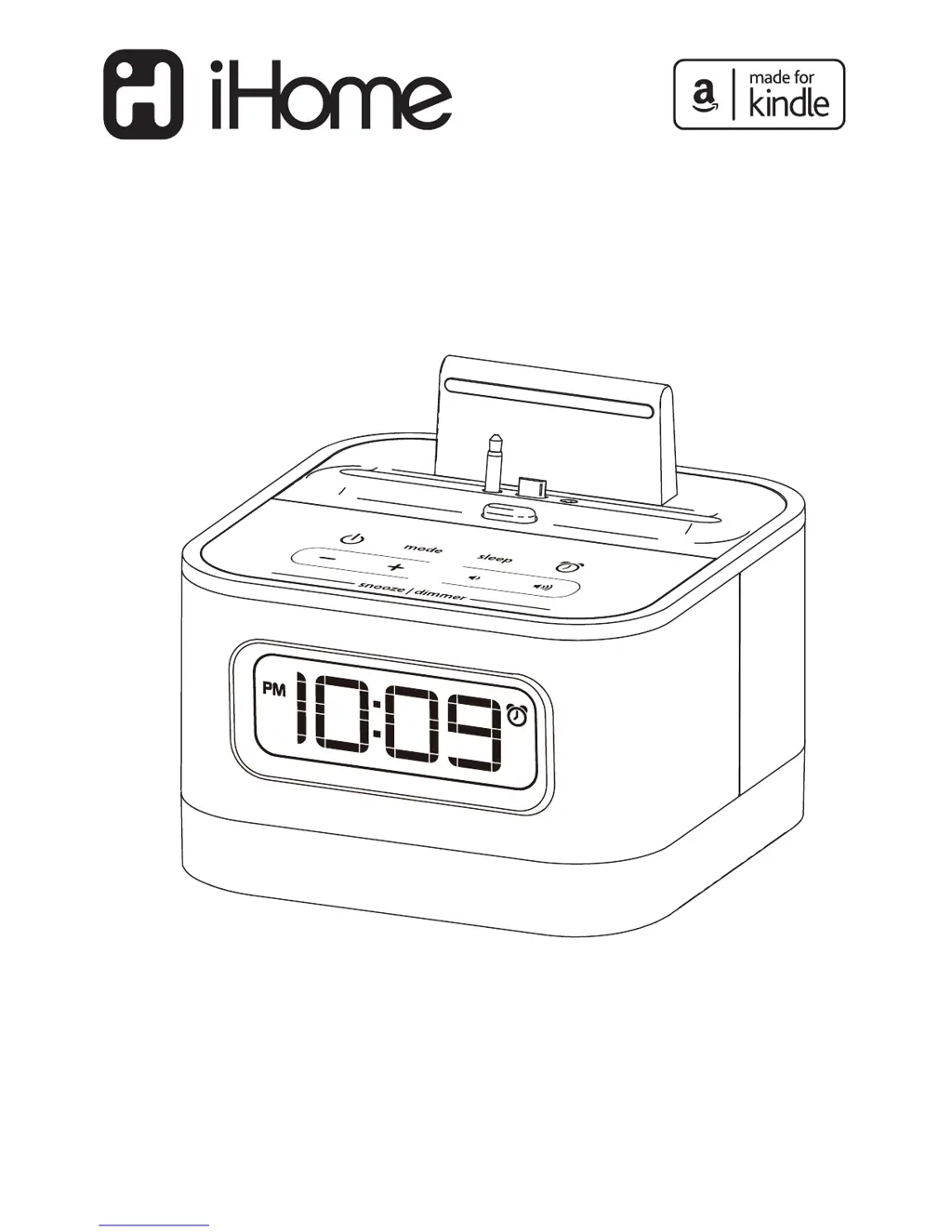
Model iK50
Play, Charge, and
Wake with your
Kindle Fire
QUESTIONS? Visit www.ihomeaudio.com
SMARTDESIGN

Questions and Answers

  • J
    Jennifer KrauseJul 30, 2025
    Why is my iHome iK50 Docking Station device not charging?
    • K
      Kristen SaundersJul 30, 2025
      There are several reasons why your iHome Docking Station device might not be charging. First, ensure the unit is connected to a working power outlet, as it won't charge when running on batteries. Second, the USB cable may not be properly connected, so check that it's firmly connected to both the USB port inside the unit's cable compartment and your device. Finally, your device might use a proprietary charging protocol. Try moving the USB Circuit Switch next to the USB port to the other position. If it still doesn't charge, you may need to use the charging accessory that came with your device.
  • R
    rebeccamooreAug 4, 2025
    What to do if there is no sound from my iHome iK50 Docking Station?
    • E
      esandersAug 4, 2025
      If you're not getting any sound from your iHome Docking Station, there are a few things to check: * Make sure the volume on your device isn't too low or muted. * Also, ensure that the audio cable is firmly connected to both the line-in jack on the iHome unit and the headphone/audio out jack on your device. * Verify that the iHome unit is properly connected to a power source and that the power button is ON (lit up).
  • E
    Erin CohenAug 10, 2025
    How to fix an iHome iK50 Docking Station that won't turn on?
    • M
      Mrs. Rebecca WatsonAug 10, 2025
      If your iHome Docking Station isn't turning on, make sure the AC adapter is correctly plugged into a working wall socket and into the power jack on the back of the unit. Also, check that any wall switch controlling the outlet is turned ON.
  • L
    Lonnie MyersAug 14, 2025
    How to stop erratic performance of iHome iK50?
    • K
      Kelly JonesAug 14, 2025
      To stop erratic performance of your iHome Docking Station, move it away from potential sources of external interference. These sources can include computers, modems, wireless devices (like routers), or fluorescent lights.
  • J
    Jeffrey CarlsonAug 19, 2025
    Why does my iHome iK50 Docking Station sound distorted?
    • C
      Carmen RayAug 20, 2025
      If the sound from your iHome Docking Station is distorted, the original sound file (like an MP3) might be old or of poor quality. Distortion and noise are easily noticed with high-power speakers. Consider upgrading the file from a trusted source.
  • J
    Jason NelsonAug 25, 2025
    What to do if my iHome iK50 Docking Station won't turn off?
    • T
      Taylor WeaverAug 25, 2025
      If your iHome Docking Station won't turn off, especially when playing audio, it's because the unit uses audio detect circuitry. To turn it off, stop or pause the audio playing from your device connected via the line-in jack. The unit will then power off automatically in about 3 minutes.

Summary

Getting Started

Features and Functions Overview

Top Panel Controls

Details components on the top surface of the unit like buttons and ports.

Back Panel Connections

Details components on the rear of the unit like jacks and antenna.

Display Indicators

Explains the various indicators and segments shown on the unit's display.

Powering the Unit

Connecting to AC Power

Explains how to connect the unit to AC power for charging and playing devices.

Back-Up Battery Function

Describes the purpose and initial setup of the backup battery for power failures.

Kindle Fire Docking Guide

Using the Standard Dock Insert

Instructions for docking the Kindle Fire in portrait mode for charging and playback.

Using the Landscape Dock Insert

Instructions for docking the Kindle Fire in landscape mode for video playback.

Audio Playback

Playing Music with Standard Insert

How to play music using the standard dock insert with the Kindle Fire.

Time and Alarm Settings

Setting the Current Time

Instructions for setting the current time on the unit, including AM/PM and 12/24 hour modes.

Setting the Wake-Up Alarm

Steps to set up the wake-up alarm using buzzer or radio sources.

Alarm Features

Snooze Feature Adjustment

How to use and adjust the snooze function for the alarm.

Radio and Sleep Functions

FM Radio Operation

Instructions for tuning into FM radio stations and adjusting volume.

Radio Frequency Settings

How to select FM radio frequency settings for different global regions.

Sleep Mode Timer

Instructions for using the sleep timer with FM radio playback.

Troubleshooting Common Issues

Unit Maintenance

Important Safety Information

Product Safety and Compliance

Limited 1 Year Warranty

iHome iK50 Specifications

General IconGeneral
Snooze functionYes
Sound enhancement technologyReson8, EXB
Cables includedAudio (3.5mm), USB
Product colorBlack, Red
Compatible productsKindle Fire

Related product manuals