EasyManua.ls Logo

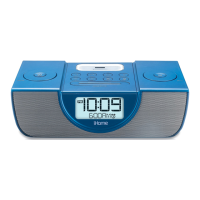
iHome iPL8 - User Manual

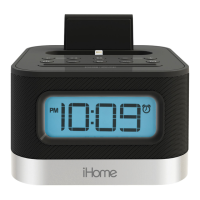
iHome iPL8
15 pages
Print Icon
To Next Page IconTo Next Page
Loading...
1
Model: iPL8-r
Instruction manual - US English
Size: 102 x 150 mm
Date: April 9, 2013
Mat’l: 100gsm paper (WF)
Color: Black text on white background
Cover
Warranty
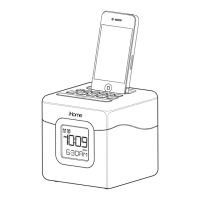
Model iPL8
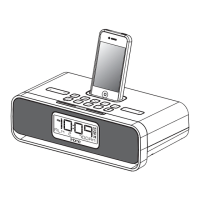
stereo alarm clock to charge
your iPod or iPhone
QUESTIONS? Visit www.ihomeaudio.com
1
2
WELCOME
Thank you for choosing the iPL8 from iHome. This user guide will get
you up and running quickly and provide helpful hints to maximize
enjoyment. For more information about this and other iHome
products, please visit www.ihomeaudio.com Note that details on
using iHome apps with this unit are not covered in this booklet. For
information on using iHome apps, please visit
www.ihomeaudio.com/apps
GETTING STARTED
This unit ships with the following items. Please check to see that all
items are present.
1 iPL8 speaker system
2 100-240V Universal AC power adaptor

Questions and Answers

  • T
    Timothy WashingtonAug 10, 2025
    How to fix iHome Docking Station that won’t turn on?
    • L
      lburgessAug 10, 2025
      Plug the AC adapter of your iHome Docking Station into a working wall socket and make sure it's also plugged into the power jack on the back of the unit. Also, ensure that the wall switch controlling the outlet is turned ON.
  • J
    Jeremiah WalkerAug 18, 2025
    What to do if my iHome iPL8 device doesn’t charge up?
    • G
      Gregory FreemanAug 18, 2025
      Ensure the iHome Docking Station is connected to a working power outlet. Note that the unit will not charge if it's running on backup battery power.
  • M
    Mrs. Donna SmithAug 25, 2025
    What to do if my device does not respond to my iHome Docking Station, or the device is playing but no sound comes out?
    • S
      Shelly HoltAug 26, 2025
      Check that the iHome Docking Station is properly connected to a working AC power source and that the Power Button is lit. Also, adjust the volume on both the unit and your audio device. Press the Mode Button to select the correct mode (iPod, USB, or FM) and try pressing the Play/Pause Button.
  • R
    Ryan MosleySep 1, 2025
    Why does the sound from my iHome Docking Station sound distorted?
    • A
      Anthony MasonSep 2, 2025
      If the sound from your iHome Docking Station is distorted, try turning the volume down on your device. If the original sound file (like an MP3) is old or poor quality, distortion may be noticeable with high-power speakers. Consider upgrading the file from a trusted source like iTunes.

Summary

Product Features and Functions

Connecting to AC Power

AC Power Connection Steps

Instructions on how to connect the iPL8 unit to AC power using the provided adapter.

Backup Battery Installation

Replacing the Backup Battery

Step-by-step guide on how to replace the CR2450 backup battery in the unit.

Setting the Time

Manual Time Setting Procedure

Detailed procedure for manually setting the time on the iPL8 unit, including AM/PM.

Setting and Using the Alarm

Setting the Alarm Time

Guide to setting the alarm time and arming the alarm function on the iPL8.

Device Charging and Playback

iPhone;iPod Charging

Details on how to dock or connect your iPhone/iPod for charging while connected to AC power.

Troubleshooting

Troubleshooting Common Issues

A guide to common problems with the unit and their corresponding solutions.

Safety Information

General Safety Guidelines

Essential safety precautions regarding water, ventilation, heat sources, and power connections.

Usage, Service, and Interference Safety

Safety tips on product usage, servicing, periods of non-use, and magnetic interference.

iHome iPL8 Specifications

General IconGeneral
TypeDocking Station
Power SourceAC adapter
SpeakerphoneYes
Snooze functionYes
ModeliPL8
CategoryDocking Station
Input Voltage100-240V AC
Built-in SpeakerYes
CompatibilityiPhone/iPod
Speaker OutputStereo
FeaturesAlarm clock, FM radio
Integrated DevicesFM Radio

Related product manuals