EasyManua.ls Logo

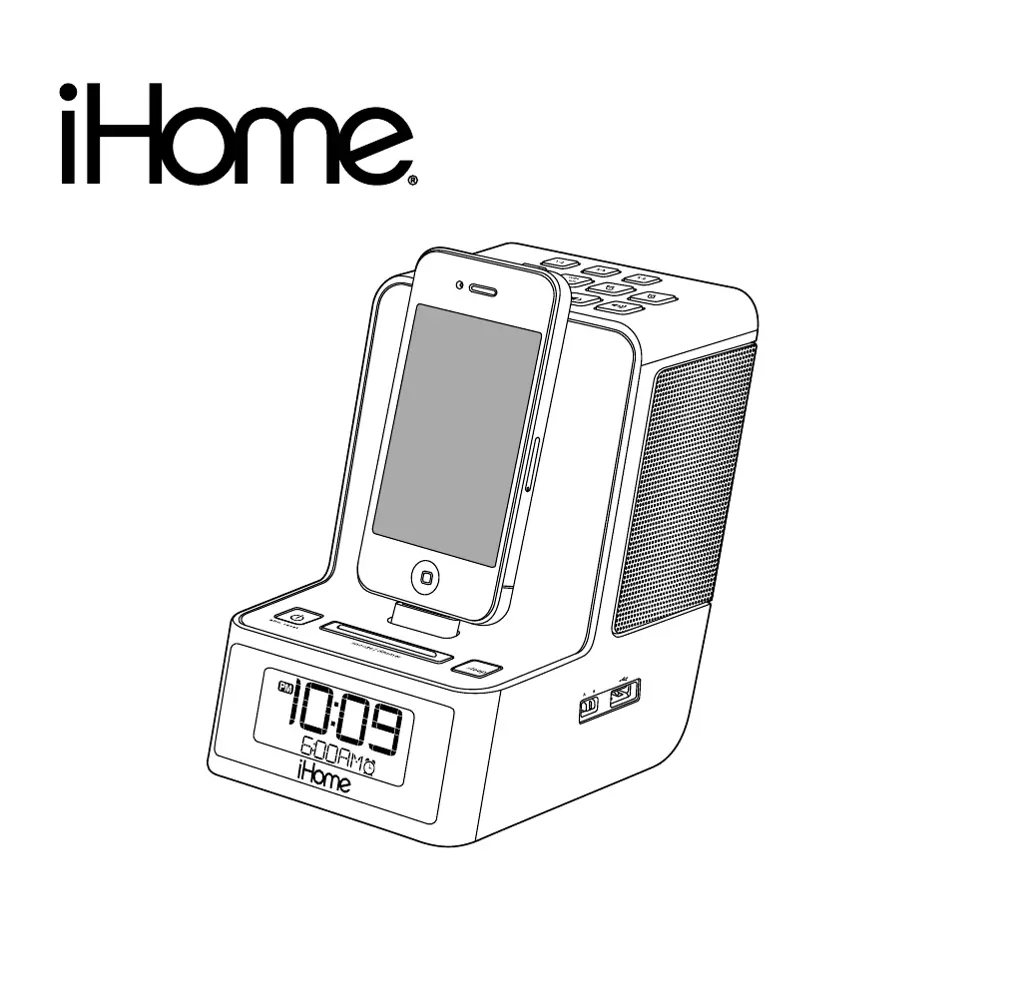
iHome IPOD ID37 - User Manual

iHome IPOD ID37
12 pages
Print Icon
To Next Page IconTo Next Page
Loading...
Questions? Visit www.ihomeaudio.com
Model:iD37(Englishversion)
InstructionManual
Date:May25,2011
Printcolor:Blacktextonwhitepaper
Size:178Wx178Hmm
Model iD37
The Home System
For Your iPad, iPhone
®
or iPod
®

Questions and Answers

  • B
    Barry JohnsonJul 30, 2025
    Why my iPhone/iPad/iPod didn’t charge up in iHome Docking Station?
    • A
      Albert ThomasJul 30, 2025
      Make sure your iPhone/iPad/iPod is properly connected to the iHome docking station. Remove your iPhone/iPad/iPod from the dock, check for any obstructions on the connectors of both the dock and your device, and then reseat it. Also, ensure that your iPhone/iPad/iPod is functioning correctly before docking it into the unit.
  • A
    arianajimenezAug 4, 2025
    How to fix erratic performance on my iHome IPOD ID37/iPhone/iPad/ iPod?
    • M
      Mark HernandezAug 4, 2025
      The erratic performance might be due to external interference. Try moving the iHome docking station away from potential sources of interference, such as computers, modems, wireless devices (like routers), or fluorescent lights.
  • L
    Laurie RiceAug 9, 2025
    What to do if my iPhone/iPad/iPod doesn't respond to the iHome IPOD ID37?
    • K
      Kelly PorterAug 9, 2025
      First, remove your iPhone/iPad/iPod from the dock and inspect the connectors, both on the dock and on your device, for any obstructions. Reseat the device in the dock. If the issue persists, upgrade the software on your iPhone/iPad/iPod via iTunes on your computer. Also, ensure your iPhone/iPad/iPod is working correctly before docking it. The volume setting should be checked as well. Note that the iHome Docking Station iD37 cannot control 1st or 2nd generation iPod, iPod shuffle or other devices.
  • A
    Albert ClarkeAug 13, 2025
    What to do if my iHome IPOD ID37 iD37 doesn’t respond?
    • J
      Joseph MosesAug 13, 2025
      If the iHome Docking Station is plugged in but not responding, it may need a reset. To reset the unit: 1. Remove your iPhone/iPad/iPod from the dock. 2. Unplug the unit from the power source. 3. Remove the backup batteries. 4. Wait a few minutes, and then resume use.
  • A
    Alexander WilkinsAug 19, 2025
    How to fix the 'Battery Low' icon always flashing on my iHome Docking Station?
    • J
      John MendozaAug 19, 2025
      If the 'Battery Low' icon is constantly flashing on your iHome Docking Station, it likely means the batteries are weak and need to be replaced with new ones. Also, check the battery installation to ensure the polarity (+ and – ends) matches the diagram inside the battery compartment.
  • G
    Gordon ChanAug 23, 2025
    How to turn on iHome IPOD ID37 Docking Station iD37?
    • K
      Kristin MullinsAug 23, 2025
      Plug the AC adapter into a working wall socket and then plug the connector into the supply jack on the unit.

Summary

Consumer Safety Guide

Controls and Indicators Overview

Top Panel Controls

Identifies buttons and connectors located on the top surface of the unit.

Side Panel Controls

Identifies buttons and connectors located on the side surface of the unit.

Rear Panel Controls

Identifies buttons and connectors located on the rear surface of the unit.

iD37 Display Indicators

Explains the various icons and information shown on the unit's display.

iD37 Quick Start Guide

Powering and Initial Setup

Guide to connecting power, docking devices, and basic configuration.

Clock and Time Zone Configuration

Instructions for setting the clock and selecting the correct time zone.

Radio and Device Playback

Steps for tuning into radio stations and playing audio from docked devices.

Backup Battery Installation

Battery Warning Information

Important precautions to follow when handling and replacing batteries.

Setting Up the Unit

Connecting to Power Source

Procedure for connecting the AC adapter to the unit and a wall outlet.

Time Zone Configuration

Steps to set the correct time zone using the back panel button.

Advanced Setup and Alarm Configuration

Syncing Time with iPhone;iPad;iPod

Synchronizes the unit's clock with a docked Apple device.

Manual Time and Calendar Setting

Procedure for manually setting the clock, year, month, and date.

Setting the Alarms

Instructions for setting dual alarms with various wake-to sources and frequencies.

Operating the Unit Functions

Alarm Management and Snooze

Details on arming, disarming, reviewing, resetting, and snoozing alarms.

Docking and Device Charging

Information on docking and charging Apple devices and playing their audio.

Radio Playback and Controls

Instructions for tuning, memorizing, and playing radio stations.

Additional Features and Settings

Listening to Auxiliary Devices

Connecting and playing audio from external devices via the aux line-in jack.

Sleep Mode and Dimmer Operation

How to use sleep mode for gradual volume decrease and adjust display brightness.

USB Device Charging

Instructions for charging USB devices using the unit's port.

International Frequency Settings

Guide to selecting appropriate FM radio frequency steps for different regions.

Important Safety Instructions

Troubleshooting Guide

Warranty Information

iHome IPOD ID37 Specifications

General IconGeneral
CompatibilityiPod
BrandiHome
ModelID37
ColorBlack
Power SourceAC Adapter
Speaker TypeStereo
Audio Output ModeStereo
Connector Type30-pin dock connector
IncludesRemote control, AC adapter
FeaturesDual alarm, FM radio, remote control

Related product manuals