10
2. Removing the inner vessel
Inserting the inner vessel takes place in the reverse
order
h
3. Removing the inner vessel base
h
4. Switch on the device
Open the device and
switch the device on
and off with the front
power switch.
h
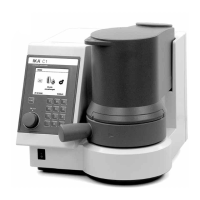
Display
Numbers
bloc
Del button
Multi-
function
element
Esc button
Display: View system information, test data, as well as
menus and dialog boxes for the data input
Numbers bloc:
Entering numbers and decimal points
Del button: Deleting an entered character string to the left of
the cursor (eg the weight of a combustion
sample)
Multifunction element
Made possible by turning the scroll and select
menu items, as well as by pressing the Change
and confirm input values
Esc button: The Esc-(Escape) function is active in the menu
structure, the input window and input fields.
• In the menu structure (if any) change to the
parent menu
• In the input window is changed to the higher
level menu structure
• When the ESC button is pressed in an editable
field, the editing is finished and the original
value is restored.
Q
Control unit with display


 To Next Page