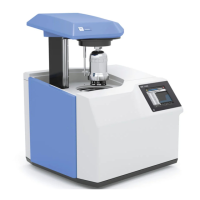
System test
The system test is performed automatically every time the IKA
®
C 6000 global standards/isoperibol is
switched on.
During the system test the start screen is shown
again; clicking on the „Show details“ button pro-
vides detailed information.
Safety instructions regarding information on and
activation of the calorimeter are then shown on
the IKA
®
Homepage.
The system test includes the following steps:
- Testing the external water circuit with the cir-
culation pump and heater (approx. 30 to 45
seconds).
- Testing the internal water circuit with the con-
denser and water supply, plus the heater once
again (approx. 30 to 45 seconds).
- Testing whether the temperature of the cooling
waters is correct for the selected function of the
IKA
®
C 6000 global standards/isoperibol. (ap-
prox. 60 to 180 seconds).
If any one of these steps is not performed success-
fully, the system test stops with an error message.
After all the components have been checked the
system test can be restarted the same as after a
manual cancellation. To do this, press the „Re-
start“ button.
With the system test in standby, no measure-
ments can be made. However it is possible to se-
lect some menu options.
Working with the IKA
®
C 6000 global standards/isoperibol calorimeter
Switching on the device
The IKA
®
C 6000 global standards/isoperibol is
switched on with the On/off switch. The cover
opens automatically. A start screen appears for
about 30 seconds, during which the hardware is
initialised and the software is loaded.


 To Next Page
 Loading...