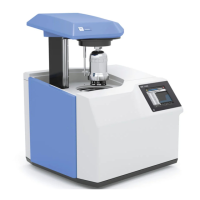
Securely screw the decomposition vessel to-
gether and hang it in the calorimeter cover, see
operating instruction decomposition vessel C
6010/6012.
The decomposition vessel must be positioned
centrally within the filling head of the inner cover.
When it is correctly positioned you can feel it click
home.
An instruction window now appears: „Check
that the decomposition vessel is securely closed“.
Click on the „Acknowledge“ button to acknow-
ledge the instruction.
When the decomposition vessel has been hung
in the calorimeter it is identified by an RFID trans-
mitter (Rfid: radio frequency identification).
The decomposition vessel is fitted with a trans-
ponder which is read as it passes over the sensor
area.
For this the decomposition vessel is passed over
the sensor area. A beep sounds when detection
has been successful.
You can then click on the „Start“ button.
Note: When working without automatic de-
composition vessel detection the „Start“ button
is active immediately the preparation has been
completed!
Starting the measurement
After the preparation for measurement, a mes-
sage appears requiring secure closure of the de-
composition vessel, despite there being no de-
composition vessel hung in the calorimeter cover.
You should acknowledge the message when you
have hung the decomposition vessel in the calori-
meter cover. If you accidentally press the „Start“
button before you have hung a decomposition
vessel in the calorimeter you will receive an error
message when you close the calorimeter cover.
Sensor area for decomposition
vessel detection


 To Next Page
 Loading...