11
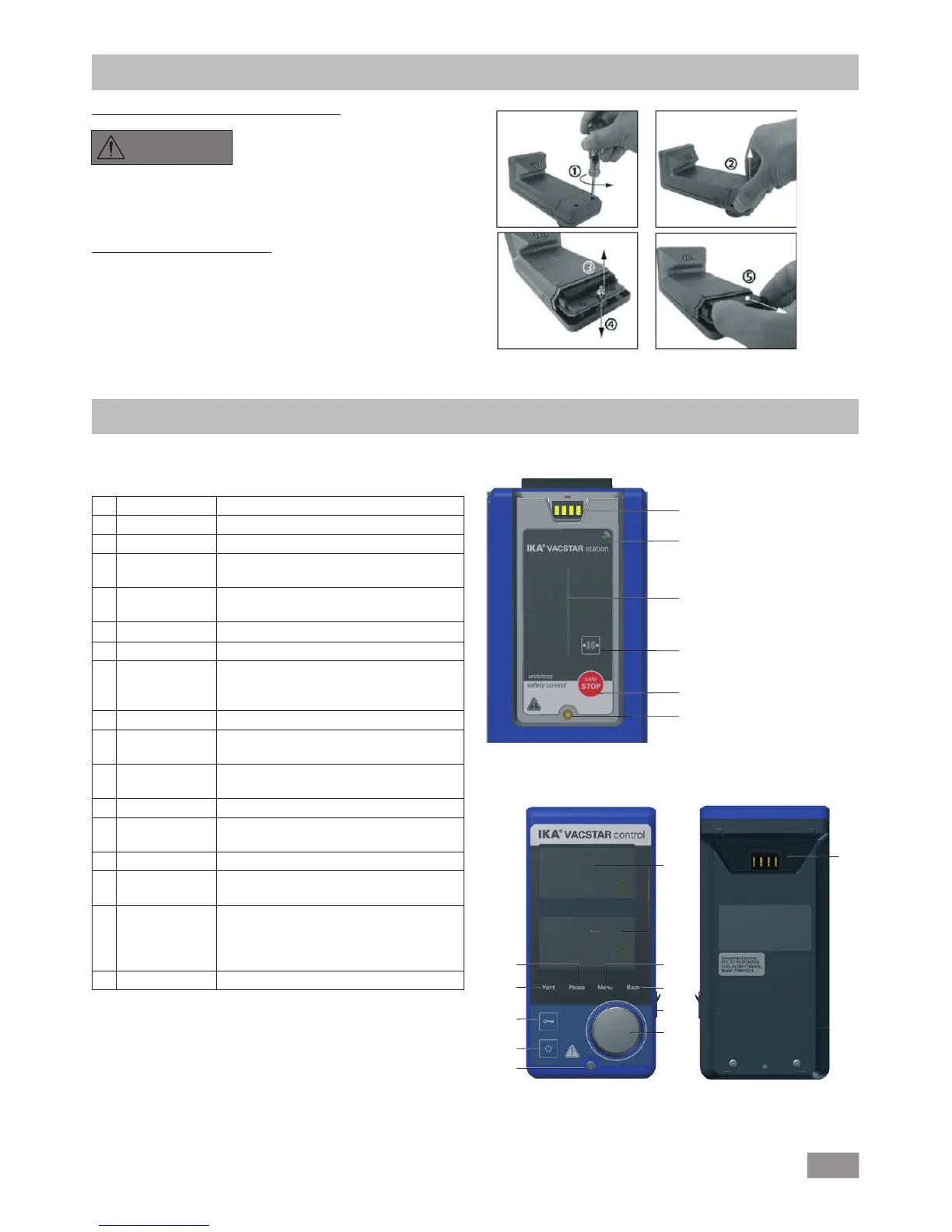
Wireless controller (WiCo)
Operator panel and display
Pos. Name
A PCB Contact Station PCB contact for WiCo
B Bluetooth
®
LED
Communication light
C PCB light Communication light
D Bluetooth
®
Recall key
WiCo connection
E Safe Stop Stop any function when WiCo is
unavailable
F Screw point WiCo to station securing position
G Displays Display the values and settings
H "Menu" key Press it once: main menu is displayed
Press it a second time: back to the
working screen
I "Back" key Return to the previous menu level
J USB interface Charging WiCo and connection to
computer
K Rotating/
pressing knob
Navigation, selecting and changing the
settings in the menu
L
Securing
screw
Secure the Wico to the station
M On/Off key Switching the Wireless Controller on and
off
N Lock key Key disable and rotary/push knob disable
O "Vent" key To vent the load if necessary during the
vacuum process
P "Pause" key Temporarily stop the function of the
device for required period.
Note: can resume the function by
pressing the button again
Q PCB Contact WiCo contact PCB to station
Changing the RB 1 battery pack in the WiCo
DANGER
Please comply with the relevant
safety instructions in the "Safety
instructions" section for the RB 1
battery pack!
Securing the WiCo to the stirrer
Attach the Wireless Controller (WiCo) to the charging contact pro-
vided on the station, and bolt it to the Vacstar station with the
screw.
Vacstar control Station
B
A
F
E
D
C
WiCo
N
M
L
K
J
I
H
G
O
Q
P


 To Next Page