Illuminati Instrument Corp. IM100 User Manual – Android, v1.41 P a g e | 1 1
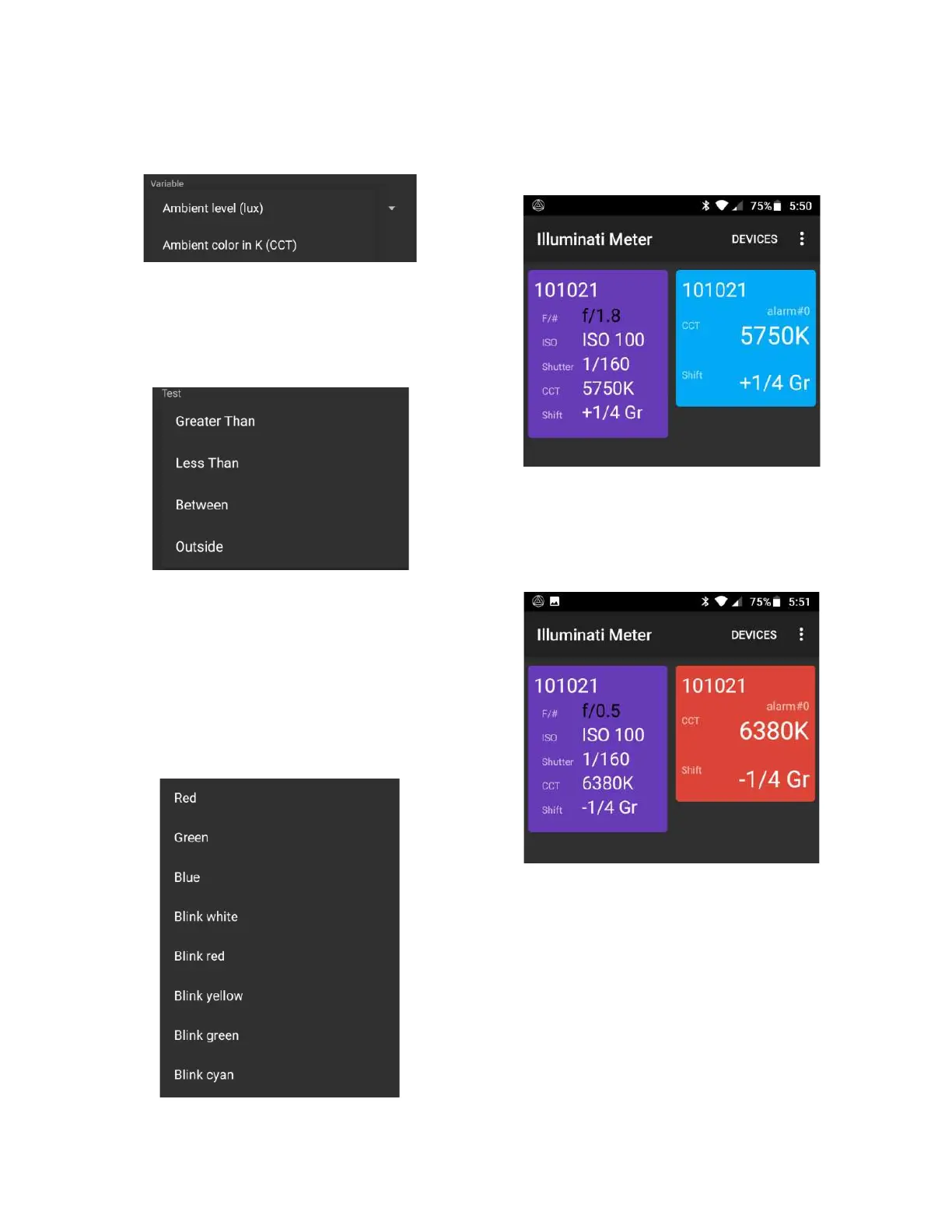
Alarms are supported for ambient light intensity
(lux) and ambient color temperature.
Types of Alarms
You can also set up the type of test you want to
perform such as “Greater Than” or “Between”,
etc…
Alarm Test Conditions
For convenience, you can tap the USE CURRENT
READING button in the lower-left to get the
current reading directly from the meter.
The final selection is the LED flashing color/
pattern for the meter to display when the alarm
condition is met.
LED Patterns for Alarms
The new alarm tile is light blue.
New Alarm Tile is Blue
When the alarm condition is met, the tile turns
red, and the LEDs flash red (or whatever color
you chose in “Display”).
Alarm Tile Showing Alarm Condition


 To Next Page