12 | P a g e IM100 User Manual – Android, v1.41 Illuminati Instrument Corp.
Meter Placement
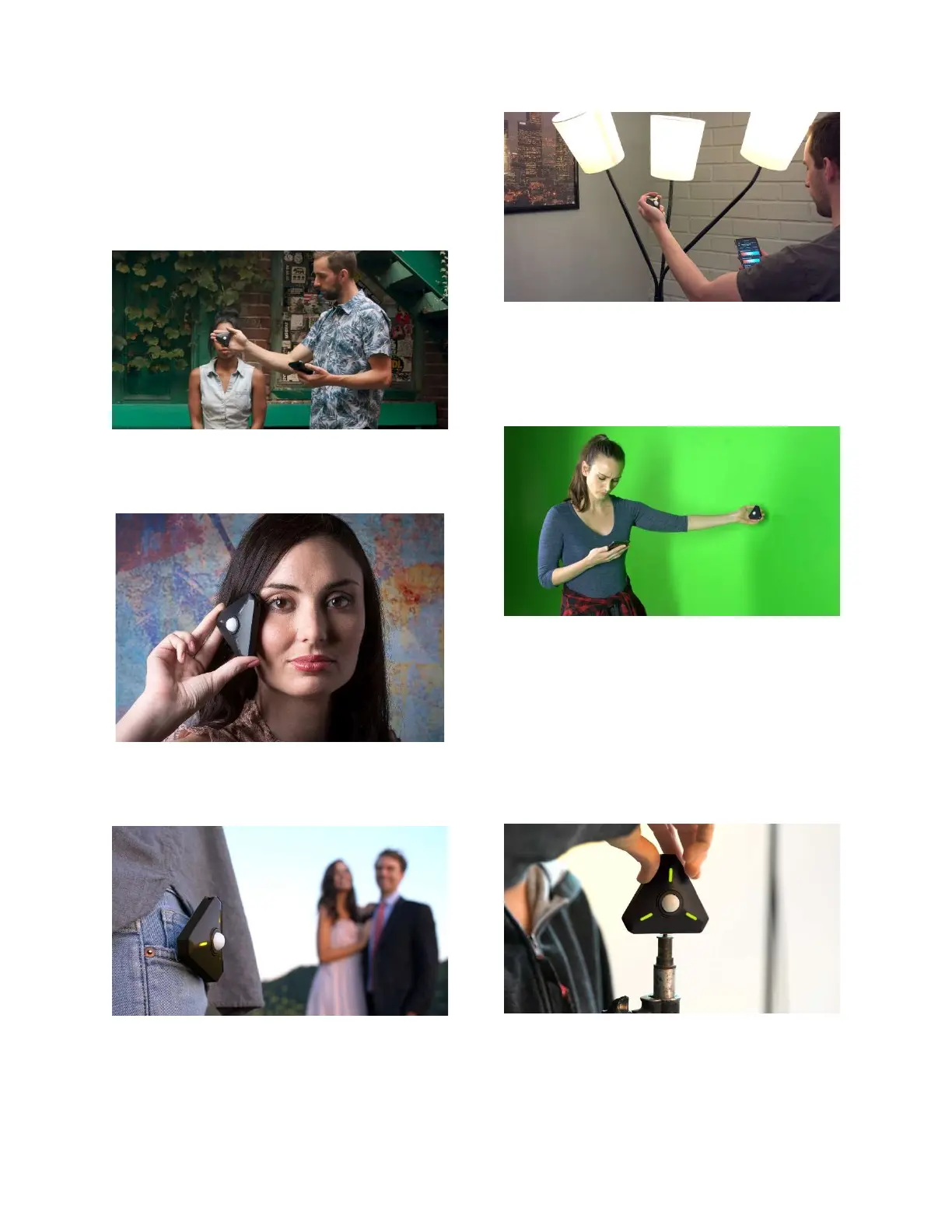
Place the Illuminati Meter as close as possible
to the subject of the image, in your most critical
exposure area.
It is generally best to get exposure and color
temperature directly in front of your subject.
The meter’s dome points toward the camera.
With highly directional light, point the meter at
the light source (in this case strobe) to get the
correct exposure on the model’s cheek.
If you and your subject are both illuminated
with the same source, you can simply attach the
meter to yourself, like this photographer did.
Read the color temperature for your practicals
up close to reduce any color contamination from
other light sources. This will help you better
determine what filter might be necessary for
any correction.
Lighting a green screen to get even illumination.
TIP: When working with large green screens,
place multiple meters in strategic spots and
monitor them all with the app while you change
the lighting. No need to make a change and
then run back to take another meter reading.
The meter readings are updated automatically
on your app. The number of meters you can
connect is not limited by the app.
Mount the meter to a light stand using the
meter’s ¼-20 threaded socket and place the
meter in your scene.


 To Next Page