Illuminati Instrument Corp. IM100 User Manual – Android, v1.41 P a g e | 1 7
Video/Cine Exposure
The meter will also provide exposure readings
in terms familiar to makers of moving images.
Shutter angle is included, along with settings for
Frame rate and ND filter. Note that the settings
for ND filter are multiplicative to your exposure.
Selecting 1 is like selecting a 1x ND filter which
means no change to your exposure. Selecting 2
is like selecting a 2x ND (or 1 stop), and so on.
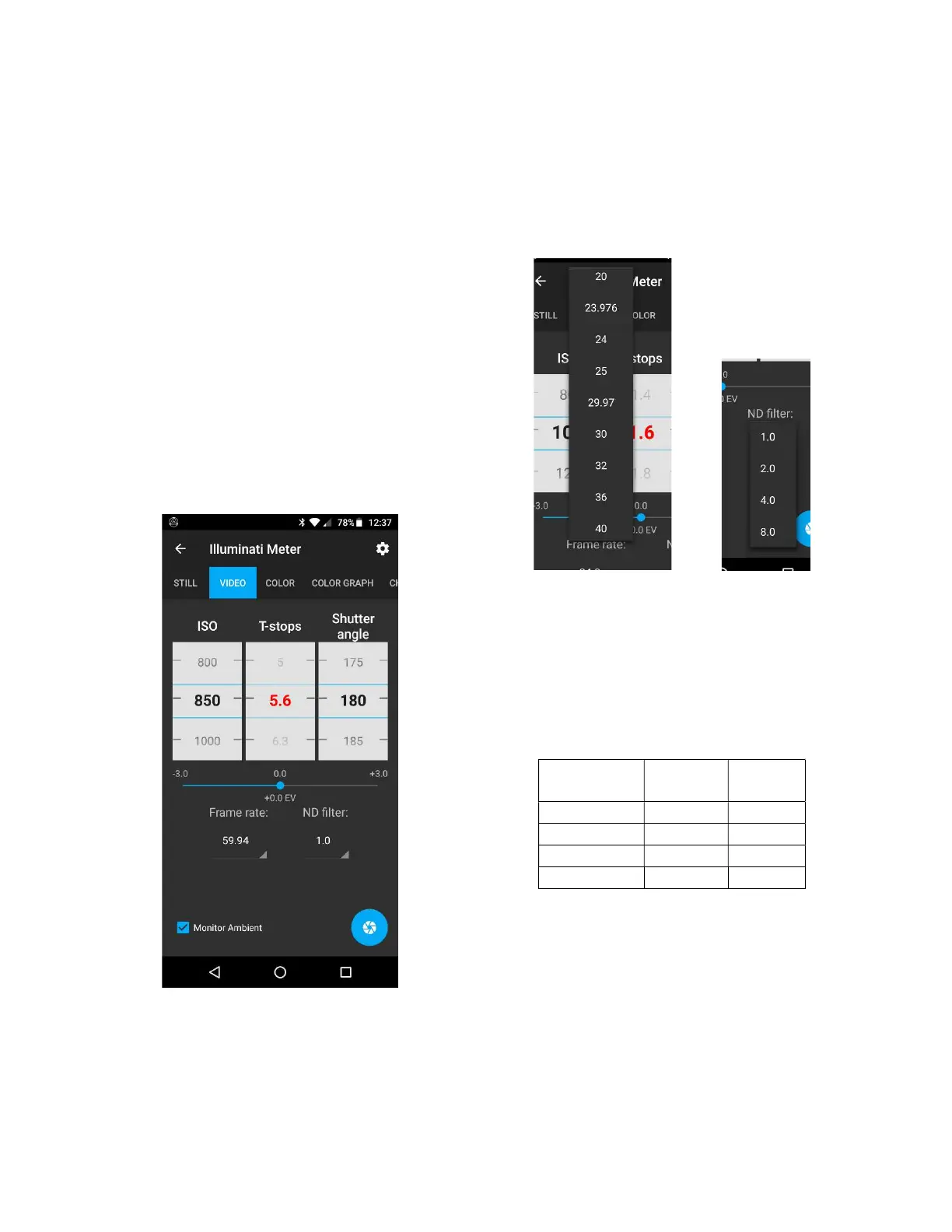
The meter will solve for the missing value of the
exposure triangle using settings you provide. In
the example, we want to use ISO 200 and an
aperture of 5.6. Just press the Shutter angle
wheel until it turns red. Then rotate the ISO
wheel to 850 and the aperture to 5.6. The app
will automatically give you the shutter angle.
The VIDEO tab: controls and settings for video
and cinema exposure
The meter will also range on ISO or Aperture if
you press and hold one of them until they turn
red. Try a few different settings to get familiar
with the interface.
You can also set your frame rate using the
frame rate selector. Values range from 1 to
1000 frames per second.
Partial list of frame rate settings (l).
List of ND filter settings (r).
If you are using an ND filter, set its value in the
ND filter selector. The values are calculated as
multiples of the exposure. Valid values are 1, 2,
4, and 8. For those who use other scales, here is
a table with comparable values.
Setting Density Stops
Density Values
We will likely add a feature to the app in the
near future for choosing how you want ND to
be displayed (in terms of neutral density,
number of stops, or multiplicative factor).


 To Next Page