20 | P a g e IM100 User Manual – Android, v1.41 Illuminati Instrument Corp.
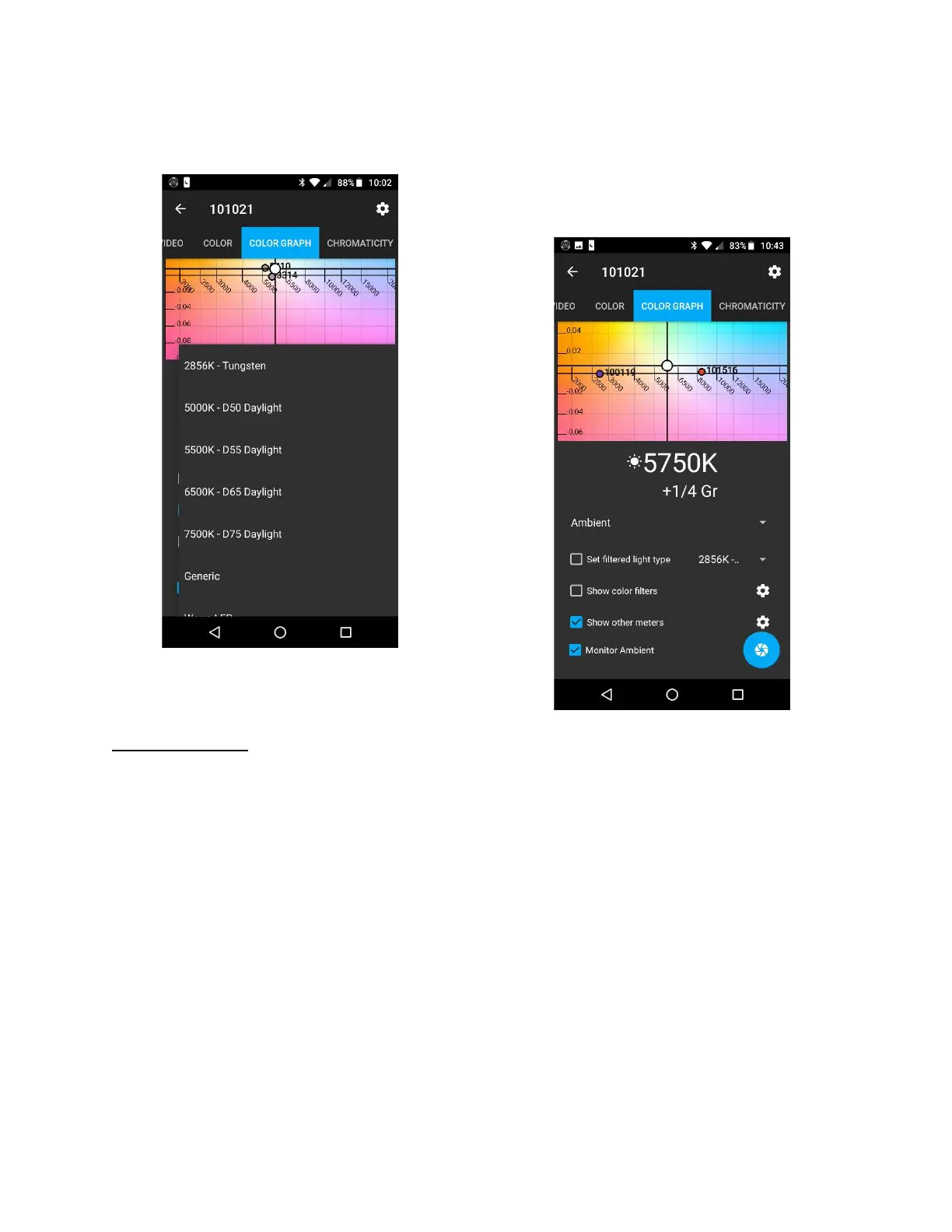
Some specific light source options are shown
below.
Some of the light source options
for “Set filtered light type”
in the COLOR GRAPH tab
Show Other Meters
If more than one Illuminati Meter is connected
to your phone, you can see the color
temperatures of both displayed on your screen.
Simply select “Show other meters” to turn this
option on, tap the “gear” icon and select the
Physical devices checkbox and select the meter
you wish to display. There is no upper limit on
the number of meters you can connect to your
phone.
Other meters are displayed with various colored
dots. The meter name is shown next to the
point.
This view is particularly useful in more
complicated lighting setups. You can correct
one light source to match another and continue
to monitor the color temperature of the
corrected source.
Show other meters shows you the color
coordinates of other Illuminati Meters
connected to your smartphone. In this example
there are three meters connected, 100119
(around 2500K), 101021 (center, white dot,
around 5700K with a significant green shift),
and 1001516 (around 8300K).



 To Next Page