22 | P a g e IM100 User Manual – Android, v1.41 Illuminati Instrument Corp.
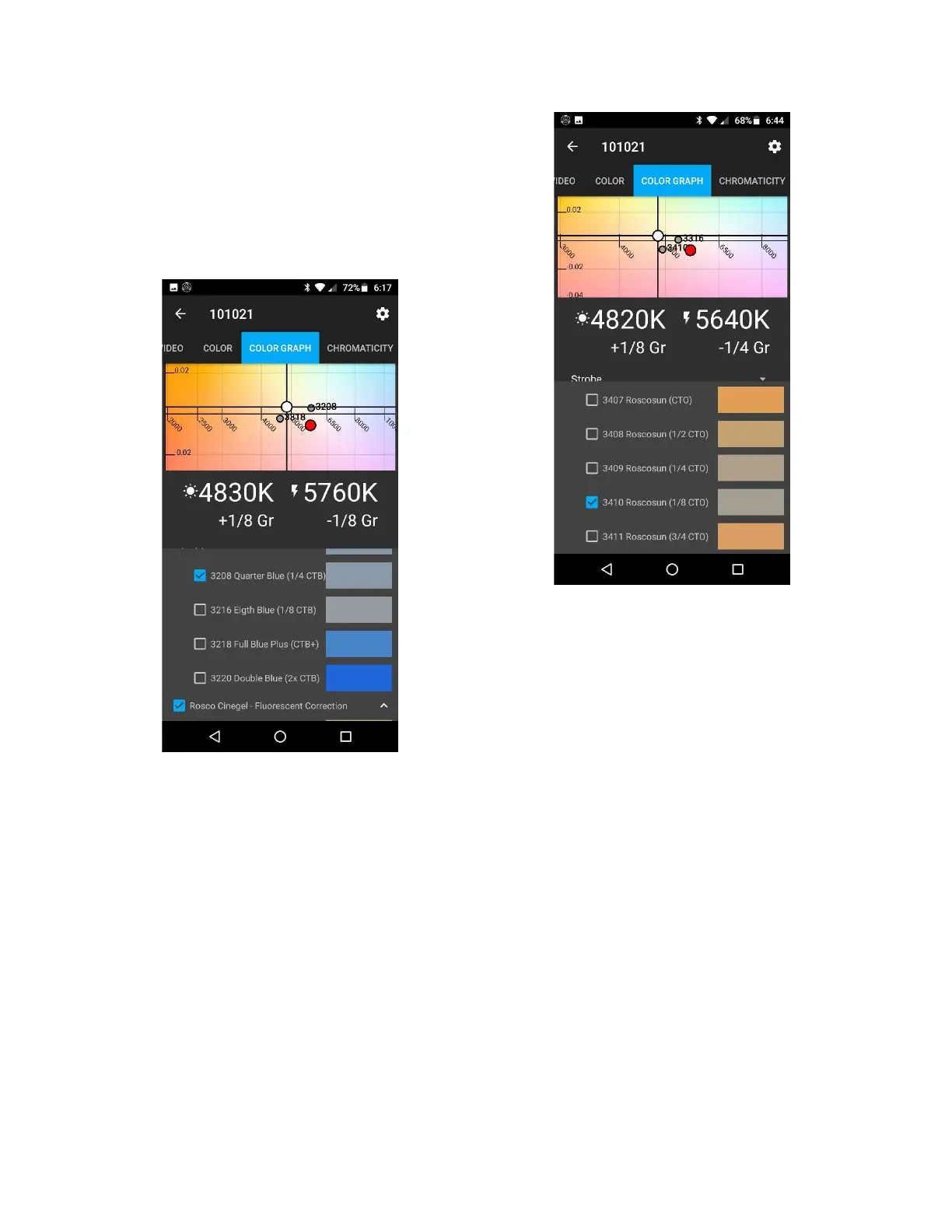
If you select Ambient, the graph will show you
the effect of the filters you have chosen to
apply to the ambient light to make it match the
strobe. In this case we selected a Rosco 3208 to
make the ambient more blue, and a 3318 to
make the ambient more magenta. Putting both
filters together will get you close to the strobe.
Filter gels applied to the ambient
In the next example, we did the opposite,
applying the filters to the strobe on the graph.
In this case we selected a Rosco 3410 to make
the strobe more yellow and a 3316 to make it
more green. Putting both filters together will
get you closer to the ambient source. If your
ambient source is the sun, this can most often
be your preferred way to correct the light
sources to make them match. The sun a bit
large to be using filter gels on (but not in every
case!).
Filter gels applied to the strobe
To summarize the steps in making the strobe
and ambient lights match:
1. Make your ambient + strobe meter reading
2. Decide which light source you want to
correct
3. In the COLOR GRAPH tab, choose that light
source
4. Set the filtered light type
5. Select the “Show color filters” checkbox
and select the color filters to find one or
two that will make your light sources match
each other


 To Next Page