Illuminati Instrument Corp. IM100 User Manual – Android, v1.41 P a g e | 2 9
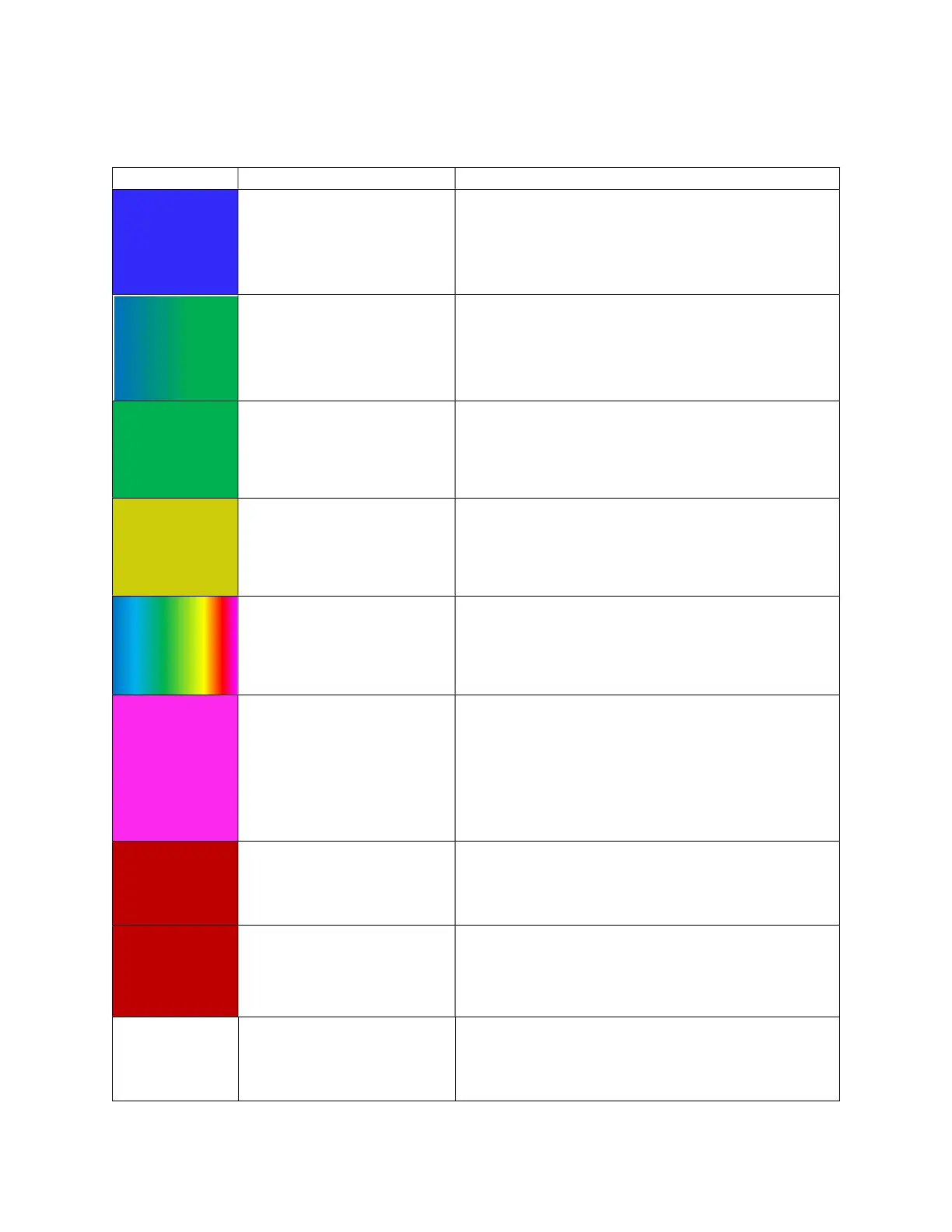
LED Colors and Meanings
Blue Blinking, continuous
Power is on. Waiting to connect to your
smartphone. Can also mean that you have just lost
connection to your smartphone.
Rotating blinking pattern
between blue and green
Power is on. Waiting to connect to the smartphone
the meter is paired with. Can also mean that you
have just lost connection to your smartphone.
Green Blinking, brief, then stops The meter just connected to your smartphone.
Yellow-Green Blinking, continuous
Connected to your smartphone and sending a new
reading every time the LEDs flash. You see this when
“Monitor Ambient” mode is selected.
Rainbow
Blinking, continuous
You have clicked the Identify button in the App’s
Device Settings. The meter with the LEDs blinking in
a rainbow pattern is connected to the app. Useful to
identify meters if you have more than one.
Magenta Blinking
The power button on the meter has been pressed
and held for 8-10 seconds to erase the bonding
between your meter and your smartphone.
or
You are performing a firmware update.
Red
Blinks continuously when
light source changes
The meter is in an alarm condition. Check the tiles
screen. Red is the default pattern.
Red
Blinks 3 times. Continues to
blink red 3 times, at short
time intervals
Battery power is low. Change the batteries.
White Fades out
Power is turning off. You can turn the power off by
pressing the power button for about 1.5 seconds.


 To Next Page