28 | P a g e IM100 User Manual – Android, v1.41 Illuminati Instrument Corp.
set in the Inactivity Timeout slider. Values can
range from 10 sec. to 30 mins.
Flash Armed Timeout
The flash trigger can be armed and waiting for a
trigger event. This setting controls the amount
of time until the meter exits “Flash Armed”
mode. Values can range from 5 secs. To 30
minutes.
Ambient Sample Rate
The meter can be set to sample the ambient
lighting at a set internal. Values can range from
5 samples/sec (1 sample every 0.2 secs.) to 60
seconds per sample (1 sample per minute). A
value of 2 seconds per sample is a good start.
Ambient Calibration Adjustment
For ambient readings, you can apply an
adjustment to the meter’s calibration by using
this slider. This adjustment is cancelled if you do
a factory reset of the meter. This setting is not
available for earlier versions of the firmware.
Strobe Calibration Adjustment
For strobe readings, you can apply an
adjustment to the meter’s calibration by using
this slider. This adjustment is cancelled if you do
a factory reset of the meter. This setting is not
available for earlier versions of the firmware.
Scroll down a bit to see these settings
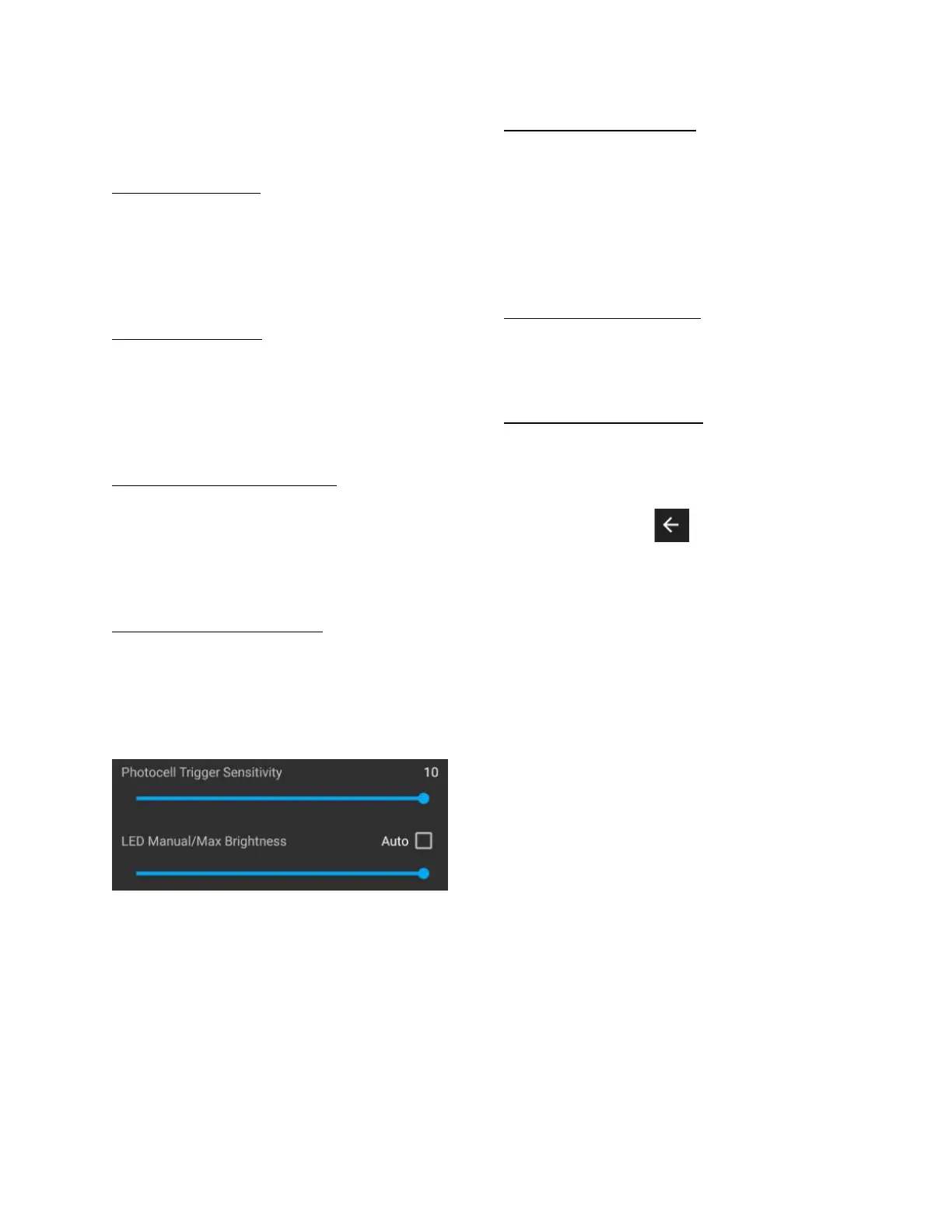
Photocell Trigger Sensitivity
This control sets the sensitivity of the flash
trigger. Values range from 1 to 10. Set it to a
high value if there are few, if any, other light
sources in the area. If there are several other
light sources in the vicinity that could trigger
the cell, a low value will ensure the flash will
trigger properly.
LED Manual/Max Brightness
Adjust the brightness of the LEDs using this
setting. A brightness setting of “0” will turn the
LEDs off completely.
Return to Metering Function
Press the left arrow in the upper right corner to
return to the metering function.


 To Next Page