6 | P a g e IM100 User Manual – Android, v1.41 Illuminati Instrument Corp.
Connect Your IM100
Power the Meter On
Turn on the IM100 using the power button on
the corner of the meter. The meter’s LEDs will
blink blue when the meter is looking for a
connection, but not connected to your phone.
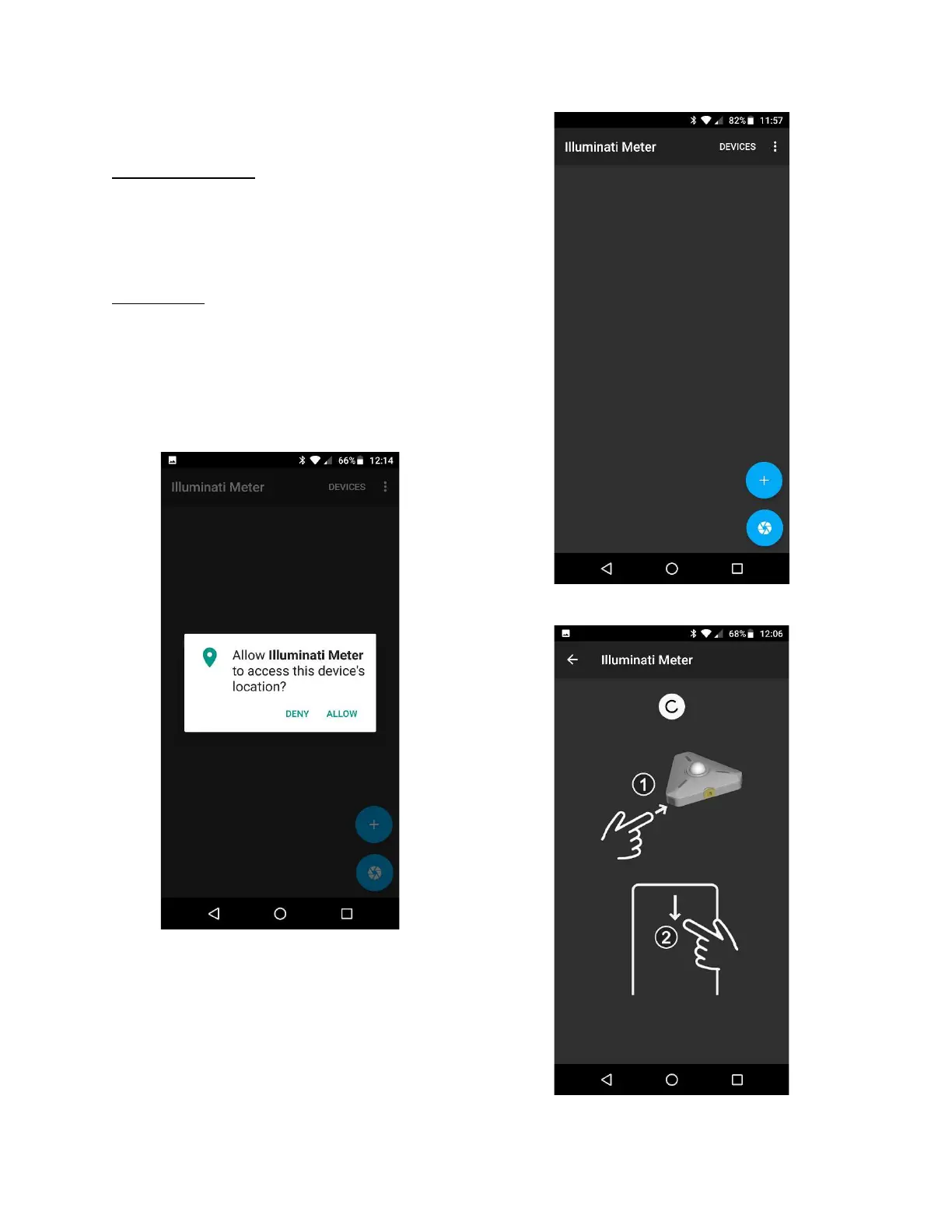
Start the App
Start the Illuminati App on your smartphone.
When prompted, “Allow Illuminati Meter to
access this device’s location?”, please click
ALLOW. The meter and phone will not connect
unless ALLOW is selected.
Allow location access
After allowing device location access, tap
DEVICES in the upper-right corner of the screen
and you will see the connect screen.
Devices Screen
Connect Screen



 To Next Page