Illuminati Instrument Corp. IM150 User Manual P a g e | 7
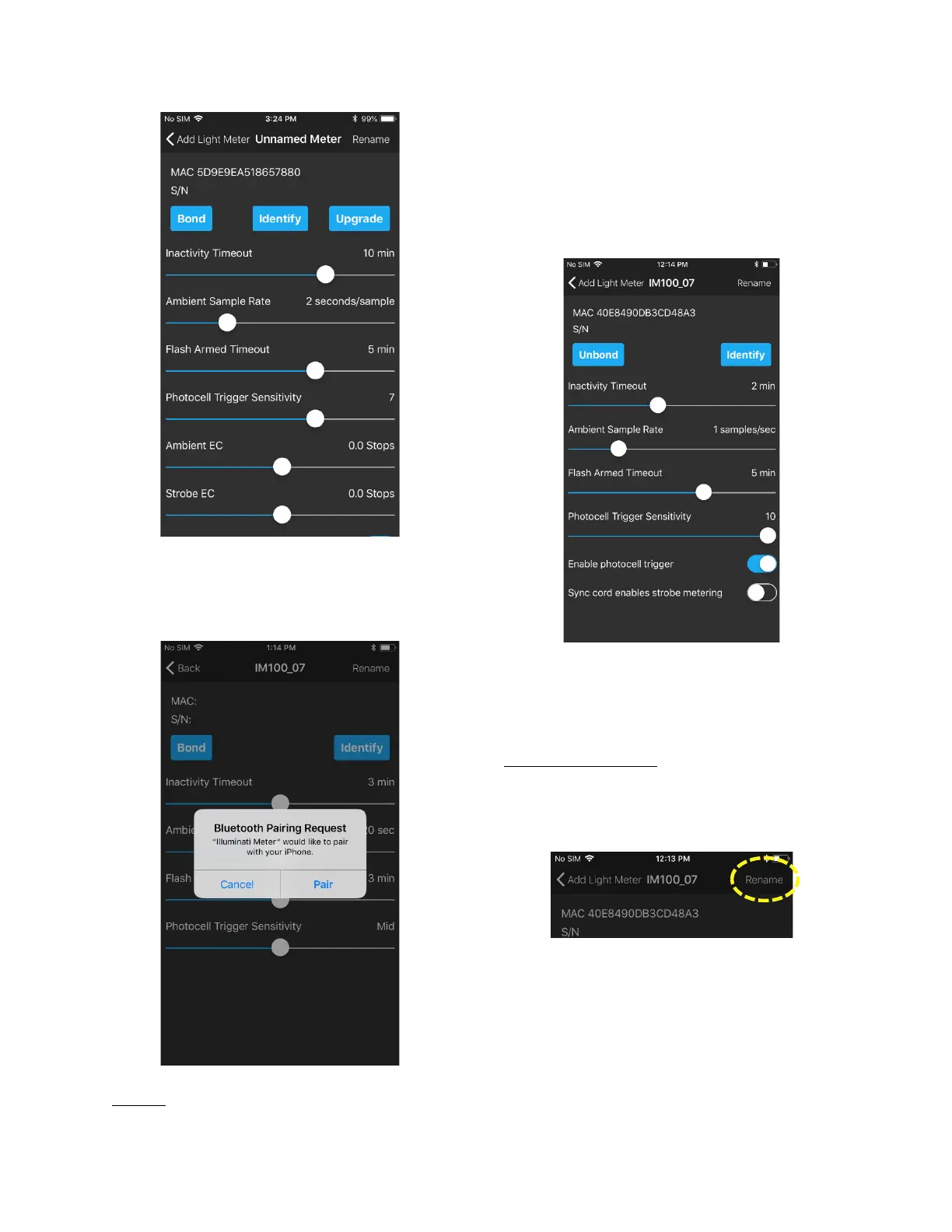
The phone will respond with a Bluetooth pairing
request. Select the “Pair” option. The phone
and meter will be bonded.
Identify
The other button, “Identify” is useful in
situations where multiple meters are used, and
you want to know which meter is which. Simply
press the “Identify” button, and the LEDs will
blink magenta. “Click “Stop Identifying” to end
the identify more.
Click the “Back” option in the upper left portion
of the screen. In the next screen, click “Done” in
the upper-right.
Renaming Your Meter
Once your meter has been bonded to your
smartphone, you can rename the meter, if you
like.
In the upper right corner of the smartphone
screen is the “Rename” feature. Click
“Rename”, and the pop-up screen for entering
the name will appear.



 To Next Page