13
ENGLISH
TV GAME
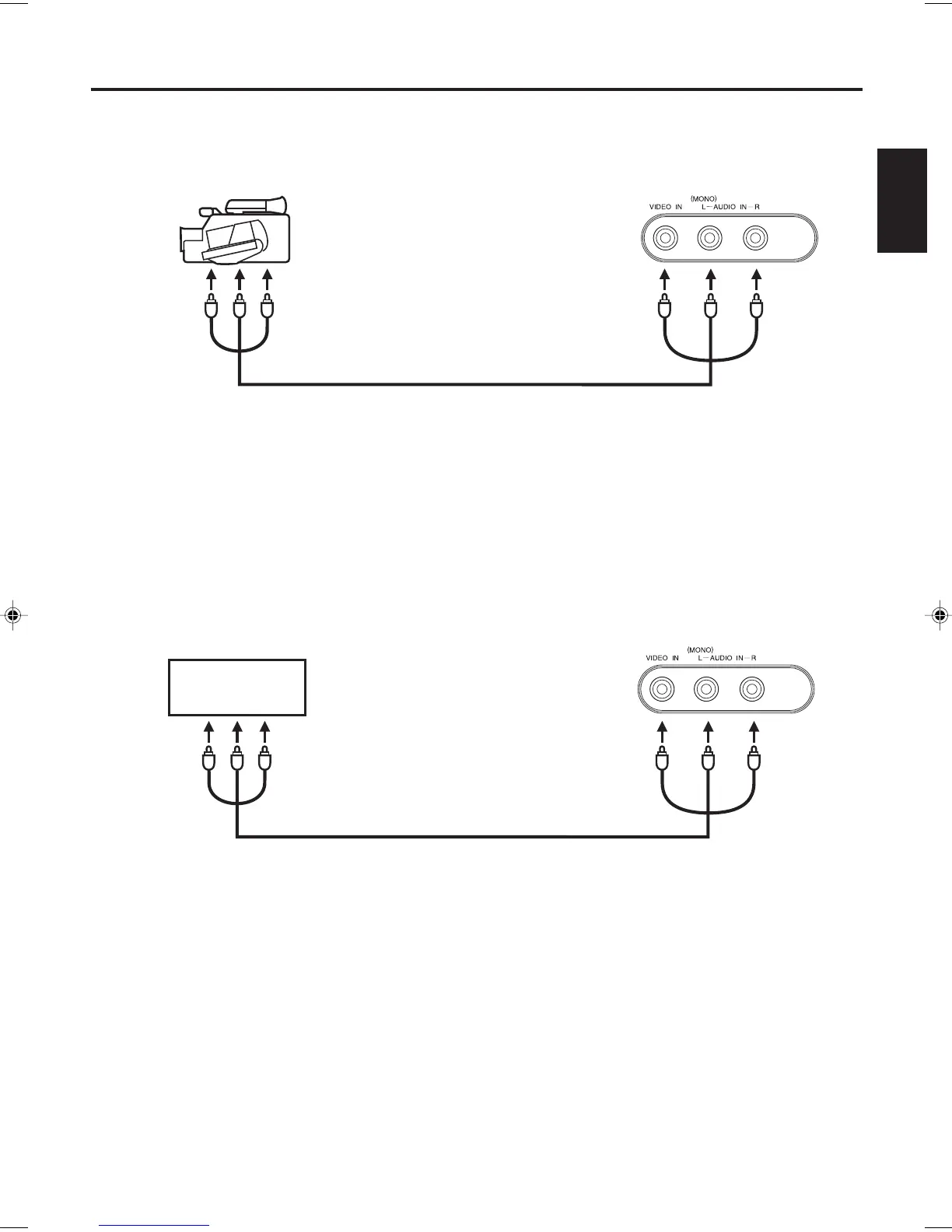
To connect the TV to a camcorder
To connect the TV to a Game
The TV can also be used as a display device for many video games. However, due to the wide variety of signals
generated by these devices and subsequent hook-up variations required, they have not all been included in the
suggested connection diagrams. You'll need to consult each component's Owner's Manual for additional
information.
To playback from a camcorder, connect the camcorder to the TV as shown.
Front of the TV
Audio/Video cord (not supplied)
To Audio/Video OUT
Front of the TV
To Audio/Video OUT
Audio/Video cord (not supplied)
Connections to other equipment (continued)
J3W40621B_En_P10-13 15/02/2006, 10:43 AM13


 To Next Page