15
ENGLISH
3
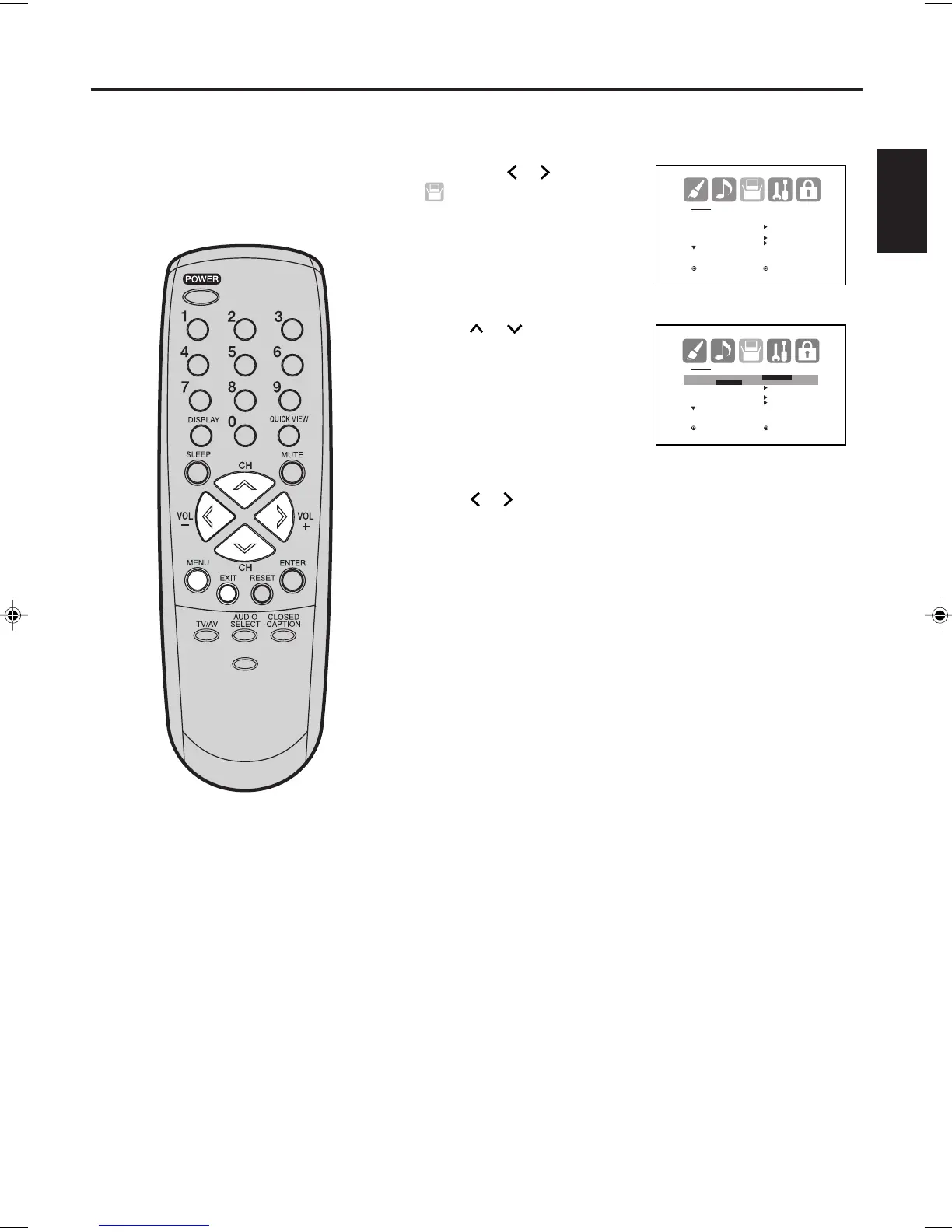
Then press
or
to select
(SETUP) menu.
Press or to select the desired language: English
(ENGLISH), French (FRANÇAIS) or Spanish (ESPAÑOL).
1
2
Press
or
to select “
LANGUAGE”.
4
Press EXIT to return to the normal screen.
SETUP
LANGUAGE ENGLISH
CLOCK SET
TV/CABLE CABLE
AUTO CH MEMORY
ADD/DELETE
:SELECT :ADJUST
SETUP
LANGUAGE ENGLISH
ENGLISH /FRANÇAIS /ESPAÑOL
CLOCK SET
TV/CABLE CABLE
AUTO CH MEMORY
ADD/DELETE
:SELECT :ADJUST
Press MENU. The menu screen will appear.
5
Setting the language
You can choose from three different
languages (English, French and
Spanish) for the on-screen displays.
NOTE:
If no buttons are pressed for more than
15 seconds, the MENU screen will re-
turn to normal TV-operation automati-
cally.
PICTURE
SIZE
-/
J3W40621B_En_P14-17 15/02/2006, 10:44 AM15


 To Next Page