36
SETUP
LANGUAGE ENGLISH
CLOCK SET
TV/CABLE CABLE
AUTO CH MEMORY
ADD/DELETE
:SELECT :ADJUST
SIGNAL METER
CHANNEL (DIGITAL) 123-045
80%
PICTURE
SIZE
-/
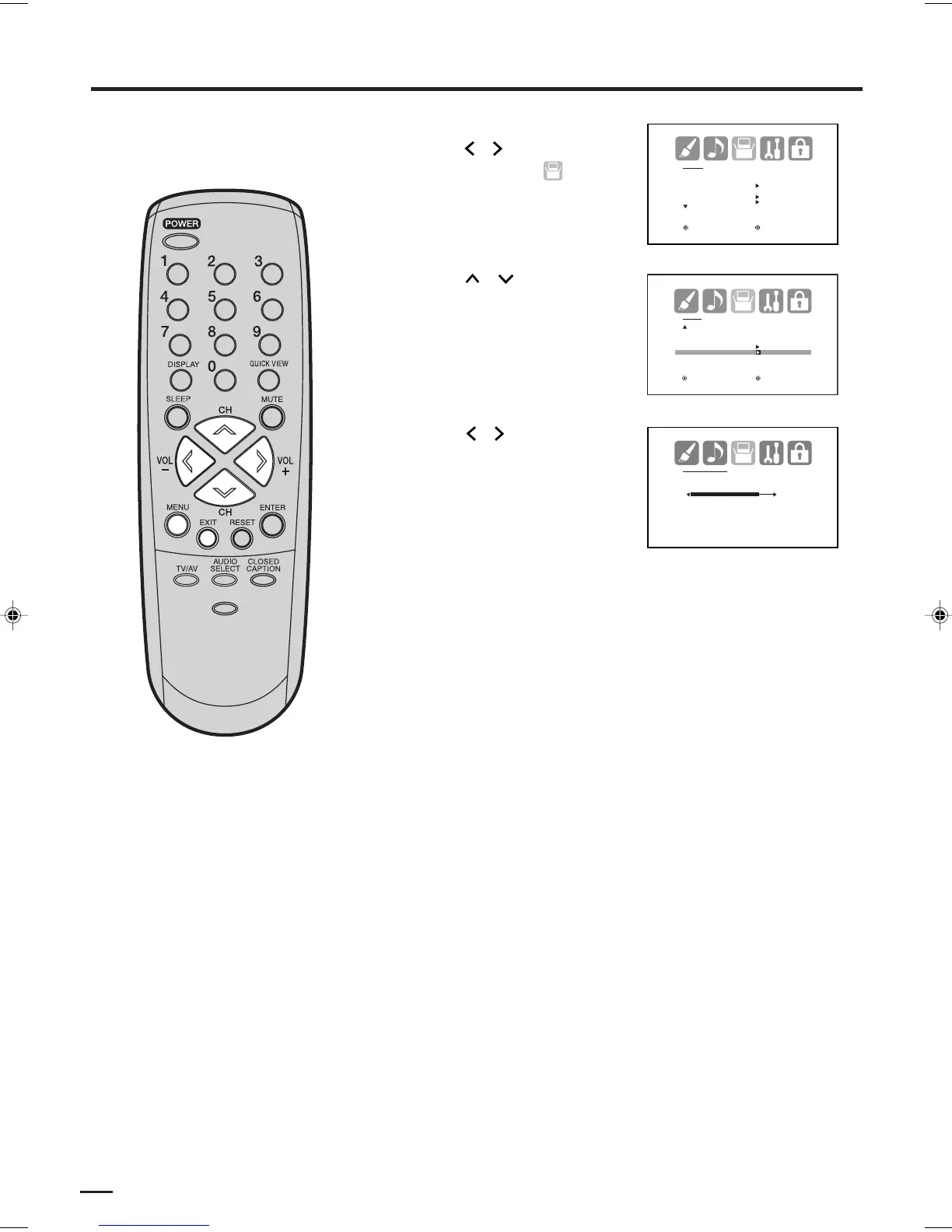
Cómo comprobar la potencia de la señal digital
Puede ver el indicador de señal
digital.
1
2
3
Presione MENU, luego
presione o para
seleccionar menú de
(SETUP).
Presione
o para
seleccionar “SIGNAL
METER”.
Presione o para
verificar la potencia de la
señal digital.
4
Presione EXIT para volver a la imagen normal.
NOTAS:
• La función del indicador de señal
no está disponible en el caso de
los canales analógicos.
• Después de 240 segundos, la
pantalla SIGNAL METER
(Indicador de señal) vuelve
automáticamente al modo de TV
normal.
SETUP
CLOSED CAPTION OFF
CC ADVANCED
SIGNAL METER
: SELECT : ADJUST
J3W40621B_SP_P35-42 15/02/2006, 10:53 AM36


 To Next Page