31
EN
OTHER SETTINGS
4 Select "ADD/DELETE(DTV)".
• Using
[CH
K
/
L
], select "ADD/DELETE(DTV)".
• Press
[VOL
X
].
5 Select the channel you want to add or delete.
• Using
[CH
K
/
L
] or Channel number buttons,
select the channel.
• Select "ADD" or "DELETE" with
[VOL
X
/
Y
].
• Color of channel number displayed at the right
top of the screen
.
6 To exit the menu, press [MENU].
NOTES:
• The menu will disappear automatically after about 10 sec-
onds.
• In the digital mode (DTV), you can add or delete channels
only for Major channel.
ADD/DELETE(DTV)
AUTO PRESET CH(DTV)
AUTO PRESET CH(TV/DTV)
AUTO PRESET CH(CATV)
! CATV takes approx. 50min.
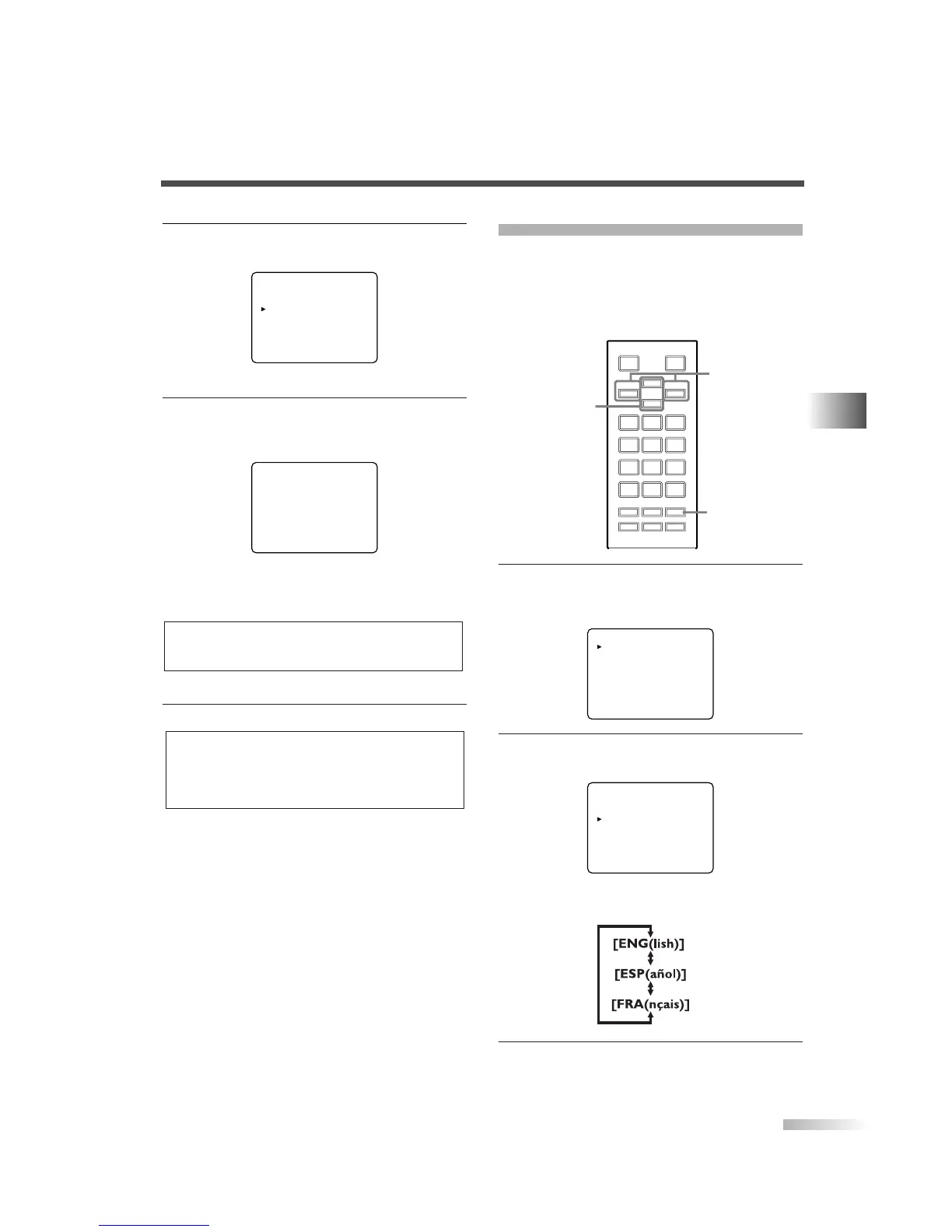
LANGUAGE SELECTION
You can change the language used on the menu
screen. ENGLISH, SPANISH or FRENCH can be
selected.
How to change the language in the menu screen
shown below.
1
Display the menu screen.
• Press
[MENU].
The following menu screen is displayed.
2
Select "ENG/ESP/FRA".
• Using
[CH
K
/
L
], select "[ENG]/ESP/FRA".
• Every time you press
[VOL
X
/
Y
], the language
will be switched as below. Select the language.
3
To exit the menu, press [MENU].
PICTURE
CHANNEL SET
[ENG]/ESP/FRA
V-CHIP SET UP
CAPTION [OFF]
DTV SET UP
PICTURE
CHANNEL SET
[ENG]/ESP/FRA
V-CHIP SET UP
CAPTION [OFF]
DTV SET UP
123
456
789
0
+100
-
/ENT
o
p
m
n
MUTE SLEEP
AUDIO
MENU
INFO INPUT
SELECT
DTV/TVPOWER
CH
VOL VOL
MENU
CH
K
/
L
VOL
X
/
Y
NOTES:
• Blue/Green: The selected channel will be added.
• Pink/Red: The selected channel will be deleted.


 To Next Page