OPERATING AND PROGRAMMING INSTRUCTIONS
4-3
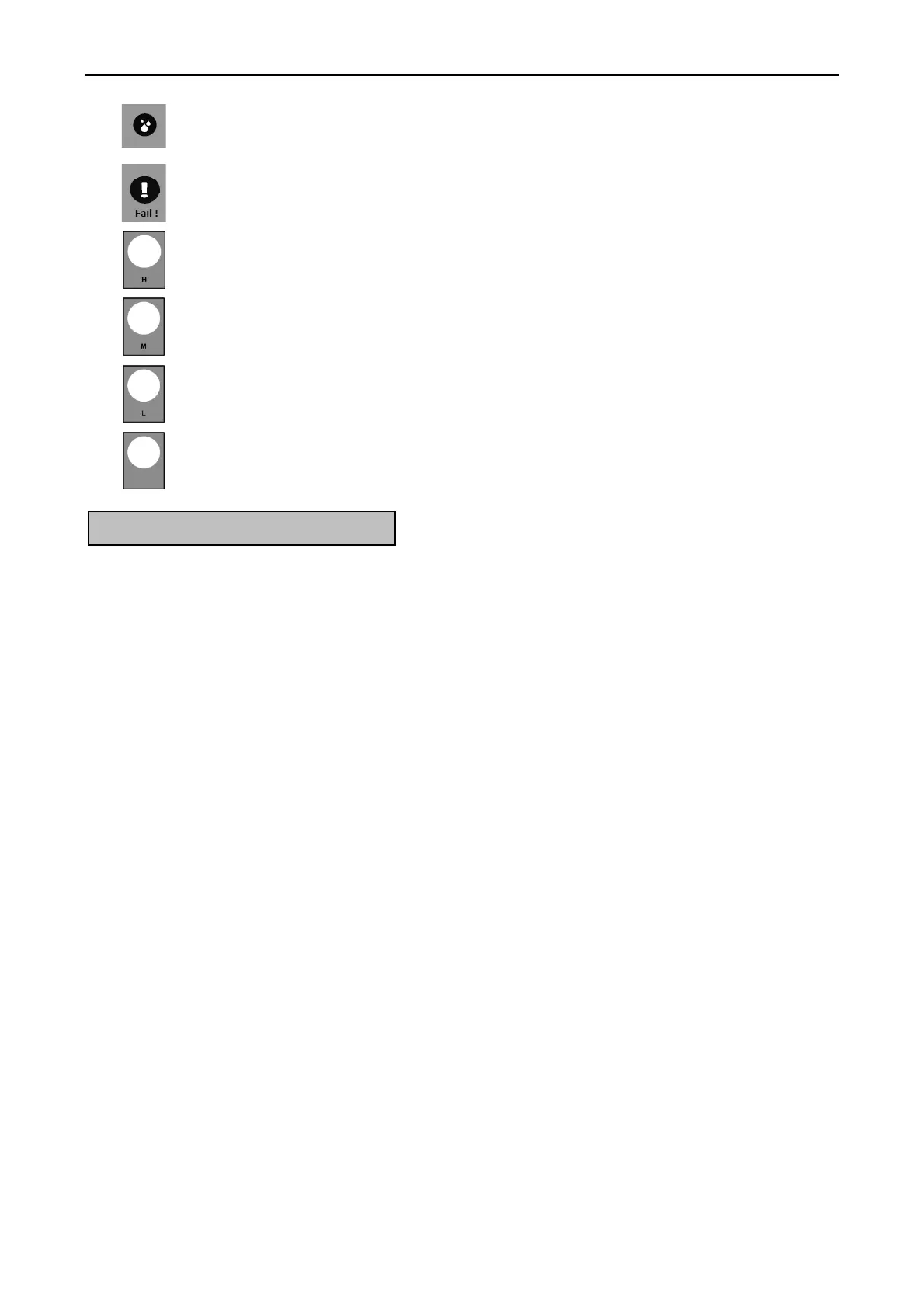
Indicator for humidity sensor is operating. (Optional)
Indicator when a malfunction occurs.
Show on the working temperature 90 ° C (High Heat).
Show on the working temperature 82 ° C (Medium Heat).
Show on the working temperature 65 ° C (Low Heat).
Show when the program is running without a temperature 0 ° C (No Heat).
1. Energize the electrical circuit to the tumbler at the disconnect switch or the circuit
breaker. The display is show “r101” about 3 second and then show P1 – P10.
2. Press Up and Down button together the display is show ---- and then put the password
(9999)
3. Press the Down button to enter the password for each digit, press the Enter button to
move. When entering the password, press Enter, and then select the desired setting (C1 -
C10) and then press the Enter key again to enter the program. This can be set up as
follows.
3.1 Time Setting
- Setting time for drying. Can be set from 0 – 60 minutes.
- Setting a time for cool down. Can be set from 0 – 30 minutes.
3.2 Temperature Setting (Press the "Up" or "Down" to select temperature.)
- Setting Low Heat can be set to any value from 0 - 99 ° C (factory setting value
is 65 ° C).
- Setting Medium Heat can be set to any value from 0 - 99 ° C (the factory
setting is 82 ° C).
- Setting High Heat can be set to any value from 0 - 99 ° C (factory setting value
is 90 ° C).
3.3 Humidity Sensor Setting (Optional)
- The humidity can be set from 0 - 99%.
- In case disable, set at 0.
C. SETTING THE PROGRAM



 To Next Page