imc CRONOS-PL/-SL/compact - Getting Started, Version 5 R 7 - 2018-06-28© 2018 imc Meßsysteme GmbH
Removable storage 23
2.13 Removable storage
For saving measured data, all imc devices support a removable storage medium.
In case you are using a removable storage medium, please be aware that before
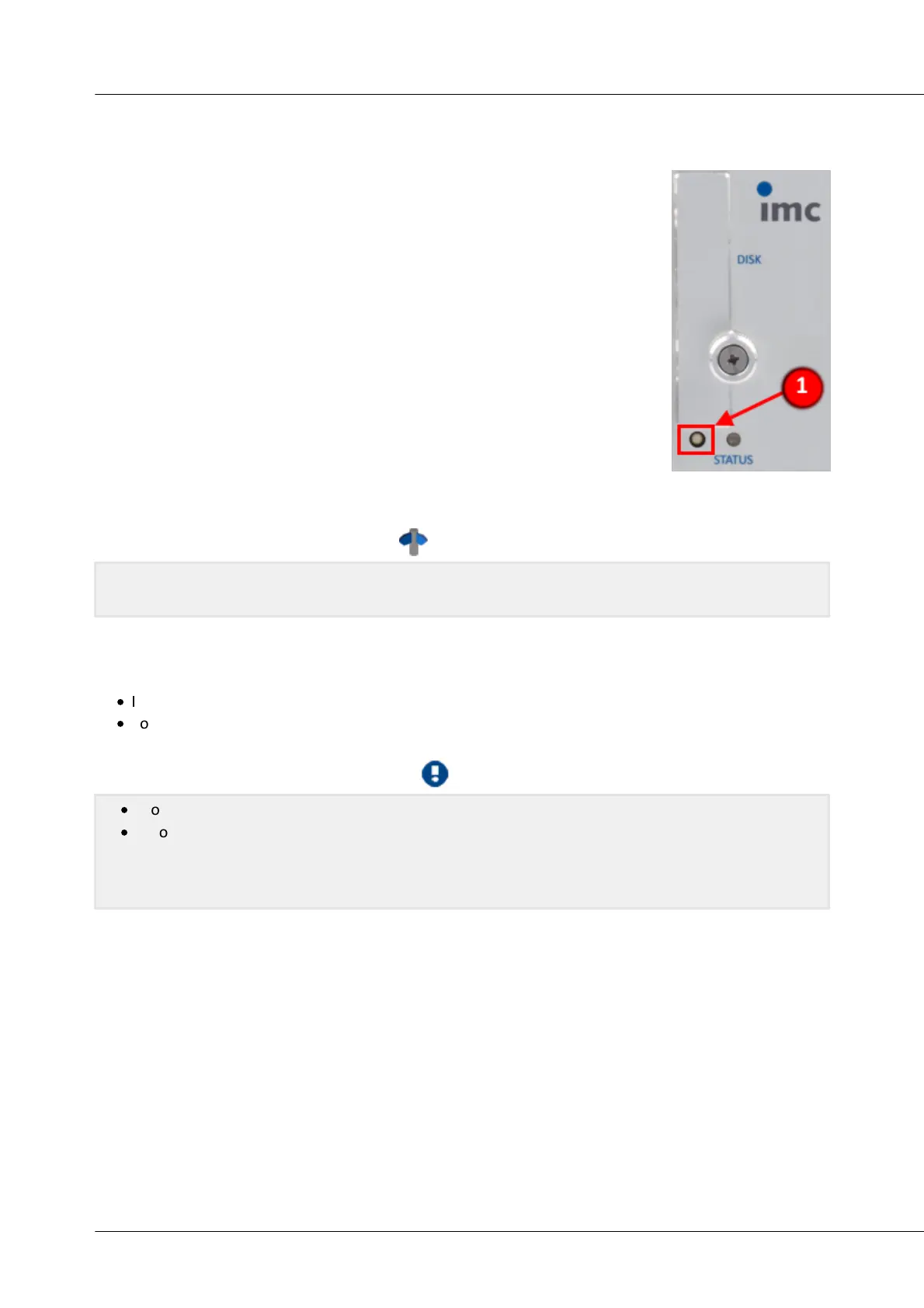
you remove it (if the device is switched on), the button (1) must be pressed to
ensure that storage medium can be safely removed.
Pressing the button signalizes to the system that you intend to remove storage
medium. Once this is done, the device stops access to the storage medium. During
this time the Status LED shines.
If you were to remove the drive without prior announcement, it could produce
defective clusters. And if you were to remove the storage medium while a
measurement is running, the waveforms would be incomplete! Therefore, always
proceed as follows when removing the storage medium:
1. Press the button (1) (device is switched on)
2. Status LED shines, the device stops access to the storage medium
3. When the Status LED starts blinking, the removable storage can be
removed.
Please find a detailed description of internal removable storage media in the software manual, chapter
"internal storage media".
Inserting and ejecting the CFast data storage card
Follow these instructions to insert and eject a data storage card:
·
Insert the card straight into the slot correctly aligned, until is snaps in with a clicking sound.
·
To eject, gently press on the card once.
·
Proper operation can not be guaranteed for any arbitrary kind of data storage card.
·
Before removing the data carrier (from an activated device), it is necessary to first notify the
system of the removal by pressing on the pushbutton next to the Status LED. On this topic, please
read the notes in the section “Removable storage device” in the included documentation First
Steps.


 To Next Page