imc CRONOS-PL/-SL/compact - Getting Started, Version 5 R 7 - 2018-06-28© 2018 imc Meßsysteme GmbH
30 Start of operation Software / Firmware
Interface-Firmware (Ethernet)
Start-up program for the device upon switching-on
Online-functions and hard drive controller
Operating system of the connected displays
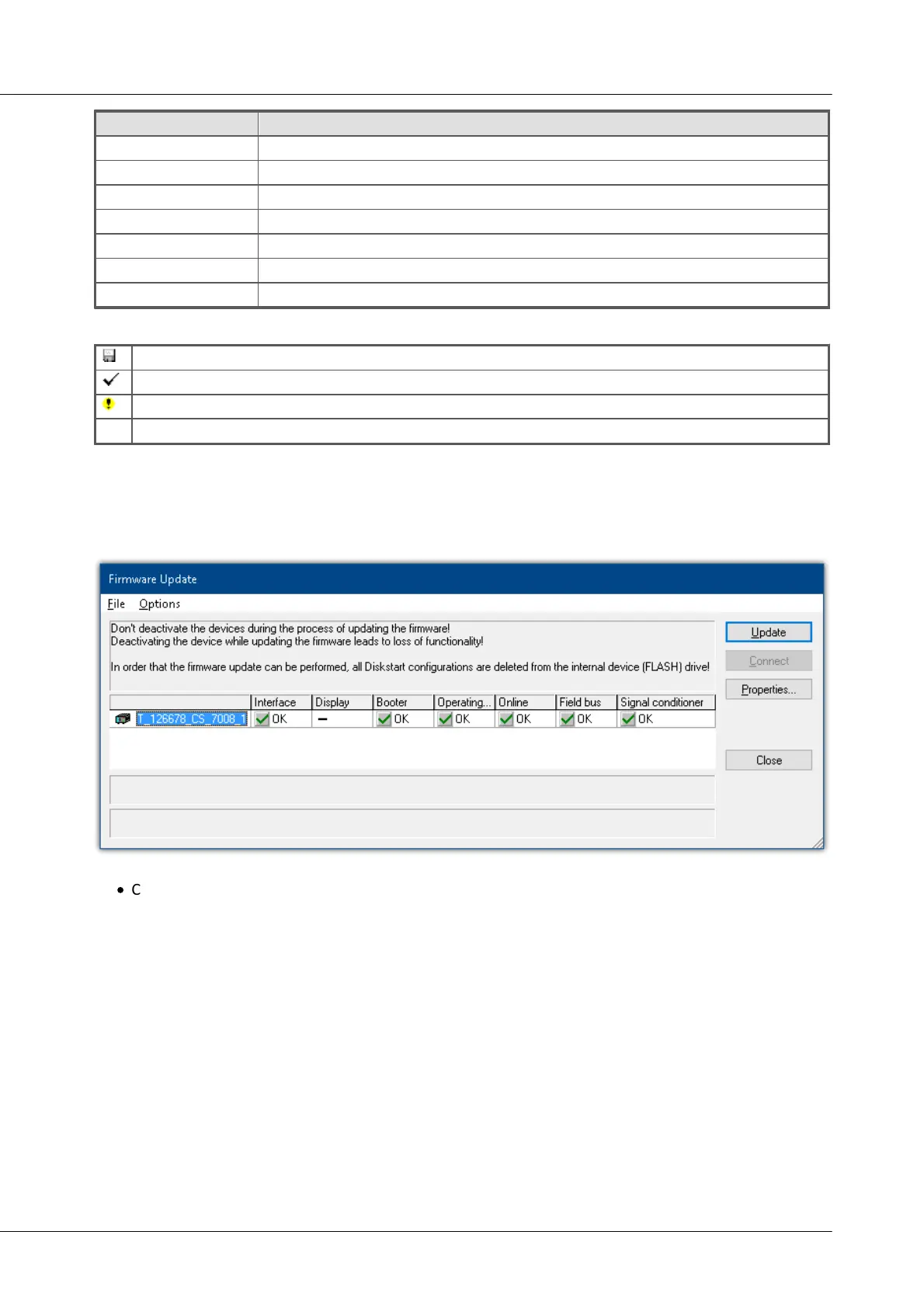
The following symbols for the individual firmware components appear in the list:
firmware conforms to current standards
error occurred during update procedure
this option is not available on the device
If no status indicators are displayed, no connection could be made to the corresponding device.
The duration of the update depends on the amount of amplifiers (can last up to several minutes). You will
be informed on the progress.
You are notified when the firmware setup concludes successfully, as shown below:
Conclusion of the firmware update (example of a single device)
·
Choose Close. The device can now be used with the product software.


 To Next Page