19
11. NORMAL OPERATION CONDITIONS
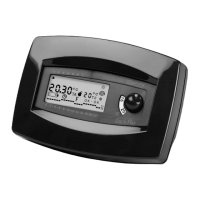
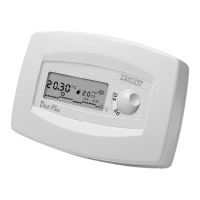
During “normal operation” the room temperature is displayed for 20 seconds (indicated by °C TA), alternating with the display
of current time for 10 seconds.
The following values are displayed as well (see chapter 3):
➞ The REDUCED temperature value (indicated by °C T2)
➞ The operational program chart with its temperature levels T1 and T2
➞ The symbol “clock” ( )
➞ The reading “OK-OK”.
➞ The symbol “sun”(✲) or the symbol “igloo”( ) for summer or winter operation
➞ The symbol “flame” ( ) indicating that the boiler or the air conditioner are on.
12. OVERRIDE MODE
This function allows the OVERRIDE of the running program so that the thermostat keeps CONSTANTLY one of the two tem-
perature levels (NORMAL “T1” or REDUCED “T2”) or the ANTIFROST mode (
❆), factory pre-set at 6°C.
To ACTIVATE the override mode:
• Press
once the F button to activate the ANTIFROST mode (6°C)
• Press
twice the F button to activate the REDUCED temperature “T2” (selector 6°C/16°C or 23°C/26°C)
• Press
three times the F button to activate the NORMAL temperature “T1” (knob “sun ✲”)
When in “override” the letter “F”, the override symbol (
❆ ; T1 or T2) and the “hours/temperature chart” will blink on the
LIBR. DUO PLUS INGLESE standard 24-01-2000 14:46 Pagina 20


 To Next Page