31
STMiN3E ed 09/11 MINI NIKE 3 E
Technical Documentation
Technical Documentation
Programming the P.C.B.
e boiler is prepared for possible programming of several
operation parameters. By modifying these parameters as
described below, the boiler can be adapted according to
specic needs.
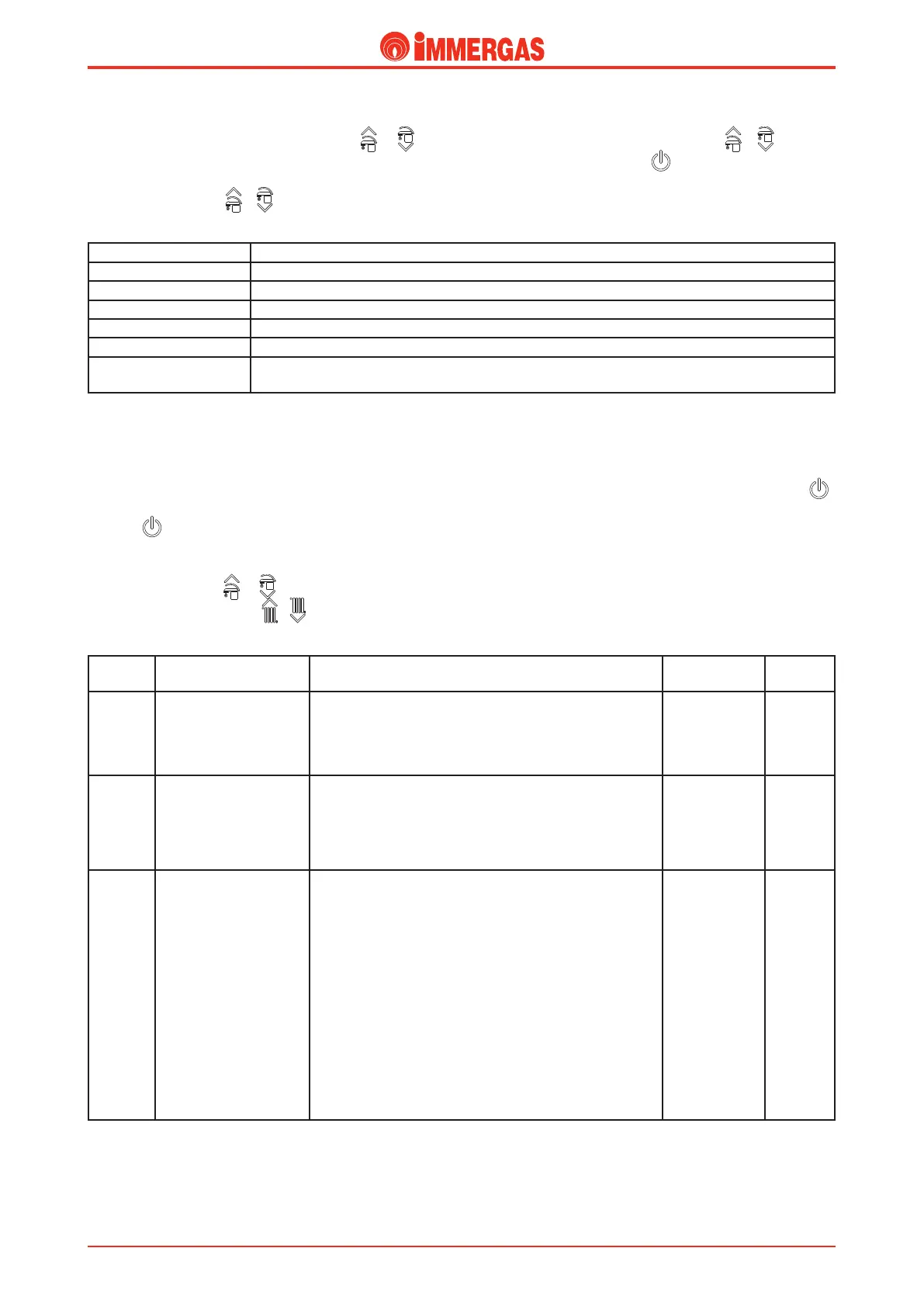
To access the programming phase, press the “Reset” and 2
buttons ( ) simultaneously for 8 seconds.
once the programming menu has been entered, the display will
alternate the number of the parameter with its current value.
Using keys 3 and 4 ( - ) select the parameter to be
changed, with keys 5 and 6 ( - ) it is possible to change
the value of the selected parameter.
Id
Parameter
Parameter Description Range Default
P1
Boiler mode
(DO NOT MODIFY)
Denes the boiler's functioning mode:
0 - Instant boiler.
1 - Boiler with storage tank.
0 - 1 0
P2 Display lighting
Establishes the display lighting mode:
0 - O: the display is always lit with low intensity.
1 - Auto: the display lights up when it is used and lights
o after 15 seconds of no activity.
2 - On: the display is always lit with high intensity.
0 - 2 2
P3 DHW thermostat
Establishes the switch-o method in DHW mode.
0 - Correlated: the boiler switches o on the basis of the
temperature set.
1 - Fixed: the switch-off temperature is fixed on the
maximum value independently from the value set on the
control panel.
In case of "X" version connected to a external storage tank
unit coupling kit (optional):
0 OFF 1: e boiler turns o at the Set-point, the boiler
turns o at the Set-point -3K.
1 OFF 2: e boiler turns o at the Set-point, the boiler
turns o at the Set-point -10K.
0 - 1 1
Conrm the changes by pressing the Reset button for about
3 seconds.
Exit the programming phase by waiting for the 15-minute
time-out to elapse or by pressing the "Reset" and 2 ( )
buttons together.
Information Menu
Pressing buttons 3 and 4 for 5 seconds ( - ), the
“Information menu” is activated, which allows to display some
of the boiler's functioning parameters.
Press buttons 3 and 4 ( - ) to scroll through the various
parameters.
To exit the menu, press buttons 3 and 4 ( - ) again for
5 seconds or press button 2 ( ) for 5 seconds, or wait for
60 seconds.
Id Parameter Description
d1 Displays the ame signal (uA)
d2 Displays the primary exchanger output instant heating ow temperature
d3 Displays the instant output temperature from the DHW exchanger
d4 Displays the temperature set for the central heating set (if remote control is present)
d5 Displays the temperature set for the DHW set (if remote control is present)
d6
Displays the external temperature (if external probe present)
If the temperature is below zero, the value is displayed ashing.





 To Next Page