AT-7 User Guide
18
Driver Program Installation (For Windows OS)
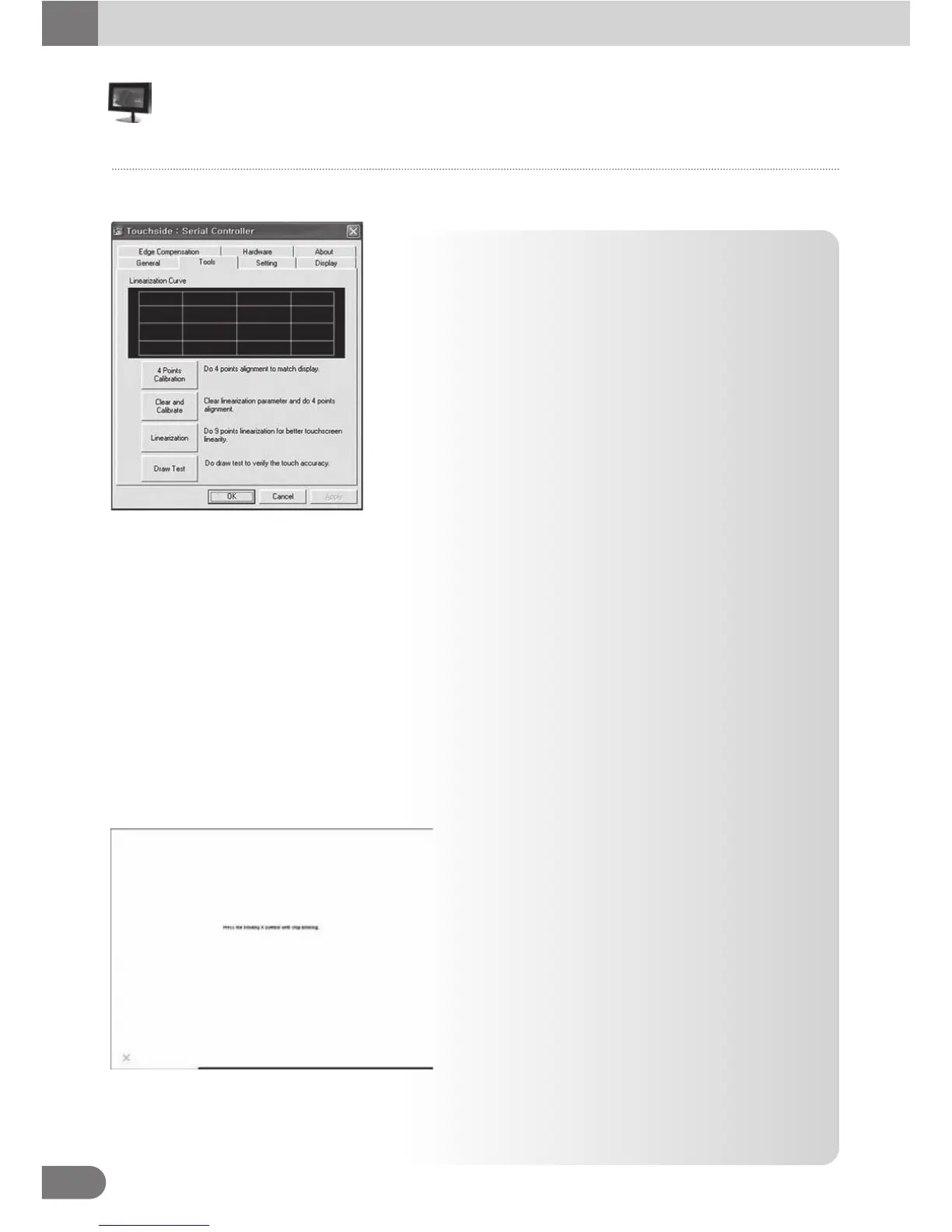
● Calibration, draw test tools and the linearity curve of the
touchscreen were list in this property page shown as below
for user to do touchscreen calibration and touch position test.
● User can do calibration or draw test by pressing the function push buttons.
1. Linearization Curve
Linearization curve of the touchscreen is list in this page for reference and trouble shooting purpose.
2. 4 points calibration
It needs calibration before the touchscreen can work accurately. Whenever the user feel the
accuracy lost, user can do calibration again to get a more accuracy touch function.
Pressing this button, a new window will be popped-up at the location when the touchscreen was
mapped to area for this touch system to guide the user do 4 points calibration.
User should follows the guide to touch and hold the blinking X symbol in the calibration window
until it does not blink to make sure that the utility can gather enough data for computation.
In addition, a time line bar is shown in the bottom of the window to indicate time elapsed. If the
touchscreen was not touched before the time line bar going to right end, the calibration task will
be terminated automatically.
3. 4 points calibration
It needs calibration before the touchscreen can
work accurately. Whenever the user feel the
accuracy lost, user can do calibration again to
get a more accuracy touch function.
Pressing this button, a new window will be popped
-up at the location when the touchscreen was
mapped to area for this touch system to guide
the user do 4 points calibration.
User should follows the guide to touch and hold
the blinking X symbol in the calibration window
until it does not blink to make sure that the utility
can gather enough data for computation.
In addition, a time line bar is shown in the bottom of the window to indicate time elapsed. If the
touchscreen was not touched before the time line bar going to right end, the calibration task will
be terminated automatically.
Configuration Touchside Utility
Tool Property Page
■



 To Next Page