15
AT-7 User Guide
Driver Program Installation (For Windows OS)
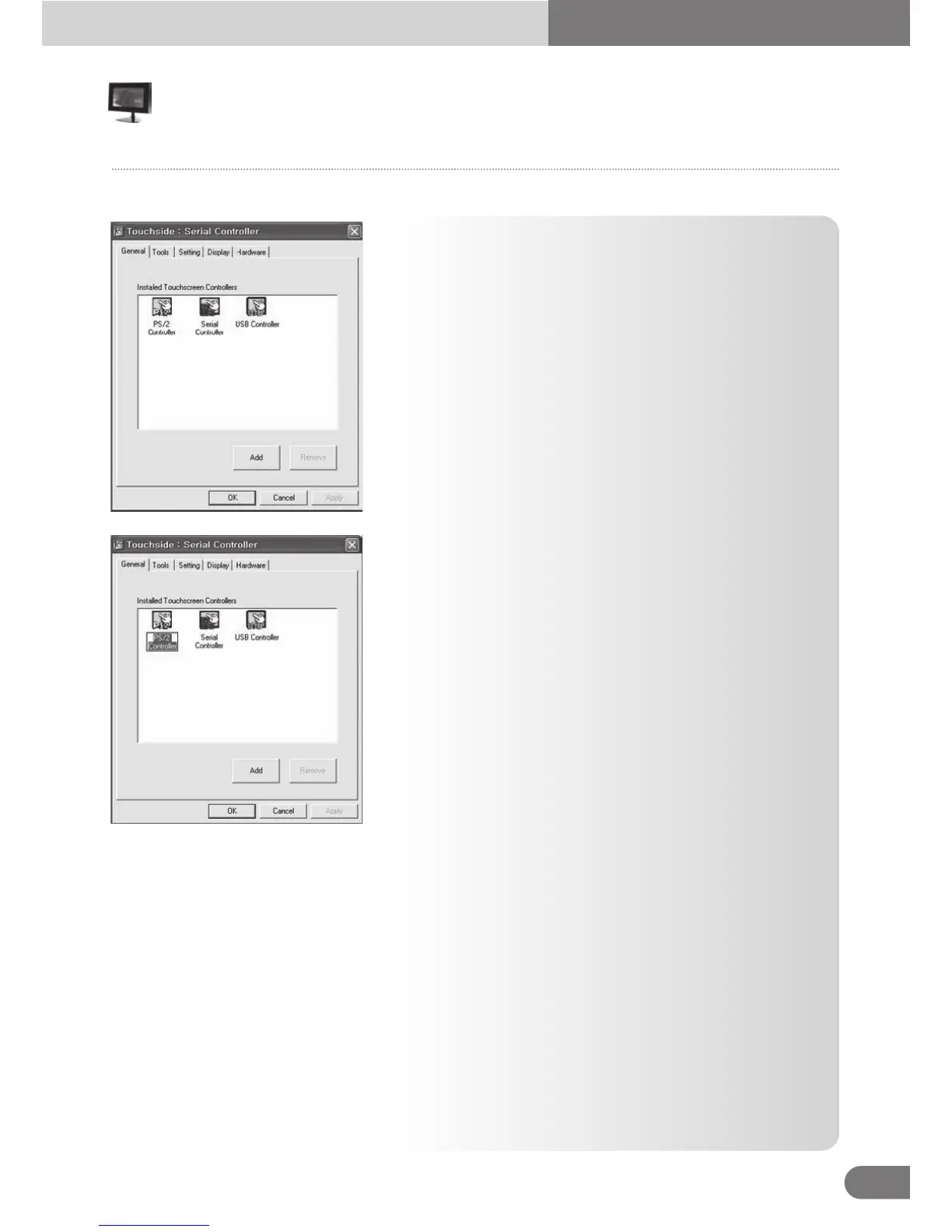
● The general property page in TouchSide utility shows all
of TouchSide touchscreen controllers installed as below,
including RS232, USB and PS2 interfaces.
● User can select the controller list in the window to do
configuration for it. When user use a mouse or other input
device to select the controller device in the controller list
window, The controller name will be shown in the title bar
of the main window( the property sheet ). Also, all of the
other property pages will be updated for this selected
controller. In some application, user may in place edit and
change the controller name for easy identification.
● In addition, there are 2 function push buttons in this prope
1. Add
The function button is used for serial RS232 controllers only. Press this button to search the
TouchSide serial controllers connected with the system COM ports. Whenever it finds a new
TouchSide serial controller, a new serial controller icon object will be shown in the controller list
window automatically.
USB TouchSide device supports plug and play, the icon object for USB controller will be shown
in the controller list window automatically when the USB controller is connected with the system
USB port. And, the icon object for the USB controller will disappear automatically as soon as
the device was removed from the system USB port.
TouchSide PS2 driver support PS2 mice and TouchSide touchscreen controller. It can works
with both PS2 mice and TouchSide touchscreen PS2 controller. After the TouchSide PS2 driver
was installed, this utility assumes the PS2 touchscreen controller exists and is always shown in
the controller list window.
Configuration Touchside Utility
General Property Page
■



 To Next Page