Driver Program Installation (For Mac OS)
USB Monitor
21
AT-7 User Guide
Touch
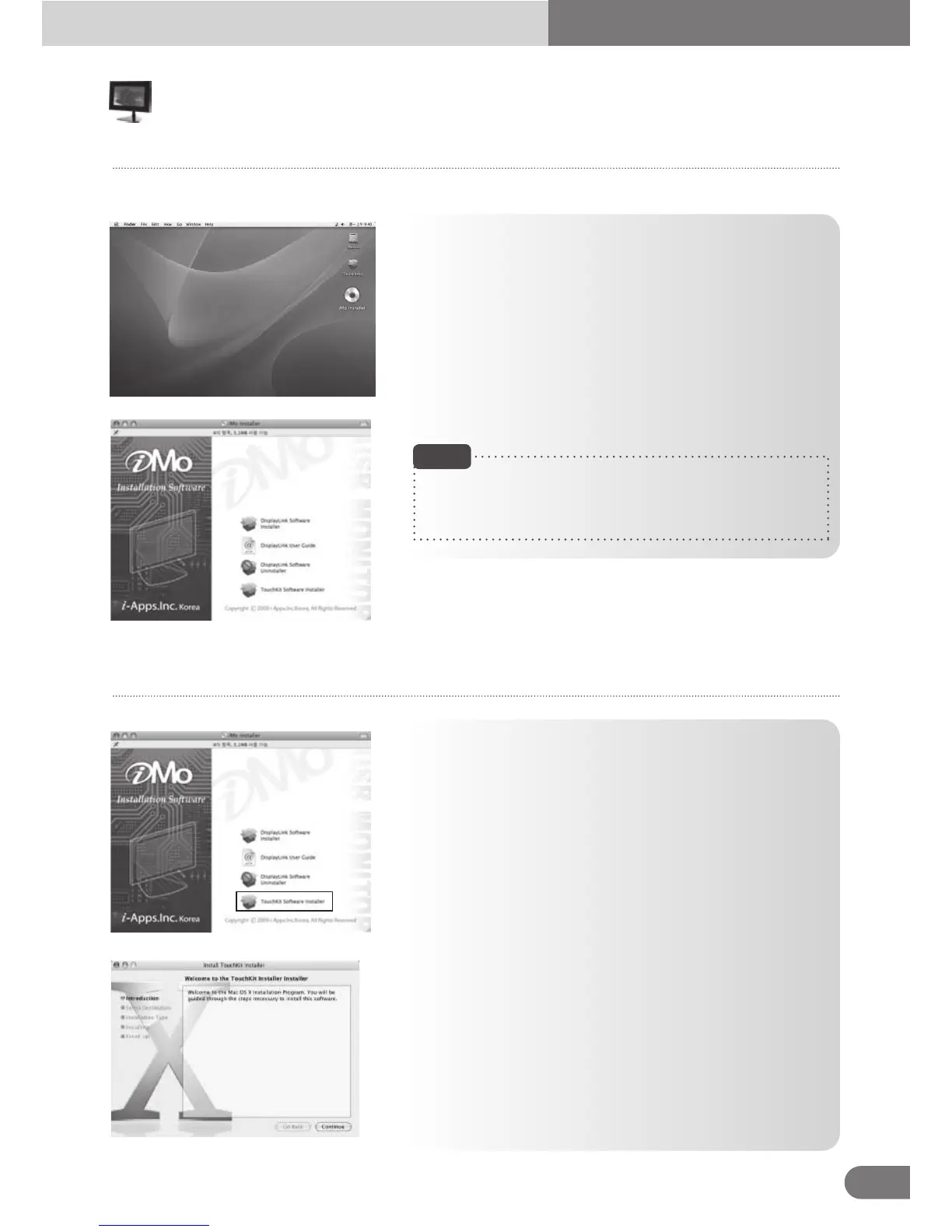
● [Display Link Software Installer]
Select DisplayLink Software Installer to install USB driver
program. Follow the instructions.
The computer has to be re-booted in order to complete the
installation process.
● [User Guide]
Please choose “user guide” to view the user guide.
● [Display Link Software Uninstaller]
Select DisplayLink Software Installer to uninstall USB
driver program. The computer has to be re-booted in order
to complete the un-installation process.
- Please refer to the “user guide” to learn more about its use
under Mac OS.
- This device supports Intel-based MAC OS X version only.
Double click on iMo Installer image to run iMo Installer.
Note
1. Select TouchKit Software Installer to install Touch driver
program.
2. Touch driver program start installing.



 To Next Page