PC-POD-CP-010-v01 Printed copies are not controlled. Page 5 of 14
5 Device Calibration
5.1 Plug power cable into outlet and back of device to be sure it is charged.
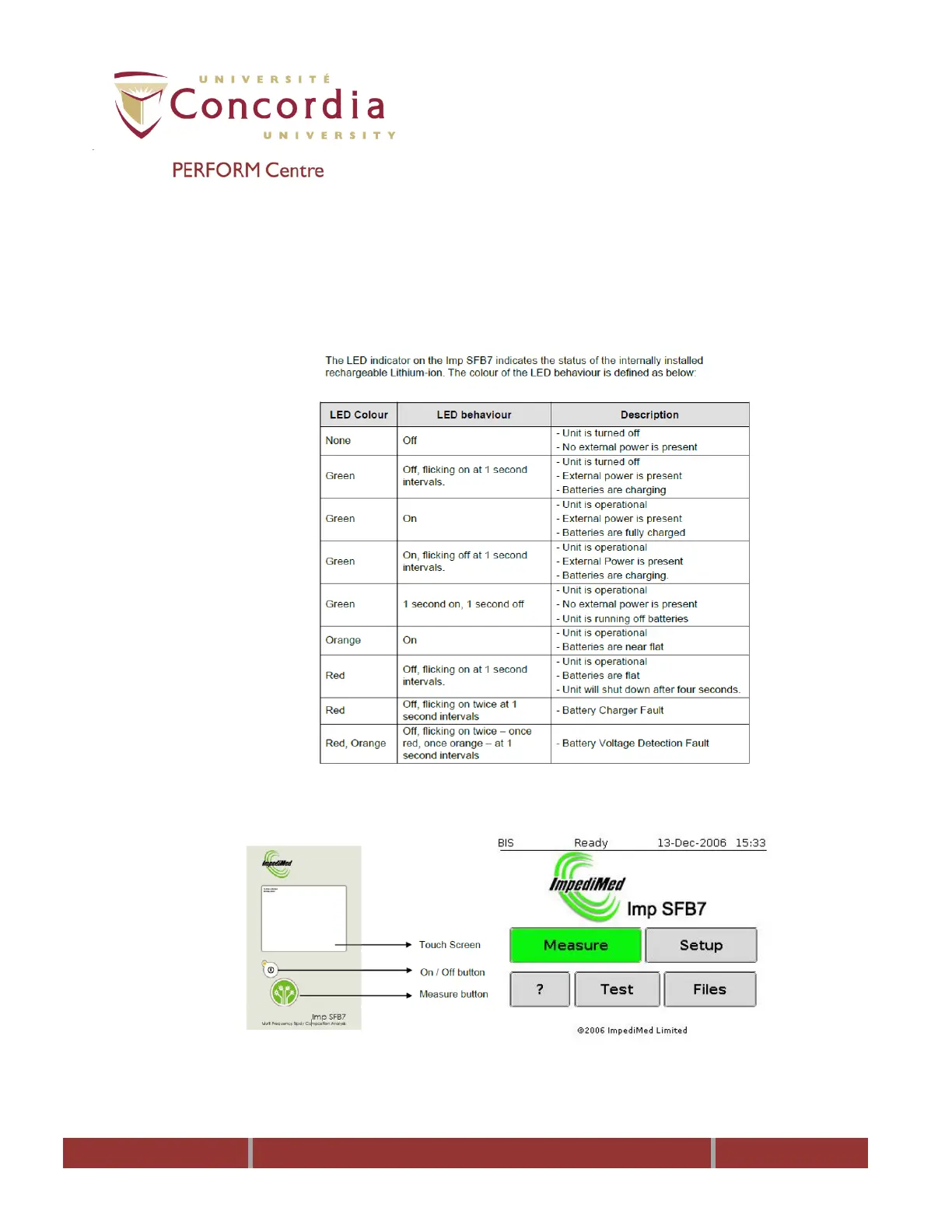
Battery Status Indicator
5.2 Turn device on by pressing the On/Off button on the front panel of the
unit. After a couple of seconds the device will display the ImpediMed logo
and will go to the main menu.
5.3 Connect each colored lead to corresponding color on back of device. Make
sure the arrow on lead is in line with notch on device.
5.4 Remove alligator clips from lead wires.
5.5 Connect leads to the test cell according to color coding.



 To Next Page