Operation Manual
E
70
6. OPERATION
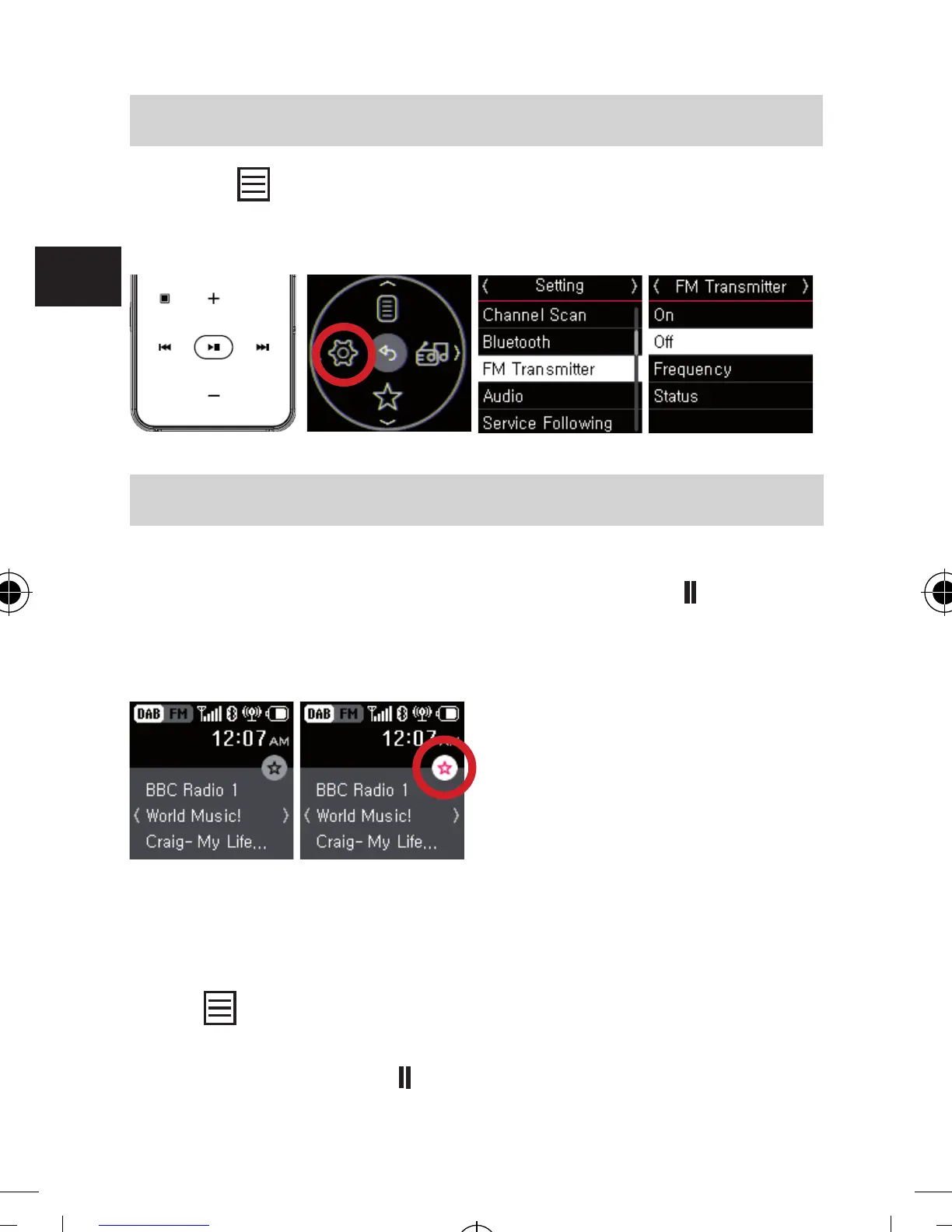
Or press to open menu and select “Setting” ▹ “FM
Transmitter” ▹ “Off”.
6.10 Preset channels
Add or delete preset channel
While listening DAB/DAB+ or FM radio, press
▶
button for
3 seconds to add current channel to a preset channel list.
The preset channel can be add.
If current channel is already in the Preset channel list,
previous same channel will be overwritten from Preset
channel list.
Press
to open menu and select “Preset List” to display all
of Preset channel list. Navigate preset channel list using +
& - button, and press
▶
button to select a preset channel.
bda_Dabman 2_DIN A 7_D_E_F_10_17.indd 70 15.01.18 08:47







 To Next Page