DABMAN 2
E
73
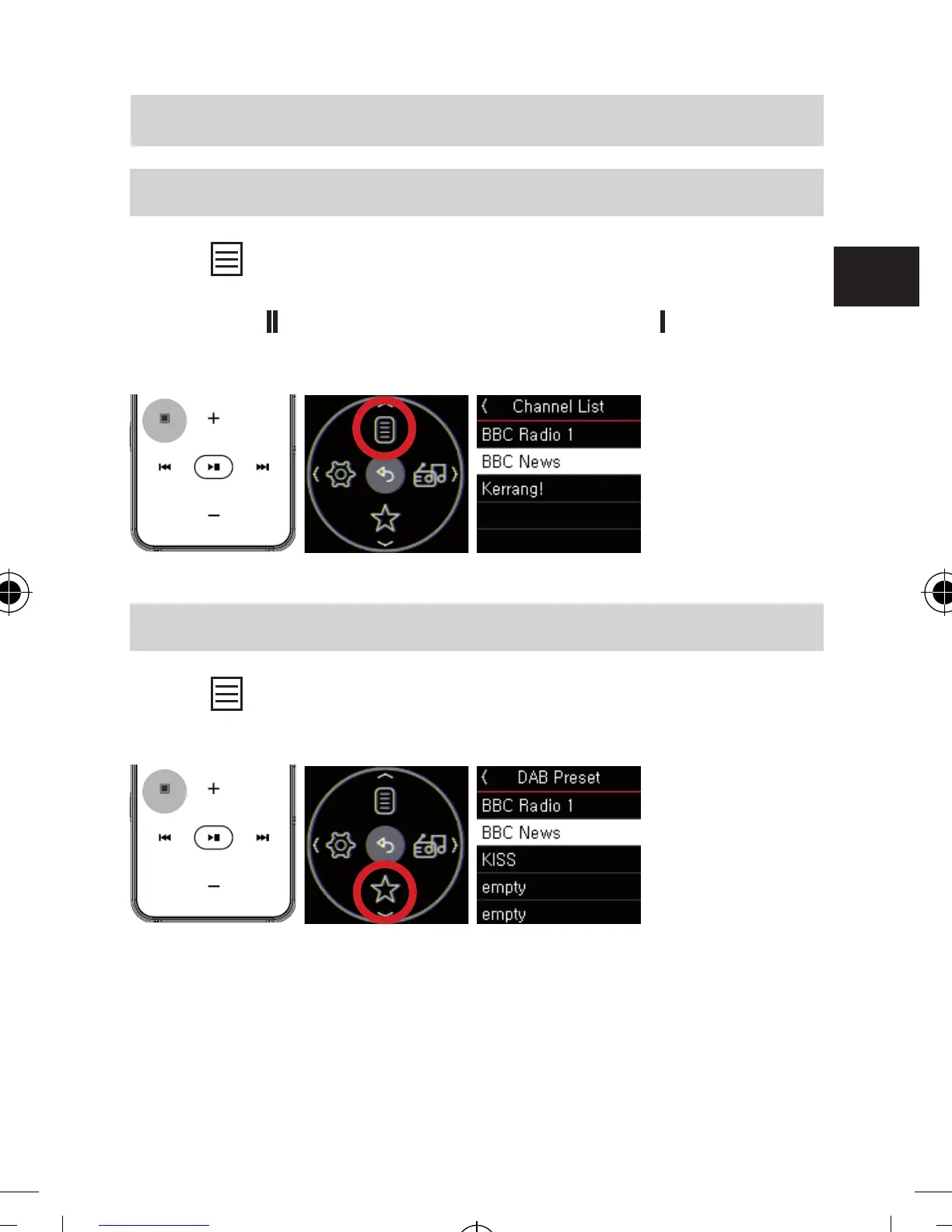
7.1 Display DAB/DAB+ channel list
Press button to open menu screen and select “Channel
List” to display DAB/DAB+ channel list. Select any channel
and press
▶
button to change channel. Press
▶▶
to exit
from the channel list.
7.2 Display Preset Channel List
Press button to open menu and select “Preset” to
displays the list of Preset channels.
7. SETTINGS
bda_Dabman 2_DIN A 7_D_E_F_10_17.indd 73 15.01.18 08:47







 To Next Page