91
90
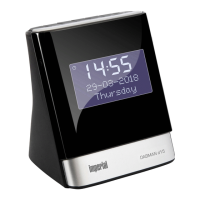
IMPERIAL DABMAN d20
E
8.1. Set the alarm
The DABMAN d20 has an alarm function
that can be easily controlled via the buttons on
the device.
2 alarms that can be activated separately
are available.
Proceed as follows to set the alarm time:
1. Press the Alarm button to
open the menu options.
<Setup Alarm 1> appears on the display.
2. Confirm using the Select button.
3. Press the Tune+/Tune- button,
to set the hour.
4. Confirm using the Select button.
5. Press the Tune+/Tune- button,
to set the minutes.
6. Confirm using the Select button.
7. Under <Duration>, enter the minutes
you would like the alarm to sound after
activation until is automatically switches
off. To do so, use the Tune+/Tune - buttons.
Confirm using the Select button.
8. Under <source> you can select
whether you would like to be woken with a
summer
signal or using a radio station.
8. ALARM FUNCTION


 To Next Page