English - 4
CLEANING AND
STORAGE
1. Turn the unit OFF and unplug the
unit before cleaning.
2. Use only a soft, damp cloth to clean
the exterior. A can of
compressed air or a vacuum cleaner
can be used to clean the
inside of the motor
3. Do not immerse the unit in water
and never allow water to drip into
the motor housing.
4. Do not use gasoline, paint thinner or
other chemicals to clean the fan.
5. Store the unit in the original box and
store in a cool, dry place.
NOTE: If you experience a problem,
please return the unit to
the place of the original purchase or
see your warranty. Do not
attempt to open the motor housing
yourself. Doing so may void
your warranty and cause damage to
the fan or personal injury.
WARRANTY
Length of Warranty
1 year from date of purchase
Within 1 year from date of purchase,
1) Return product to place of purchase (if
your dealer allows)
OR
2) Send product postage pre-paid to:
I.E.A.C.
3030 E. Vernon Ave.
Vernon, CA 90058
Please include original dated receipt, explana-
tion of defect and return name and address as
well as a contact phone number. We will, with-
in 10 days of receiving your product, return a
new or refurbished (at our discretion) product
at NO ADDITIONAL CHARGE. We will also
return your receipt. If product is found to be in
working condition, we will return product
postage collect.
PACK YOUR PRODUCT WELL!
We will not be responsible for damages
incurred as a result of improper packing.
Or contact us via e-mail at
customerservice@betterchefimpress.com
TROUBLESHOOTING
Problem
Unit will not oscillate
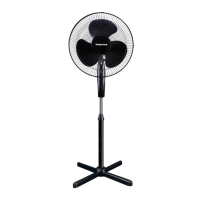
The fan is unstable
Clutch knob is not
pushed down.
Push the clutch
knob down.
Unit will not work.
1. Unit is unplugged.
2. Outlet is not
receiving power.
3. Fuse in plug
has gone bad.
1. Outer pole is not
secured firmly in
the cross-bar base.
2. Fan is not on a
level surface.
1. Make sure outer pole
is screwed tightly into
the cross-bar base.
2. Move fan to a level
surface.
1. Plug unit into
available outlet.
2. Make sure outlet is live.
3. Replace the fuse
(See fuse replacement
instruction).
Possible cause Solution


 To Next Page