5
EN
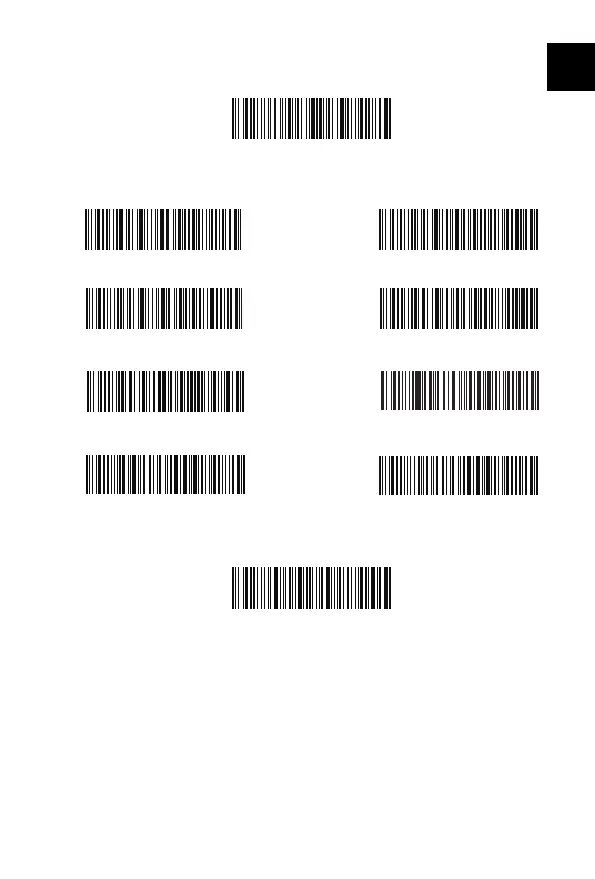
Setting for Keyboard Language
1. Read ’Enter setup’ Barcode
2. Select and Scan your keyboard language Barcode
3. Scan“Exit with Save” Barcode to end language setting
Note: The keyboard language of Inateck BCST-60 should keep consistent with that on
computer, otherwise, garbled might appear in scanning result.
Setting for Prex/Sux
Users can add prex/sux to scanning result. The prex/sux can have 1 to 32 digits.
More details are as below.
1. Scan “Enter setup’” Barcode
Exit with Save
Enter Setup
French Keyboard
Italian Keyboard
(*)US Keyboard
Spanish Keyboard
English (UK) Keyboard
German Keyboard
Japanese Keyboard(Roman alphabet)
Canadian Keyboard



 To Next Page