22 23
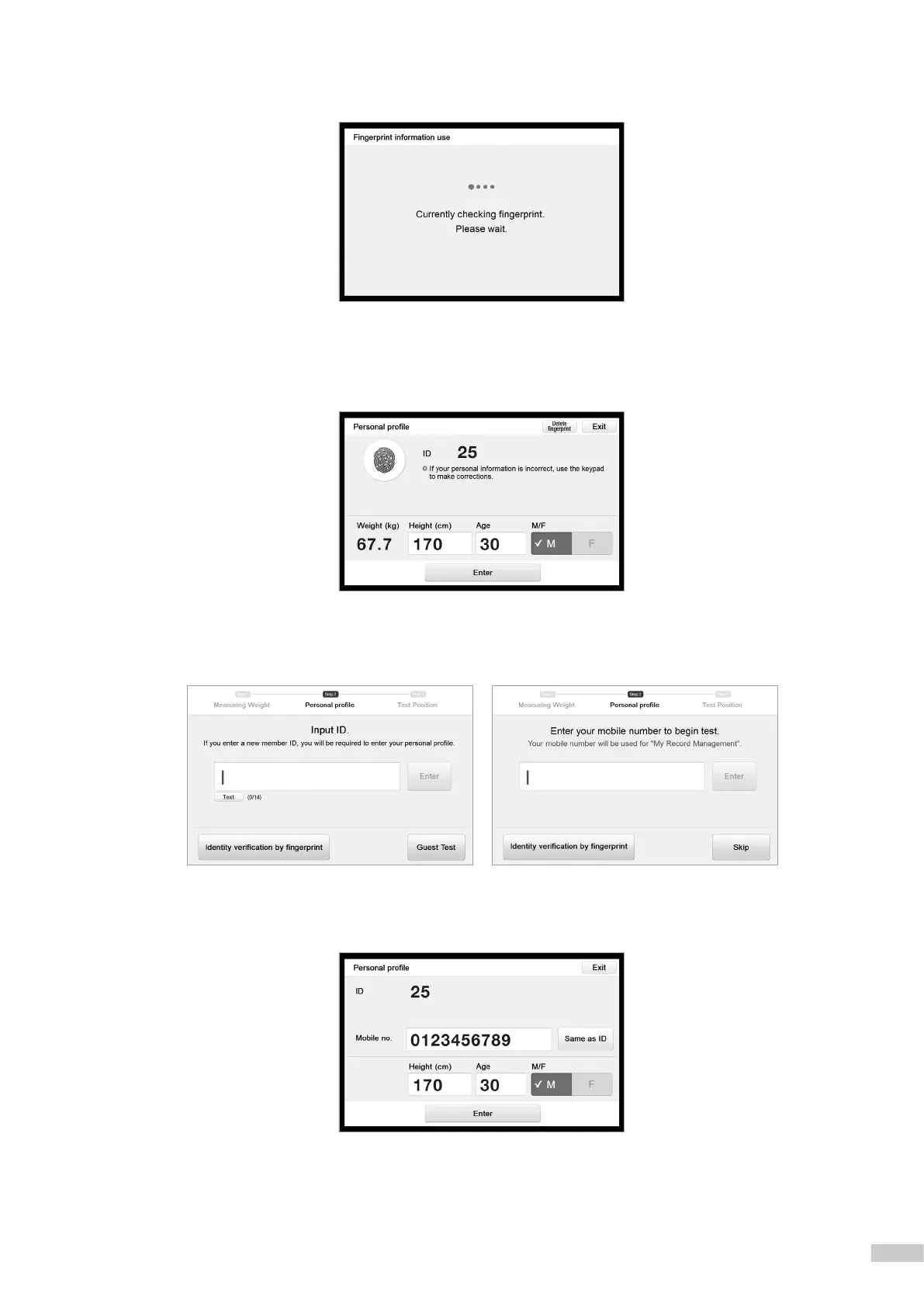
5. When pressing [Exit] or if InBody BAND is not recognized, the InBody970 checks your ngerprint.
6. If your ngerprint is recognized, the personal information will be automatically displayed on the screen as shown below.
*
If ngerprint is placed differently from when it was initially registered, personal information may not load properly.
For details, please refer to "Regarding the Device" in "FAQ".
7. If you press [Exit] on the ngerprint identication screen, you may enter your customer information (ID or mobile number).
*
For Professional Mode, enter your ID.
*
For Self Mode, enter your mobile number.
8. If you do not want to enter your ID or mobile number, you can press [Guest Test] or [Skip] and enter only your
height, age, and gender to perform the test.



 To Next Page