20 QUICK START GUIDE INCOTEX 500F
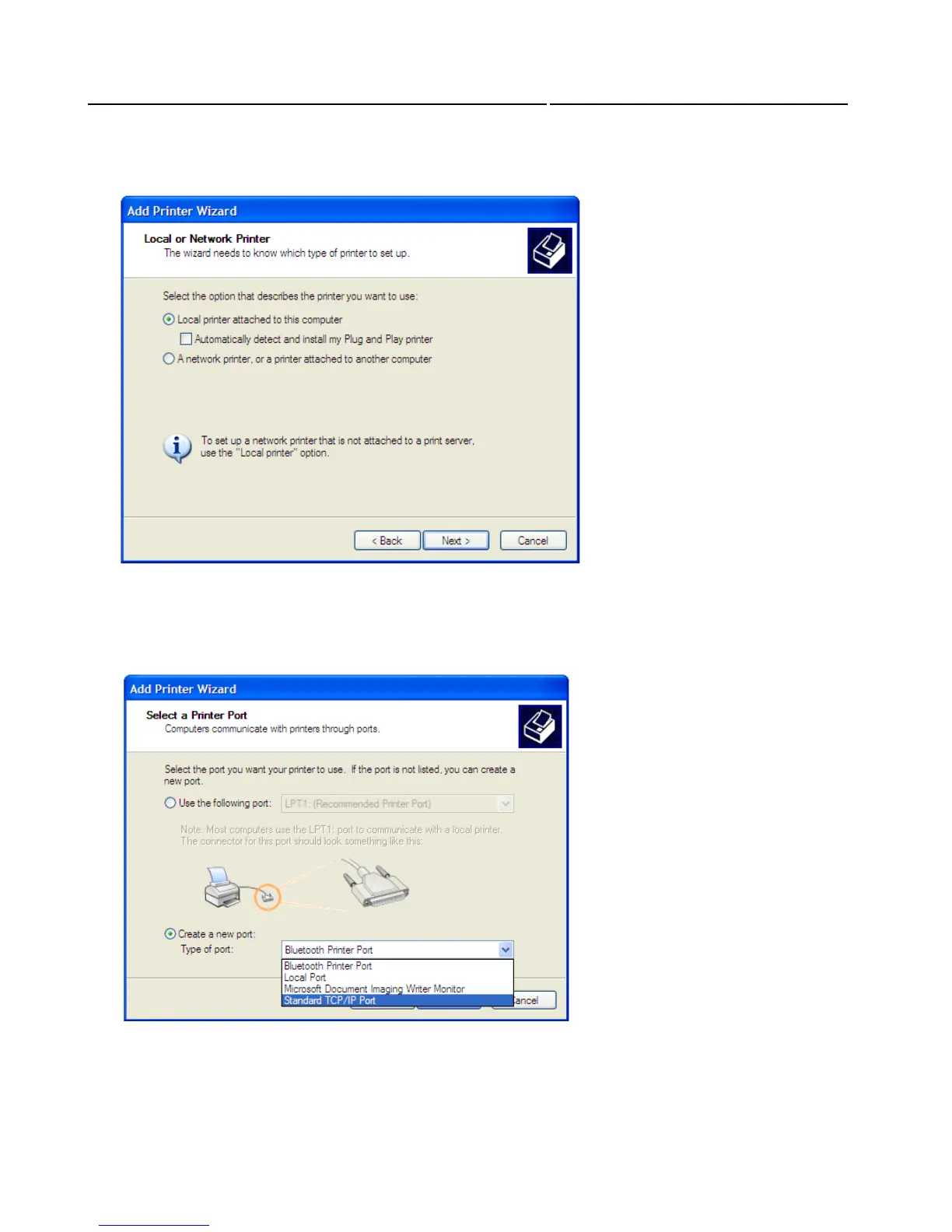
Two options for adding a printer are available. Choose “Local printer attached to this computer” and
then click “Next”.
The wizard will ask you to select a port for the communication between your PC and the new printer.
For this communication you should use a TCP/IP port. In the Wizard window choose “Create new
port”, and then for the “Type of port” select “Standard TCP/IP Port”. Click “Next” to continue.



 To Next Page