PPU-S User’s Manual
Page 13 of 20 Copyright 2023 IndeeLift, Inc. All Rights Reserved 08/2023
Floor to Full Standing:
1) Follow steps 1-3 above.
2) Once the person being lifted is fully seated in the center and to the rear of the PPU-S’s seat, and their
hands are resting on the rise-assist handles. The person being lifted, or a helper depresses and holds
the “UP” button, as indicated by the arrow on the wired remote.
3) The PPU-S seat plate can either be locked in a stationary position or unlocked to allow the seat plate to
rotate forward to assist a user to get to a standing position. (See Figure D to view the PPU-S seat in
unlocked mode).
4) The seat will rise until the “UP” button is released or at the maximum height of 30” from the floor.
5) Once the seated person’s weight shifts to their feet, they are standing. (See Figure D).
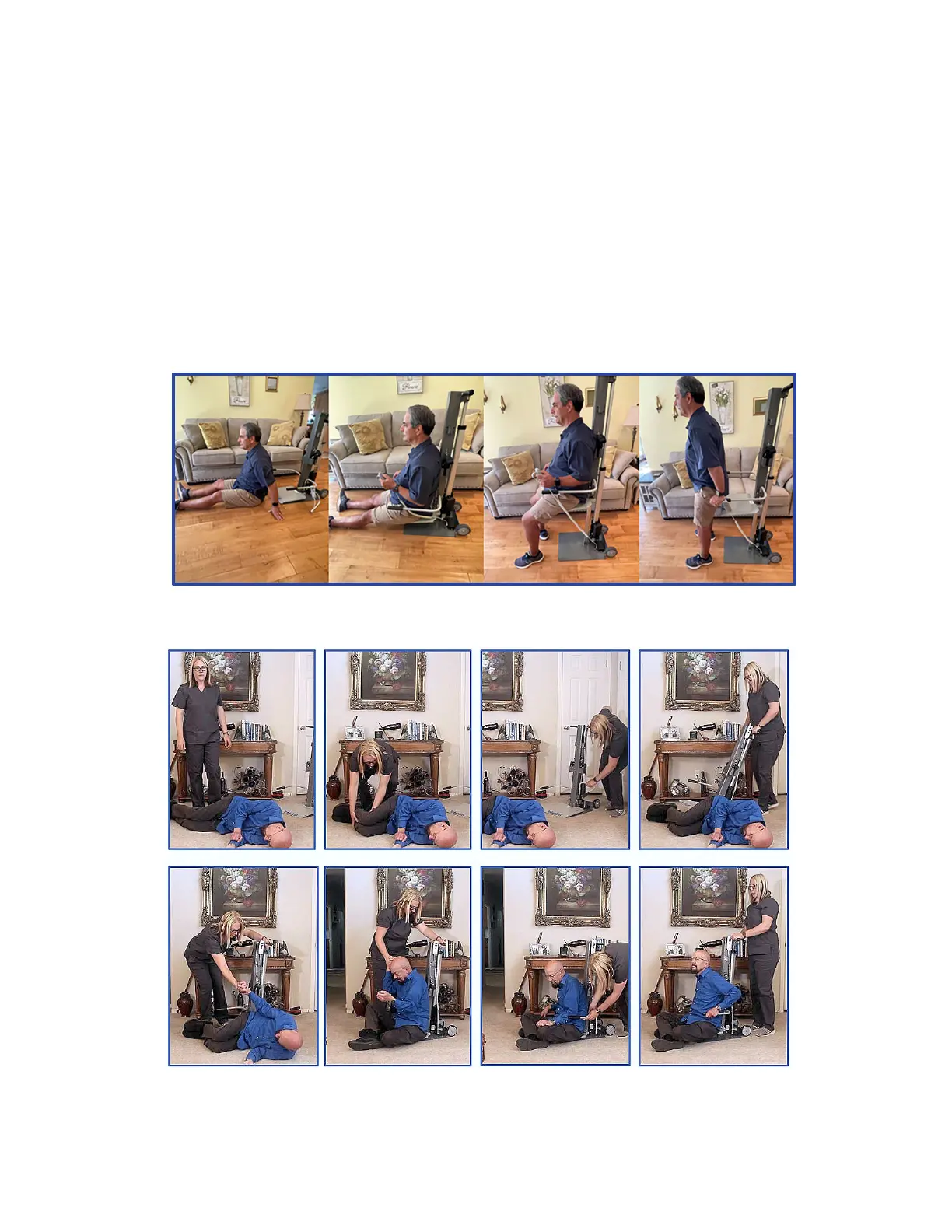
Figure A depicts the unit being self-operated, the user can scoot onto the seat platform by themself
and is able to stand up from a chair height.
Figure B depicts a person being assisted onto the PPU-S from a side-lying position.
Figure A – Self Operated - Floor to Seated to Stand
Figure B – Assisted Transfer from Floor onto the PPU-S



 To Next Page