iD-S9920-OPT: INSTALLATION & OPERATION MANUAL
PAGE 10
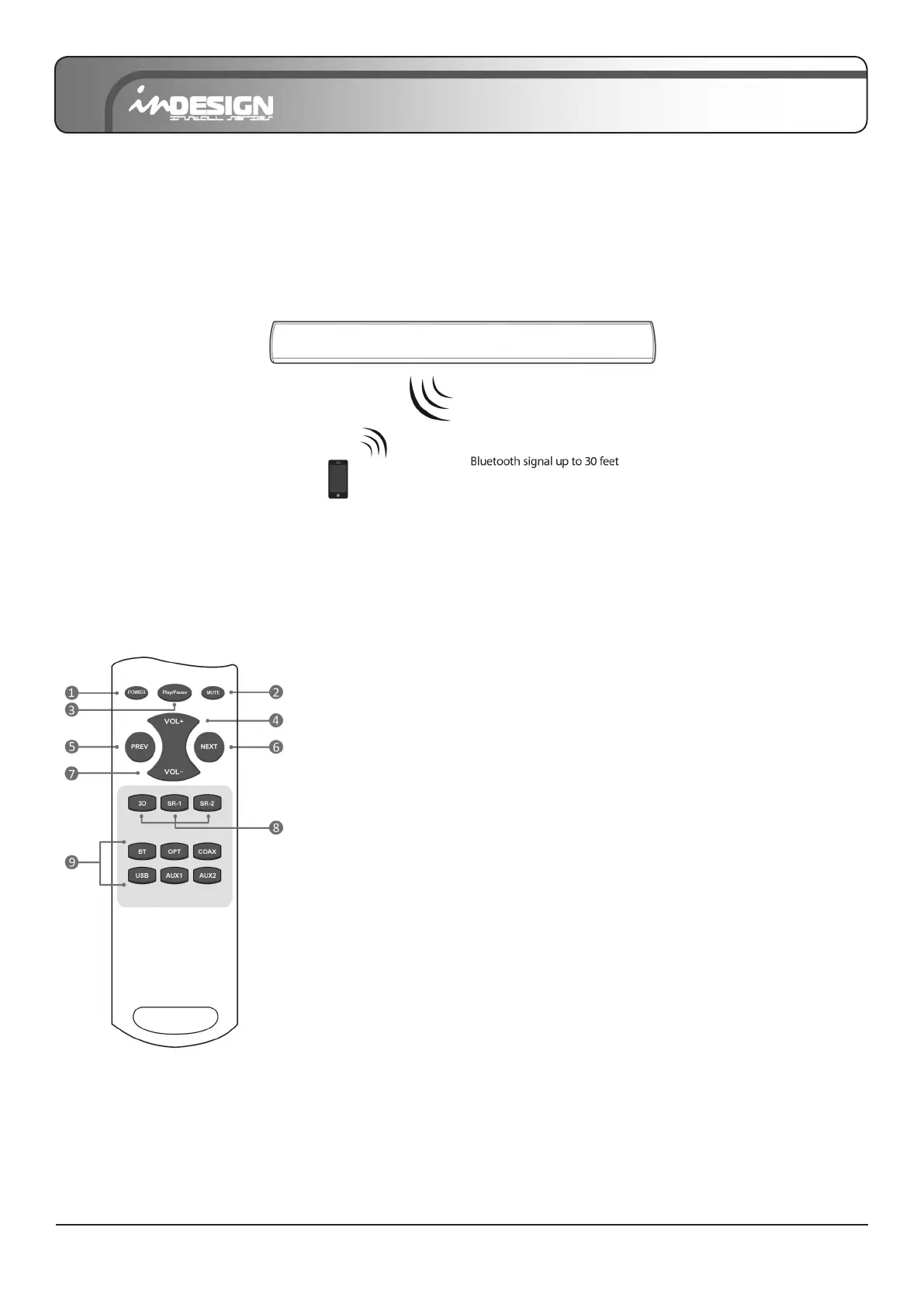
Additional Bluetooth information
1. If you hear any break-up while streaming music from your device, move closer to your Sound Bar.
2. Bluetooth signal has a range of up to 30 feet (9.15 metres) if there are no solid obstructions between your Sound Bar
and source device.
3. Other wireless devices may interfere with Bluetooth range, including wireless video monitors, cordless phones,
wireless cameras, etc. Moving or turning off these devices may improve Bluetooth range.
* NOTE: Reduce the volume on your device or Sound Bar, high volume can damage your hearing.
KNOW YOUR REMOTE
(1) Turns the Sound Bar on and off.
(2) Press to mute and unmute.
(3) Press to pause or play music.
(4) / (7) Press to adjust volume.
(5) / (6) Press to select previous or next music le.
(8) Three kinds of Audio Modes to select:
“3D” mode lls your room with sound.
“SR-1” mode gives clear sound for TV shows and News.
“SR-2” mode provides deeper bass in movies and music.
(9) Press to select a source (input) connected to the Sound Bar.
“BT”: Bluetooth mode, LED indicator: BLUE
“OPT”: Optical mode, LED indicator: WHITE
“COAX”: Coaxial mode, LED indicator: GREEN
“USB”: USB mode, LED indicator: PURPLE
“AUX1”: AUX1(R/L) mode, LED indicator: LIGHT BLUE
“AUX2”: AUX2 mode, LED indicator: YELLOW
Power the remote by inserting 2 x AAA batteries.


 To Next Page