iD-S9920-OPT: INSTALLATION & OPERATION MANUAL
PAGE 11
INSTALLING THE WALL MOUNT
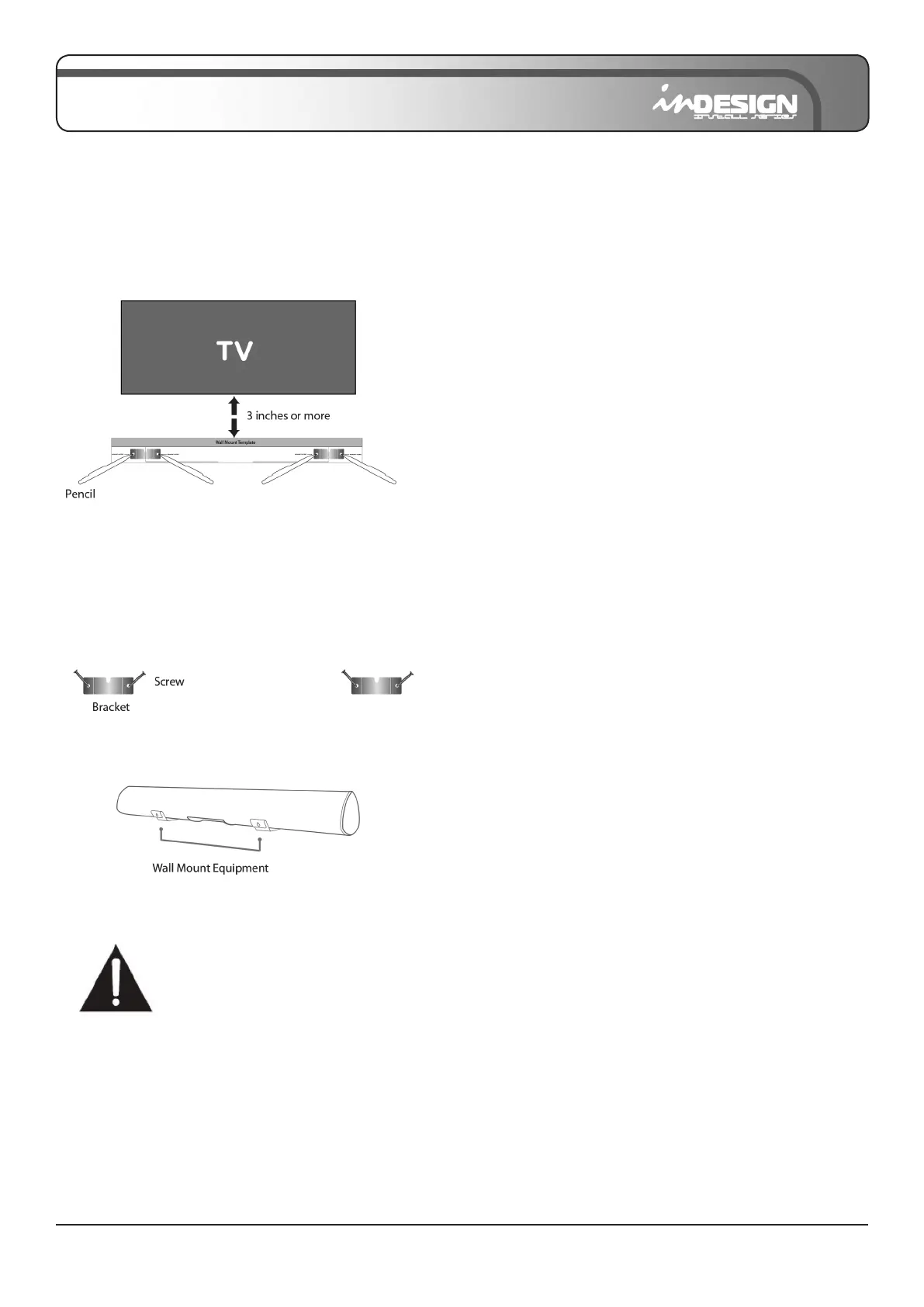
1. Place the wall mounting template against the wall under your TV and using a pencil, mark the bracket holes.
2. Remove the template and use an appropriately sized drill bit to drill a hole in the wall at each marking.
• The template must be level.
• Leave at least 3 inches (76 mm) between the template and TV.
• Be sure the wall is vertical wall (drywall).
3. Push the green Holder-Screw into each hole in the wall, and screw each screw (supplied) through each bracket
rmly into a support Holder-Screws hole.
4. Install the Sound Bar by hanging the bracket on the wall.
Consult a professional installer if you are unfamiliar with
power tools or the layout of electrical wiring in the walls
of your home.


 To Next Page