iD-S9920-OPT: INSTALLATION & OPERATION MANUAL
PAGE 7
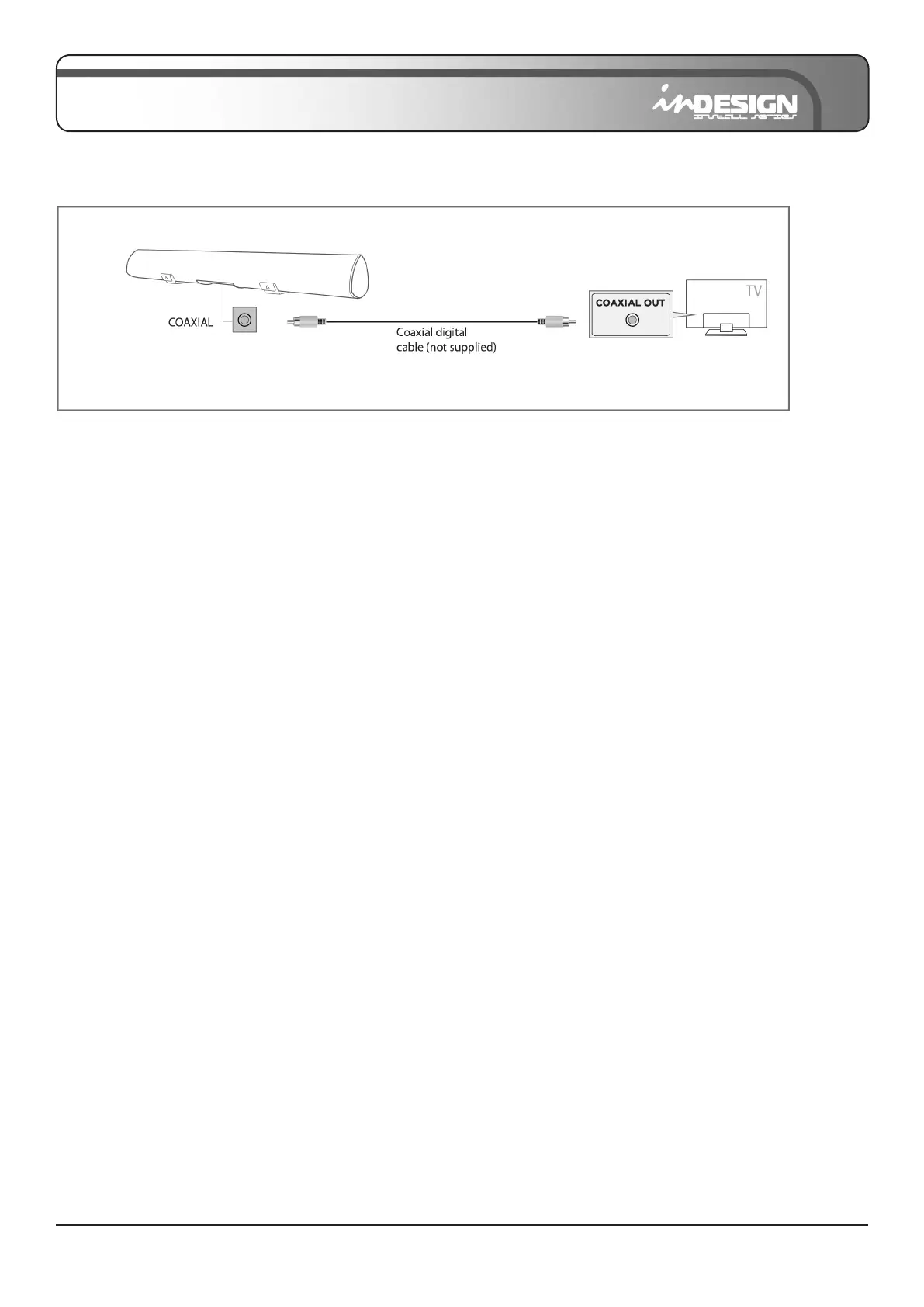
Method 2: Connecting with a Coaxial cable
1. With the Sound Bar and TV turned on, connect the Coaxial cable as shown.
2. Press the “COAX” button on the remote or on the right side of the Sound Bar to switch to “Coaxial” mode.
The LED will be GREEN and TV sound will play.
• You must use the Sound Bar’s remote to turn power on or control the volume under this connection.
• If there is no sound or a cracking noise, set your TV’s audio output to “PCM”. (Refer to TV’s manual).
Additional Information: How to change my TV to PCM
1. Press “MENU” on the remote control. If you do not have a remote control, press “MENU” on the television.
2. Press the arrow keys on the remote to scroll to “Audio Settings.” If you do not have a remote control, press the
“VOL+” and “VOL-” buttons to scroll.
3. Press “OK” on the remote control. Press “ENTER” on the television if you do not have a remote. If the television does
not have an “ENTER” button, the “MENU” button is often used.
4. Scroll to “Advanced Audio” and press “OK.” Some televisions may not have an “Advanced Audio” menu and may
list various audio settings instead.
5. Scroll to “Audio Output Mode” or “Digital Audio Output Mode” and press “OK”.
6. Scroll until “PCM” is displayed as the current audio output.
7. Press “OK” to save the settings.
• Depending on the model of your television, steps maybe different, please refer to your TV’s manual.


 To Next Page