Index Basic Servicemanual v 3.0
26
BOX 155 • S-954 23 GAMMELSTAD • SWEDEN • PHONE +46-920 203080 • TELEFAX +46-920 203085 • www.indexbraille.com • E-MAIL info@indexbraille.com
1/2 3/13 11/12 9/10
7/8
5/6
4
1-2
3-13
11-12
10-9
7-8
6-5
4
1
2
3
13
12
11
10
9
8
7
6
5
4
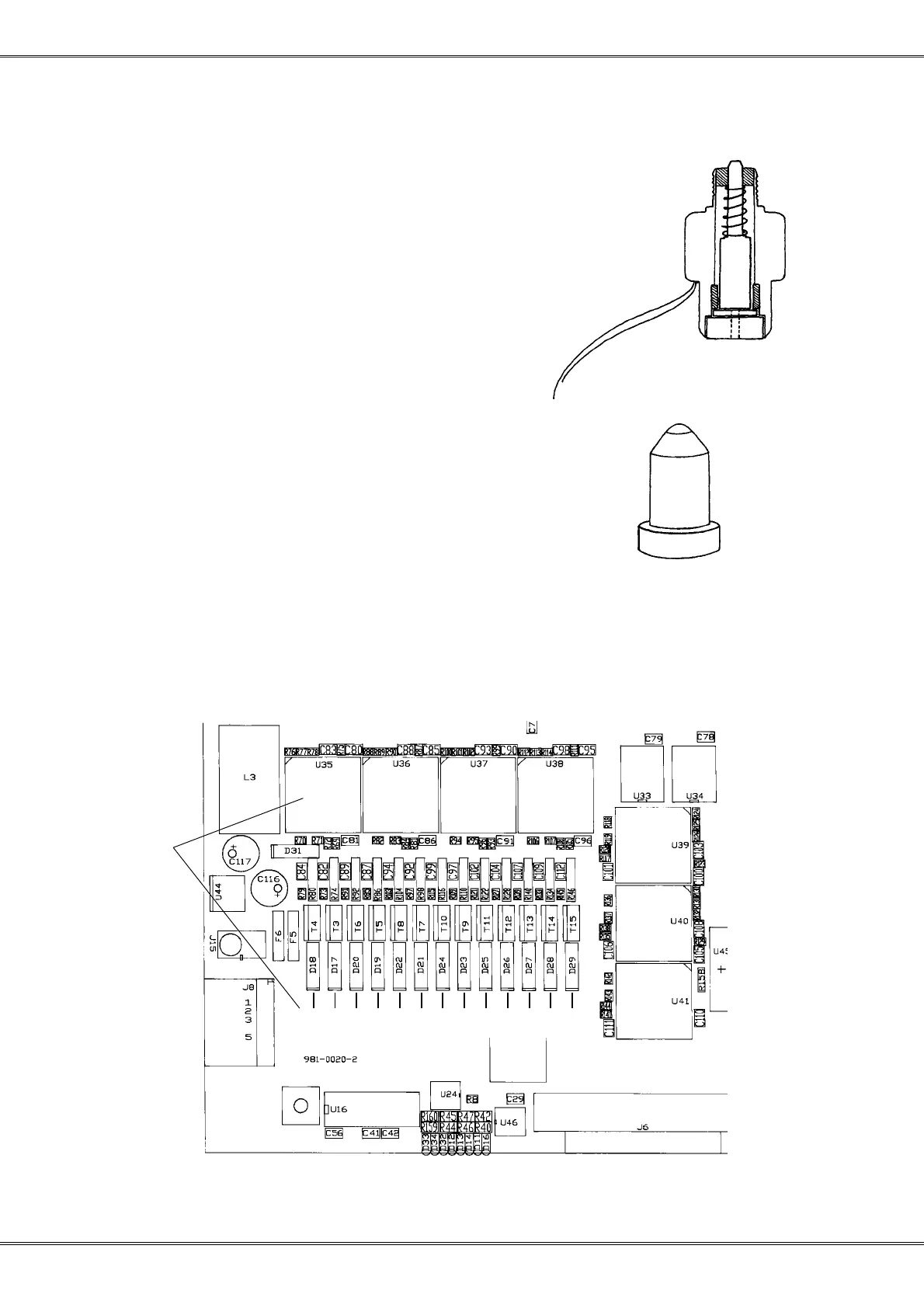
In case of a hammer problem.
Check that the hammer plunge moving smoothly without friction by pressing
an axle from the back hole of the hammer, movement 3.8 mm. Measure the
resistance of the hammer, it should be 1.9-2.0 Ohm. If there is any additional
friction on the plunge, clean the plunge of the hammer with a soft clutch.
If there still is additional friction it will be necessary to exchange the hammer.
When the printing head is separated check that the tip
of the anvil have a correct sphere form.
In case of a electronic problem.
a) Check that the printhead cable is without damages.
b) Check the resistance over the 13 power driving transistors (T3-T15 pin 1-3).
The resistance shall be in the level 9-10 Kohm. A bad transistor normally indicates with a significant
lower resistance. If this is the case exchange the transistor but be careful, it is a six layer board!
Test Printinghead
Hammer #:



 To Next Page