Index Basic Servicemanual v 3.0
40
BOX 155 • S-954 23 GAMMELSTAD • SWEDEN • PHONE +46-920 203080 • TELEFAX +46-920 203085 • www.indexbraille.com • E-MAIL info@indexbraille.com
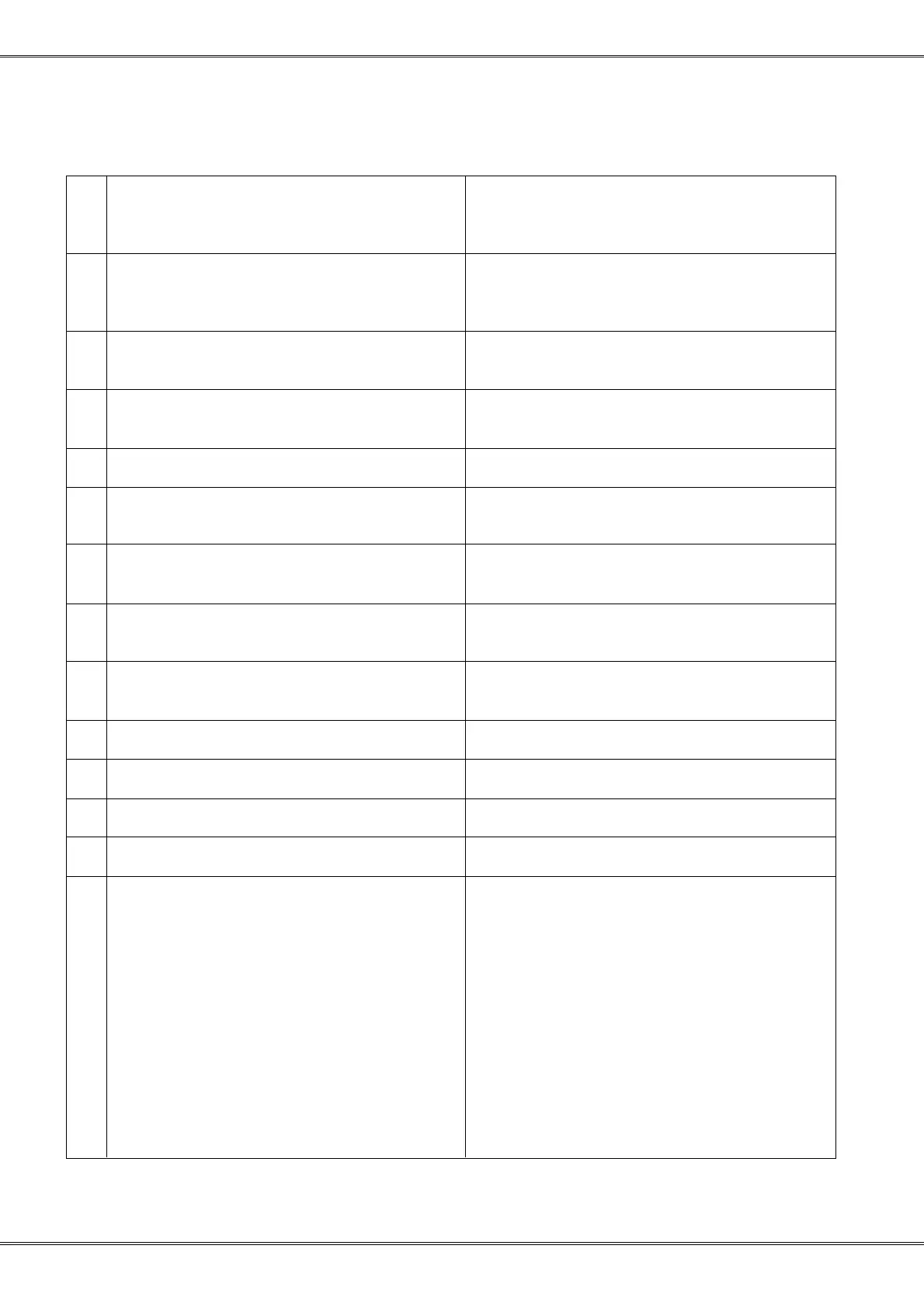
FAQ's
Problem Remedy
1 Everest prints outside the paper or nothing at all, Paper sensor calibration.
or gives number of lines either zero or very high
(e.g. 272) when pressin valule in stand by mode.
2 Embosser does not start up System reset
Value power on (beep?) RESTORE CPU grounding
must be improved if CPU number ends with an A
3 Installation Windows drivers – Word printout Generic text only driver, Setup and install driver as
default.
4 Vertical alignment old Everest and new Volt / Hammer software, Loose gear wheel
Basic/Everest
5 Windows/DOS Braille tables Use BRLED to create user defined tables.
6 Problem to download new software to embosser Shut down Win 95, Port setting to SPP, try
RESTORE option.
7 Dots are not good on brand new Everest with Springs are to weak. Problem selfadjusting after
new printinghead. some time of printing.
8 Older Duxbury Braille translator does not display Set the global settings for Index Everest
Index Basic D/S in the list of embosser settings.
9 Upgrade limitations Everest < version 6 = maximum 5.48
> version 6 = latest release on the web
10 NT drivers Win-Braille
11 4x4 printinghead hits the margin of the paper Press "Normal" + Power on & 1/10 keys



 To Next Page