EasyManua.ls Logo

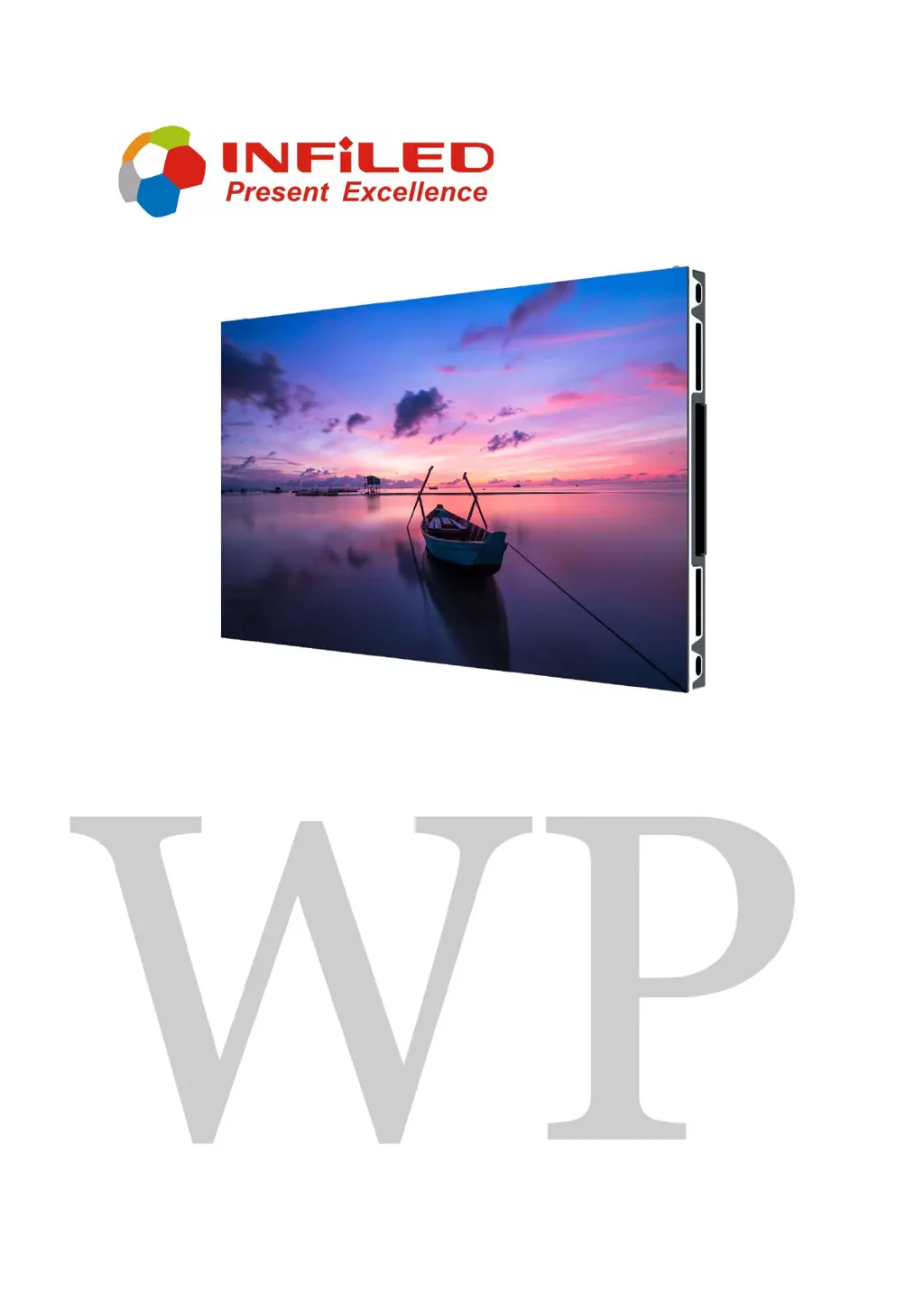
INFILED Wallpaper Series - User Manual

INFILED Wallpaper Series
35 pages
Print Icon
To Next Page IconTo Next Page
Loading...
Installation and
Users Manual
Wallpaper Series
Fixed Solution
Indoor
2019
English Version

Questions and Answers

  • J
    John MooreAug 4, 2025
    What to do if all INFILED monitor panels display video incorrectly?
    • C
      coxsharonAug 4, 2025
      If all panels or the monitor screen display video incorrectly or not at all, there might be several reasons: * Incorrect video input or panel settings on the Control System: Check settings such as PAL/SECAM/NTSC selection and overall panel intensity. * Unusable video signal or defective video source: Verify the video source. * Fault on Control System: Inspect connections and cables, correct poor connections, and repair or replace damaged cables. * Device on Control System defective: Have the faulty device tested and serviced by an INFILED service technician or supplier.
  • C
    Cameron HayesAug 10, 2025
    What to do if INFILED Wallpaper Monitor panel is completely dead?
    • D
      David SpencerAug 10, 2025
      If the panel is completely dead, it could be due to the following reasons: * No power to the panel: Check the power supply and connections. * Blown fuse: Disconnect the panel from power and contact an INFILED professional for service. * Defective PSU: Disconnect the panel from power and contact an INFILED professional for service.
  • P
    pwarrenAug 16, 2025
    What to do if INFILED Wallpaper display cuts out intermittently?
    • T
      Traci RoseAug 16, 2025
      If the display cuts out intermittently, it could be due to: * Panel overheating: Ensure free airflow around the spine, clean the spine, and check that the ambient temperature does not exceed the maximum permitted level. Contact INFILED for service if needed. * Fault on the control systems: Inspect connections and cables, correct poor connections, and repair or replace damaged cables.
  • T
    Taylor CarterAug 21, 2025
    What to do if one or more INFILED Wallpaper Monitor panels display video incorrectly?
    • N
      Nicole ScottAug 22, 2025
      If one or more panels display video incorrectly or do not display video at all, consider the following: * Incorrect panel settings on control system: Check settings, including display configuration, panel device, and properties. * Panel defective: Have the faulty panel serviced by an INFILED service technician. * Other device on Control system defective: Replace it with a device known to be operating correctly and have the faulty device tested and serviced.
  • R
    Russell RuizAug 28, 2025
    How to fix one LED module that cuts out on INFILED Wallpaper?
    • M
      Matthew ClarkAug 28, 2025
      If one LED module cuts out, it might be due to: * Incorrect installation or connection of the LED module, or a faulty LED module: Check the module and replace it if necessary.

Summary

Safety Information

Protection from Electric Shock

Details safety precautions to prevent electric shock during installation and operation, including power source requirements.

Protection from Fire

Outlines measures to prevent fire hazards, emphasizing clearance, avoiding modifications, and temperature limits.

Protection from Injury

Advises on preventing physical injury during installation and operation, stressing secure mounting and protective eyewear.

Product Overview

Features

Highlights the ultra-thin design, space-saving installation, and high-definition visual capabilities of the wallpaper series.

Dimensions

Specifies the physical dimensions (height, width, depth) and weight of the LED panel cabinet.

External Components

Identifies and explains the function of external connection points and mounting hardware on the LED panel.

Specifications

Lists detailed technical specifications including pixel pitch, resolution, power consumption, and operating parameters.

Package

Covers instructions for packing, storage, and transportation of LED panels using flight cases to ensure protection.

Mechanical Installation

Vertical Connection

Guides through vertical panel connections using rolling-locks, detailing back-mounted and front-mounted installation methods.

Horizontal Connection

Details horizontal panel connections using the same rolling-lock system and position pins for lateral joining.

Installation Components

Describes specialized hanging bars and components for precise fixed installations, differentiating between small and big screen setups.

Small Screen Assembly

Provides step-by-step instructions for assembling smaller screen configurations using mounting and hanging bars.

Big Screen Assembly

Explains the assembly process for larger screen configurations, focusing on a 6x6 structure.

LED-Panel Suspension

Details the method for suspending LED panels by inserting hanging pins into the specialized holes of the hanging bar.

Power and Data Connection

Electrical Components

Identifies necessary power and data cables, connectors, and their specifications for connecting the LED panels.

Power and Data Link

Explains how to establish vertical and lateral power/data interlinks for small and big screens using various connection methods.

Software

Senderboard

Introduces the senderboard's role in connecting the control system to the LED panel and details controller specifications.

Hardware Connection

Illustrates the required hardware connections for data communication between the computer, senderboard, and LED wall.

Software Introduction

Covers Nova software installation, user login, display connection setup, and configuration of the LED display.

Service and Maintenance

Maintenance Announcement

Provides important guidance on product maintenance to extend the working lifespan of INFILED LED displays.

Test Button and Indicator LEDs

Explains the function of indicator LEDs and the test button for troubleshooting power and data connection issues.

Troubleshooting

Offers solutions for common problems encountered with the LED panels, including power, video, and display issues.

Service Desk

Provides information on global service, maintenance support, and contact details for INFILED technical assistance.

INFILED Wallpaper Series Specifications

General IconGeneral
SeriesWallpaper Series
Refresh Rate3840Hz
Display TypeLED
Contrast Ratio5000:1
Lifespan100, 000 hours
Module MaintenanceFront maintenance
Storage Temperature-30°C to 60°C
Humidity10-80% RH
Pixel Pitch0.9mm