Media
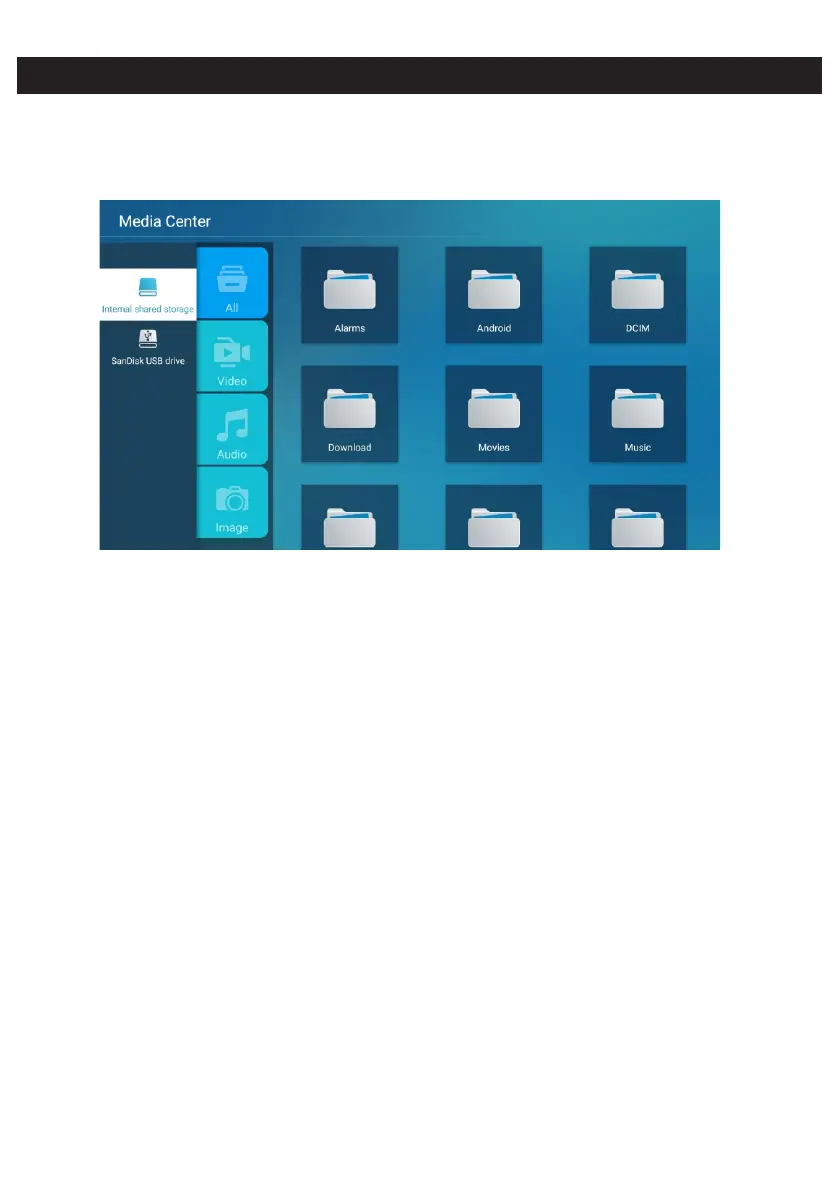
Press / / ◄ / ► button to select Multimedia in OTHERS on the Home page or press MEDIA ▼ ▲
button on the remote,and press OK button to enter enter the Media Center.
Press ◄ / ► button to select All/Video/Audio/Image.
Video
Press / button to select Video or All,and press / /◄ / ► button to select Movies.▼ ▲ ▼ ▲
Press Menu button to display the setting options on the left side.
Audio
Press / button to select Audio or All,and press / /◄ / ► button to select Music.▼ ▲ ▼ ▲
Image
Press / button to select Image or All,and press / /◄ / ► button to select Pictures.▼ ▲ ▼ ▲


 To Next Page