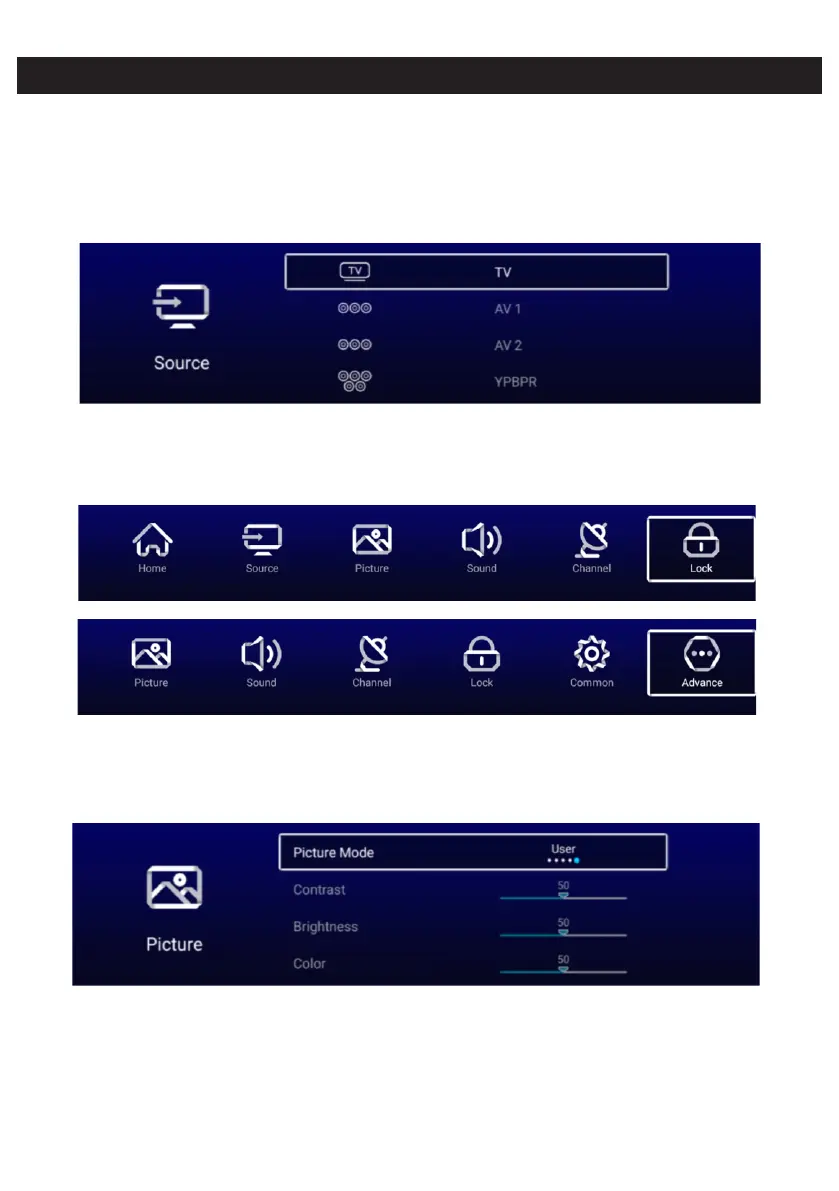
Input
Press More under the “WISDOM SHARE” on the Home page. ▼ ▲/ /◄ / ► button to select
Press button to select ◄ / ► TV/AV1/AV2/YPBPR/HDMI1/HDMI2/HDMI3/VGA.
Or press Menu button,and press button to select Source.◄ / ►
Press button to select the input source you want. ▼ ▲/
Press OK button to enter.Press EXIT button to quit.
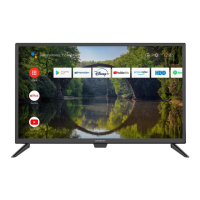
P MENU button to enter the TV Setting. ress
ress / button to highlight the desired menu icon , and press OK button to select.P ◄ ►
( Optional:Home/Source/Picture/Sound/Channel/Lock/Common/Advance)
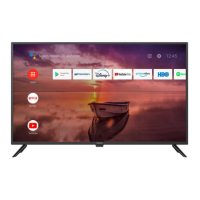
Picture
ressP MENU button to enter the main menu.
Press / button to select the Picture. ◄ ►
Press OK button to enter the sub-menu.
Press button to select Picture Mode/Contrast/Brightness/Color/Backlight/ ▼ / ▲
Color Temp/More Settings.
Press MENU or EXIT button to quit.


 To Next Page