TV Setting
Press ▼ ▲ / button to select Country/Antenna Type/Scan/Channel List.
Press MENU or EXIT button to quit.
Country
Press ▼ ▲/ button to select Country.Press OK button to enter to select country.
Antenna Type
/ button to select Antenna Type.Press / button to enter to select Air/Cable/Satellite.Press ▼ ▲ ◄ ►
Scan
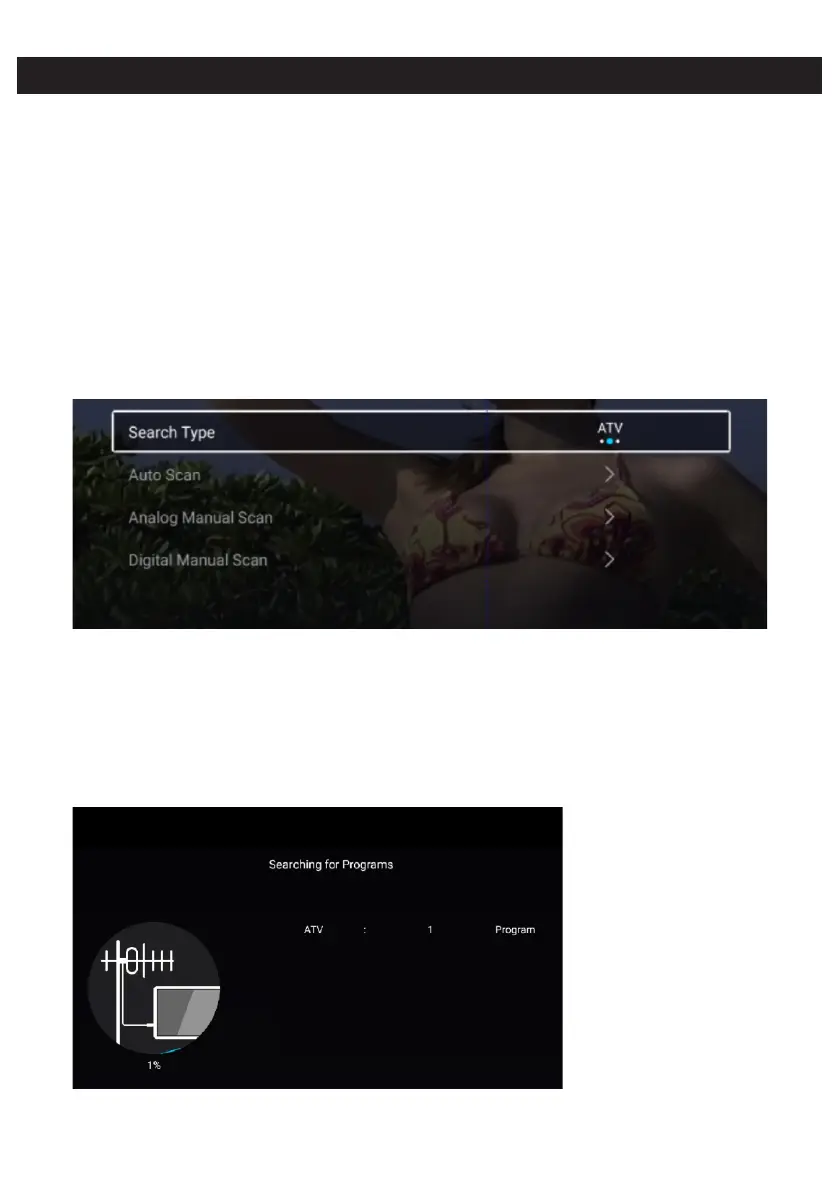
Press ▼ ▲/ button to select Scan.Press OK button to enter the sub-menu.
/ button to select Search Type/Auto Scan/Analog Manual Scan/Digital Manual Scan.Press ▼ ▲
Auto Scan
Automatic search can search for effective program channel automatically.
Search Type
Press ▼ ▲ ◄ ► select ATV+DTV/ATV/DTV/ button to select Search Type, then press / button to .
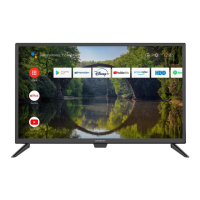
Start Scan
▼ ▲ ◄ ►Press / button to select Start Scan. Press / button to start auto scan.


 To Next Page