20
◆
Kappa Series Powered Subwoofer – Owner’s Manual
Read the following instructions carefully. The example presented may not look like
the graph you just created. Focus on the concepts and techniques presented. Specific
cases will be discussed later.
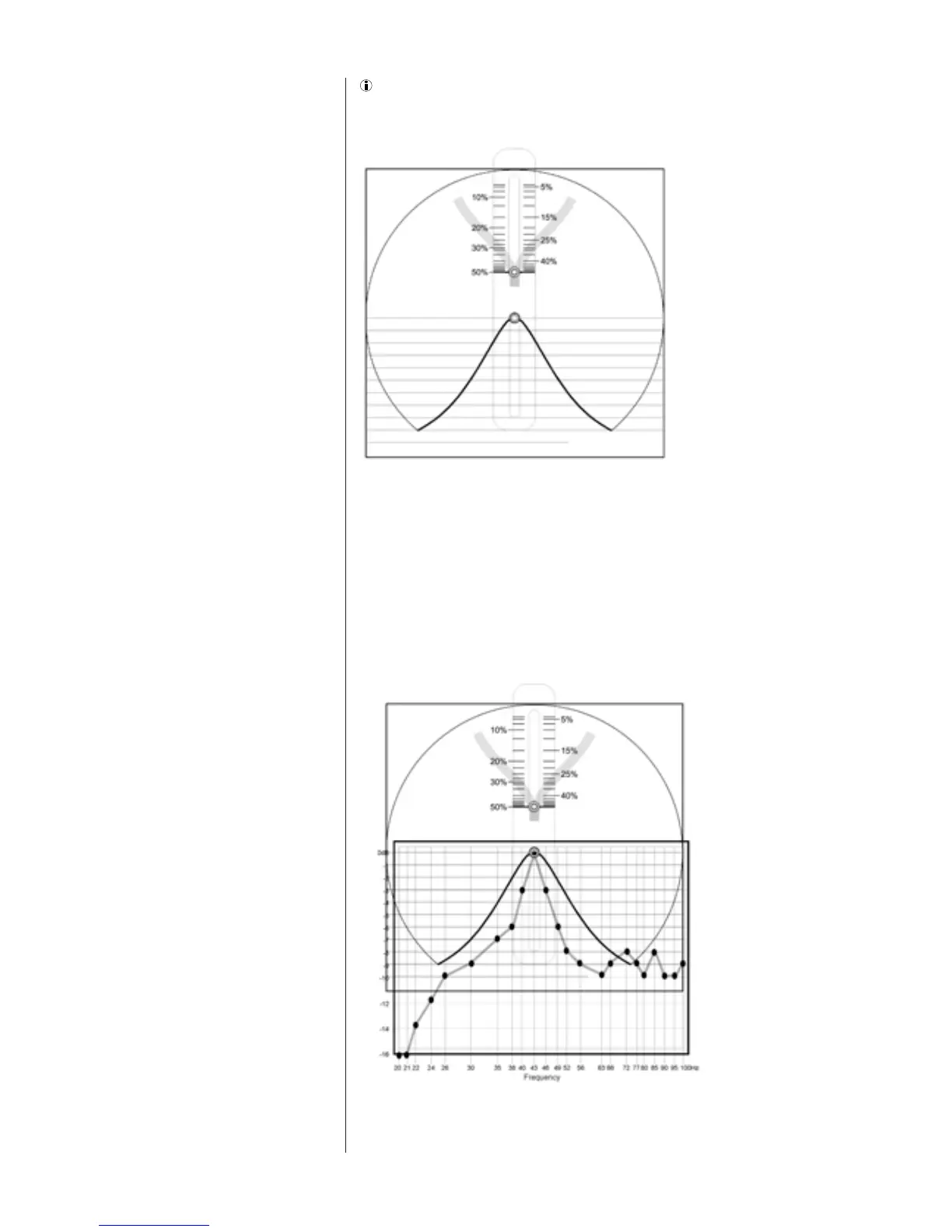
You will use the Measurement Template just completed and the Width Selector to
determine the correct width setting. The Width Selector graphically depicts a single
resonant peak. The peak looks similar to a slice of a pie. See Figure 14. At the top of
the Selector is a pull tab. When you slide the tab up and down, the width of the pie slice
becomes narrower and wider, respectively. The pointers on the sides of the button
point to the bandwidth that corresponds to the width of the slice.
Place the Width Selector over the Measurement Template, positioning the center rivet
of the Selector over the response peak, as shown in Figure 15. Be sure to align the
horizontal lines of the Width Selector with those of the Measurement Template.
Using the Width
Selector
Figure 14
Width Selector
Figure 15
Placement of the
Bandwidth Selector




 To Next Page