23 / 108
1. To configure the Security level check button, DOWNLOAD BUTTON, INFO.
2. To control the sharing PC/laptop.
3. To activate system upgrading
4. For white board or annotation during a presentation, iShare X transmits Video, Audio and the USB-HID
function for mouse-control and click-function of a touchscreen. Connect touch-interface of your screen to the USB-port on
your laptop or PC.
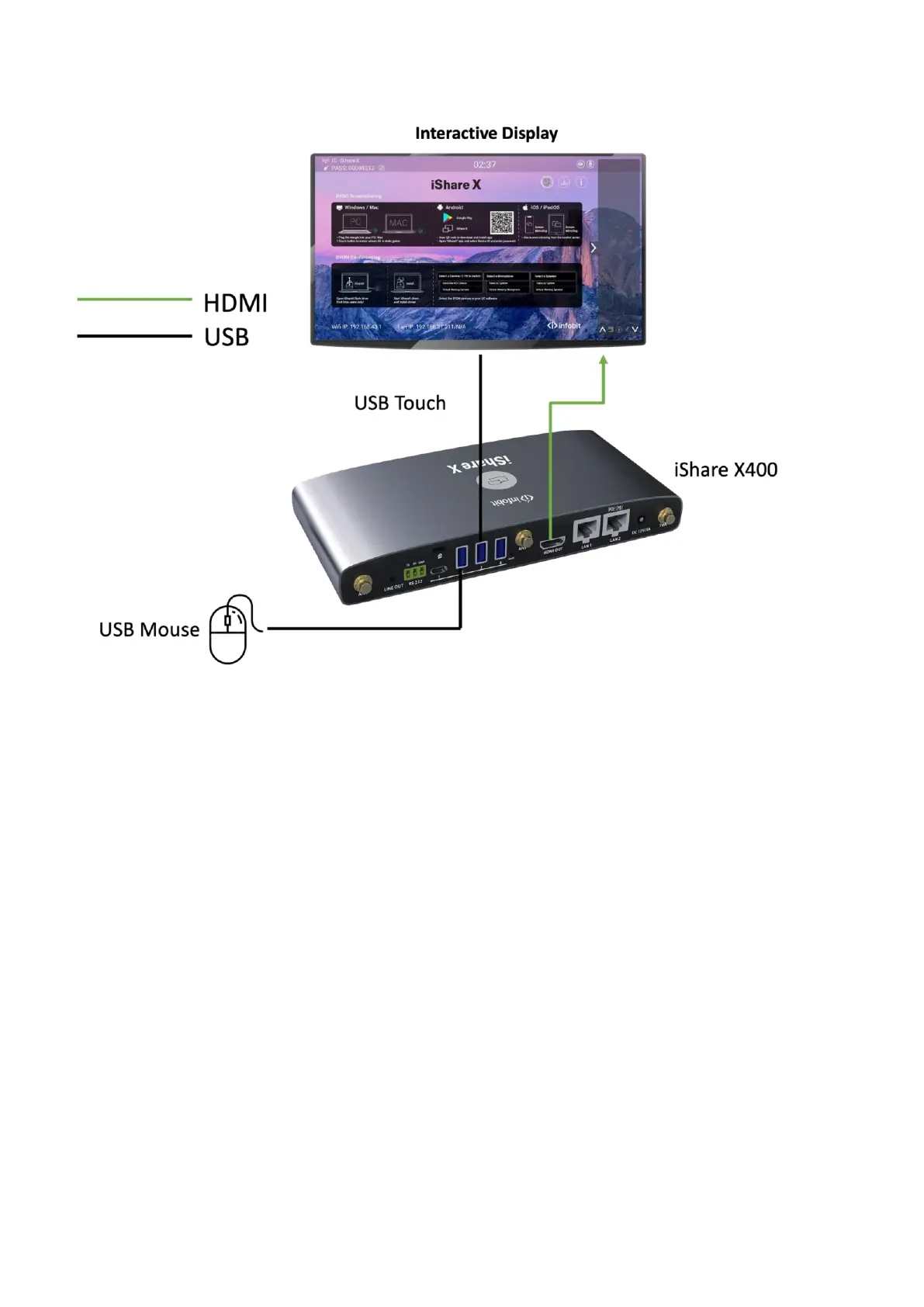
USB control
USB mouse
⚫ For configuration menu
⚫ Single click to select.
⚫ Right-click to back to the Home Page.
Touch screen
⚫ Click to select.
⚫ Long press to open the contextual menus, as double-click or right-clicking button of a USB mouse.
External USB Devices over Wi-Fi Sharing


 To Next Page