35 / 108
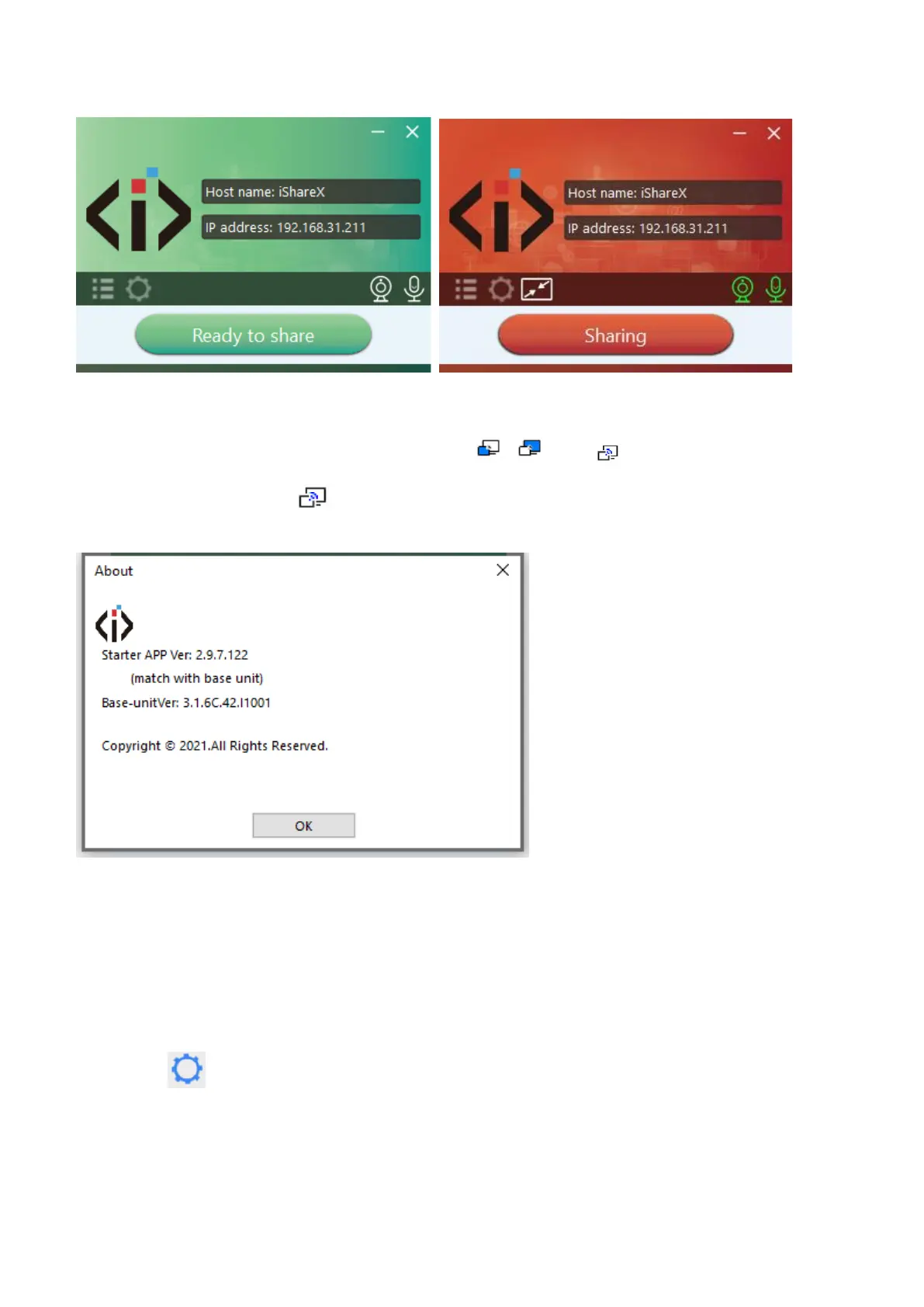
6. Click the visual button again, to stop mirroring, window color turns green again. You can minimize the APP-window, and
on the Windows taskbar you can see if screen is mirroring or not .
Right click the iShare X status icon to open up the context- menu.
⚫ “About”: You can check the software versions of the Base-unit, the dongle and the launcher program.
⚫ “Exit”: quick the APP. Exiting the App completely.
If you click the “close” in the upper right corner, the app in the task bar is only minimized and can be recalled again at any
time.
5.3.3 Options for Microsoft Windows PC / Laptop – Extended Screen
Click the icon in App to open/close “options”.


 To Next Page