53 / 108
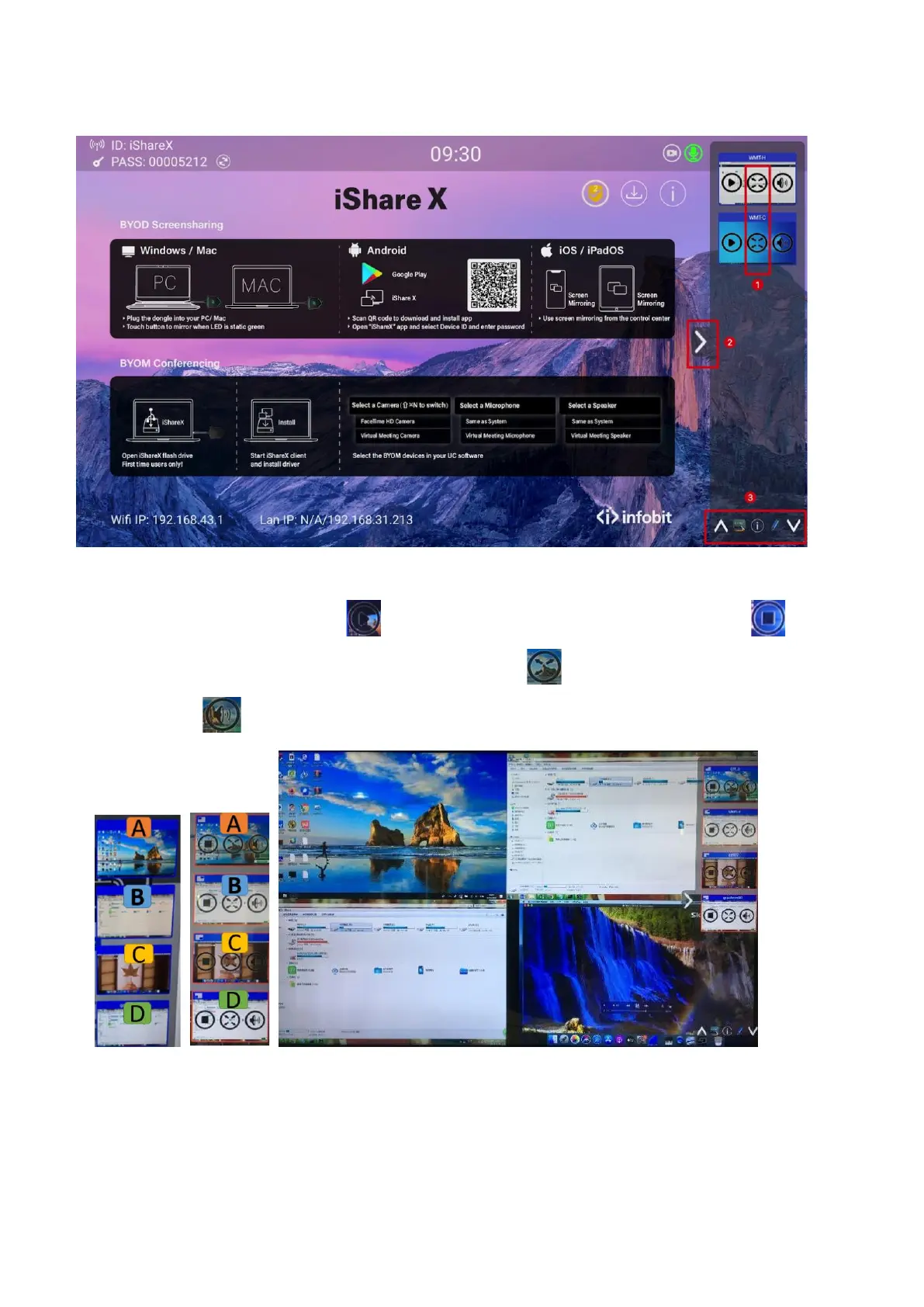
Just scroll UP or DOWN (3) to see further preview pictures.
As soon as presenter is clicking with mouse of Base-unit, or clicking with finger at touch-screen, the appropriate participants
of the meeting is activated, another click at the arrow shows his picture at the main screen in full format. A red frame is
shown for the active picture. The button indicates play button, click to show screen. The button indicates
step out screen, click to stop mirroring the current signal. The button indicates full screen, click to be full on main
screen. The button indicates volume, click to adjust the volume of connected signal.
5.5 Whiteboard & Annotation
Whiteboard and Annotation requires an HID compatible device, such as interactive white board or interactive touch screen.


 To Next Page